2-159
CHAPTER 2 NEW FUNCTIONS
COPYRIGHT
©
2001 CANON INC. 2000 2000 2000 2000 CANON CLC5000 REV.0 JAN. 2001
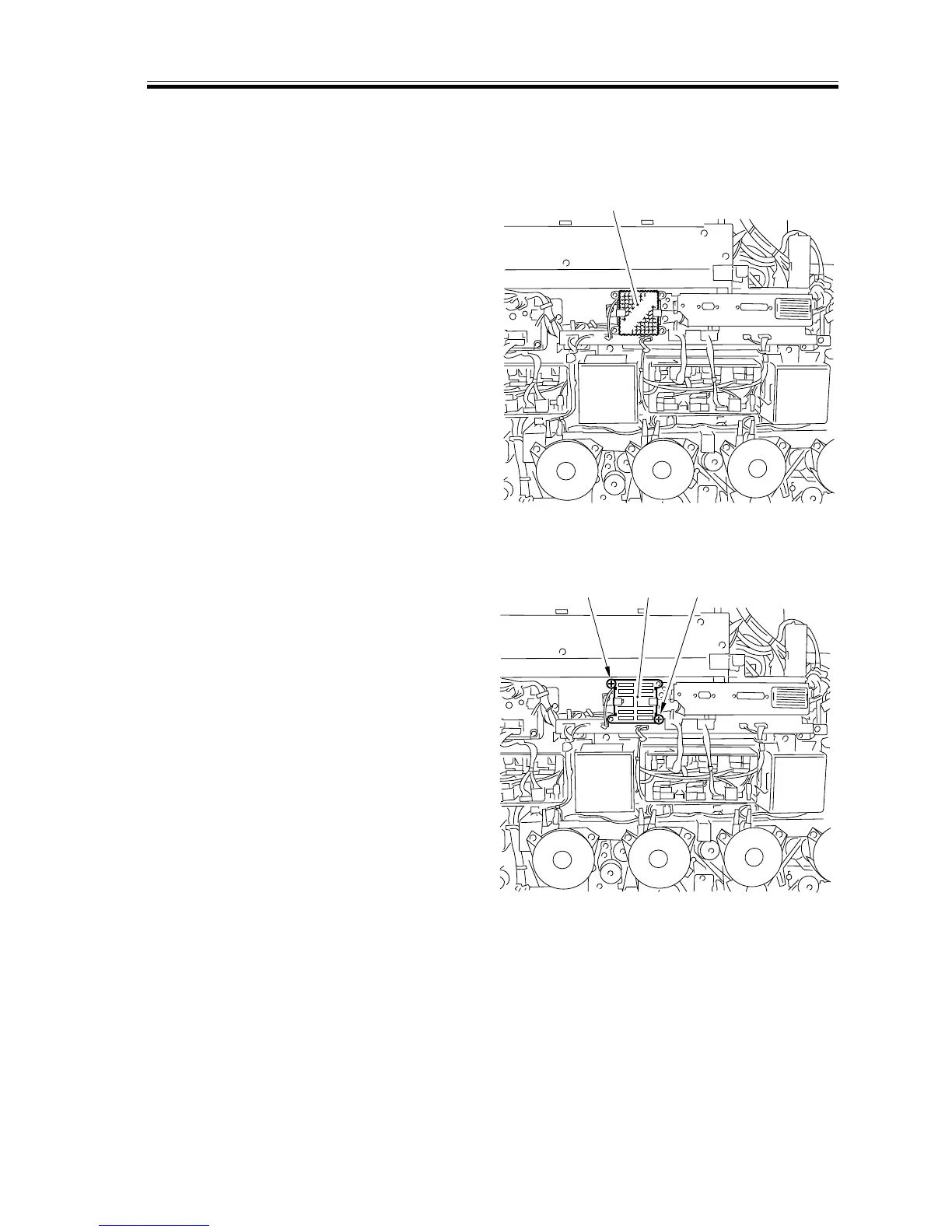
7.6.1 Fans and Filters
a. Removing the Laser Scanner Motor Cooling Fan
1) Remove the rear cover (1).
2) Remove the filter [1].
[1]
F02-706-01
3) Remove the two screws [2], and detach
the filter mounting plate [3].
[2]
[2]
[3]
F02-706-02



 To Next Page