COPYRIGHT
©
2001 CANON INC.
2000 2000 2000 2000
CANON CLC5000 REV.0 JAN. 2001
CHAPTER 3 INSTALLATION
3-30
F03-600-02
Step Work Remarks
F03-600-01
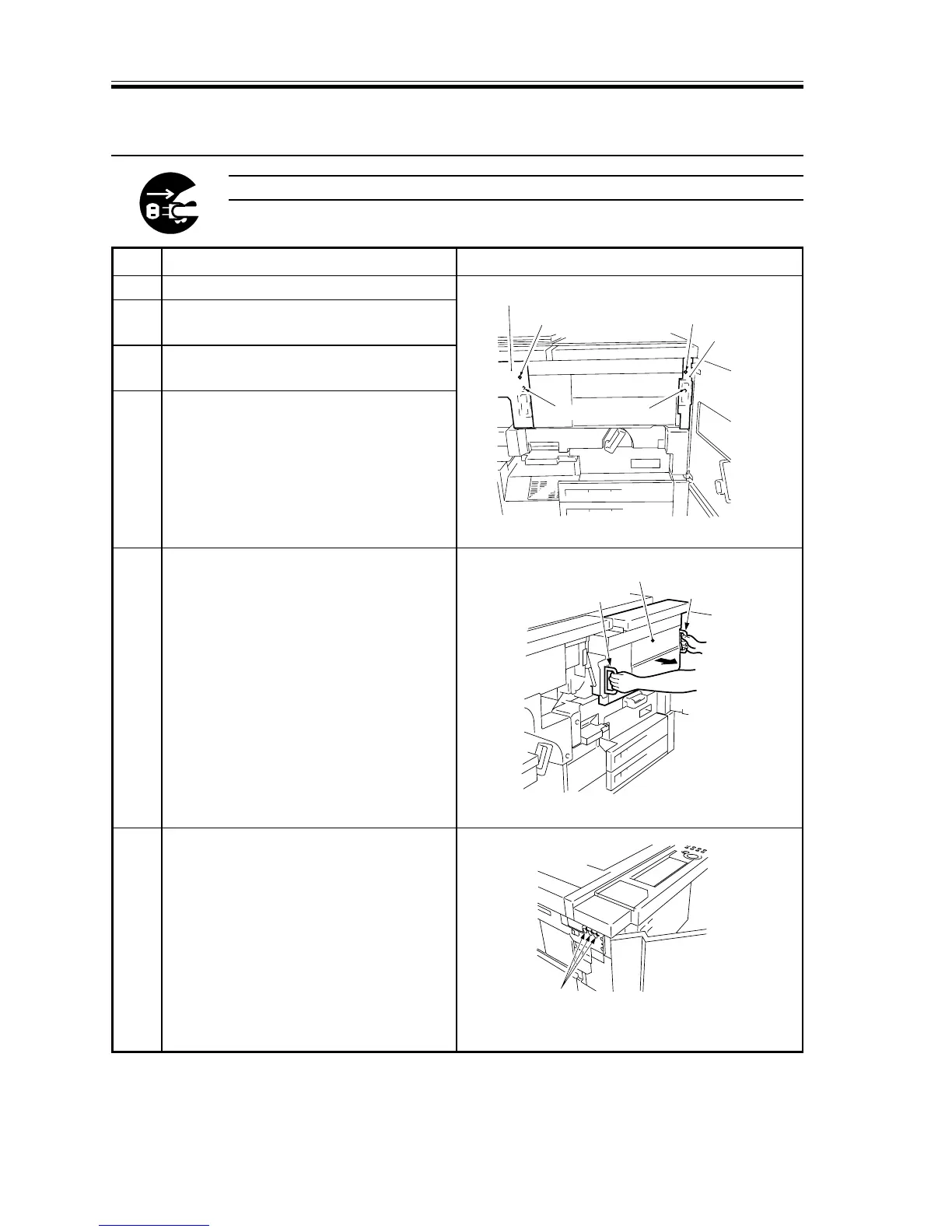
Left cover
Screw
Right cover
Screw
Fixing screws
Hopper assembly
Grip
Grip
F03-600-03
Screws
1 Open the copier’s front cover (left, right).
2 Remove the screw, and remove the
hopper assembly right cover.
3 Remove the screw, and remove the
hopper assembly left cover.
4 Remove the two fixing screws from the
hopper assembly.
5 Holding the right and left grips, pull out
the hopper assembly to the front.
6 Remove the copier’s left side plate, and
remove the three screws used to fix the
control panel in place.
6 Installing the Control Card V
Be sure to disconnect the power plug before starting the work.














 To Next Page