COPYRIGHT
©
2001 CANON INC.
2000 2000 2000 2000
CANON CLC5000 REV.0 JAN. 2001
CHAPTER 3 INSTALLATION
3-39
Step Work Remarks
waste toner
cover
upper cassette
lower cassette
front lower cover
right front
cover
8.2 Procedure
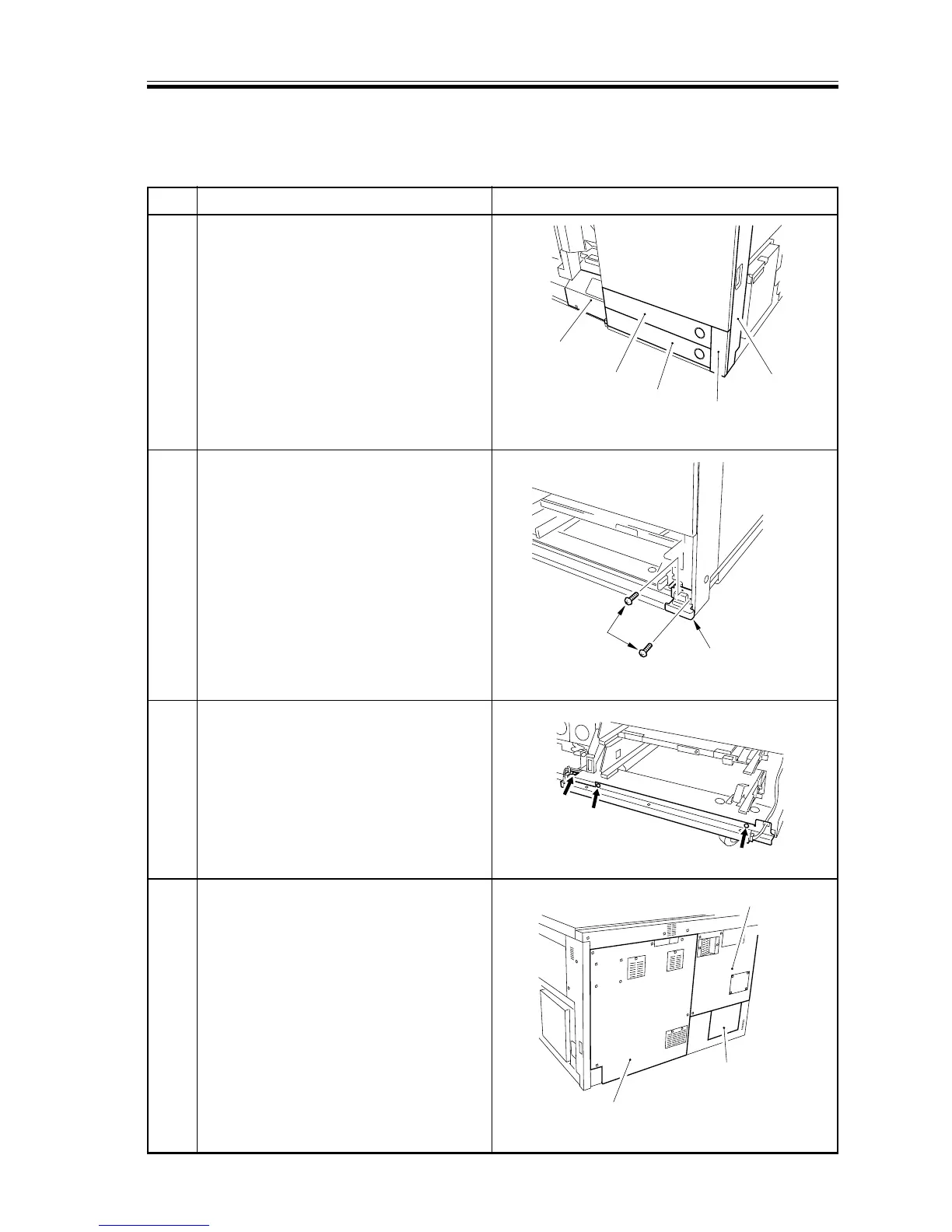
8.2.1 Preventing Deformation of Externals
1 To protect the externals from deformation,
remove the upper cassette, lower cassette,
waste toner cover, right front cover, and
front lower cover.
2 Detach the right lower cover.
3 Remove the harness base (cassette lower)
secured to the base plate with three
screws, and attach it temporarily to the
cassette holder by means of duct tape or
the like.
4 Detach the rear cover1, 2, 3 cover.
F03-802-01
F03-802-02
F03-802-03
F03-802-04
Right lower cover
Screw
rear cover 2
rear cover 3
rear cover 1














 To Next Page