2-112
CHAPTER 2 NEW FUNCTIONS
COPYRIGHT
©
2001 CANON INC. 2000 2000 2000 2000 CANON CLC5000 REV.0 JAN. 2001
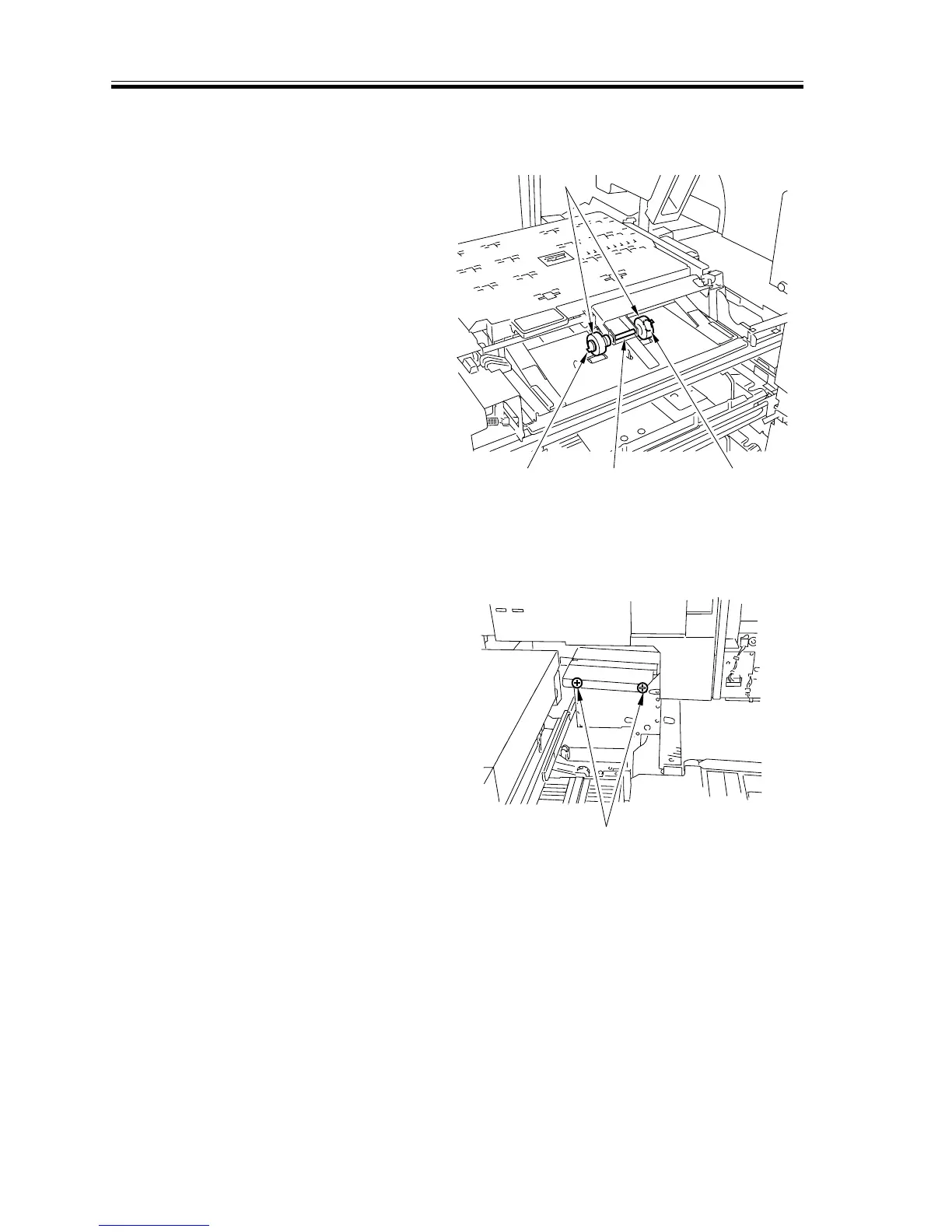
5.7.7 Removing the Duplex Unit Feed roller
1) Remove the duplex unit.
2) Remove the two resin clamps [1], and
detach the feed roller [3] from the feed
roller shaft [2].
F02-507-14
5.7.8 Removing the Pre-Fixing Feeding Assembly
1) Remove the left cover.
2) Slide out the fixing unit and the transfer
unit.
3) Remove the two screws [1].
F02-507-15
[3]
[1]
[1]
[2]
[1]














 To Next Page