2-54
CHAPTER 2 NEW FUNCTIONS
COPYRIGHT
©
2001 CANON INC. 2000 2000 2000 2000 CANON CLC5000 REV.0 JAN. 2001
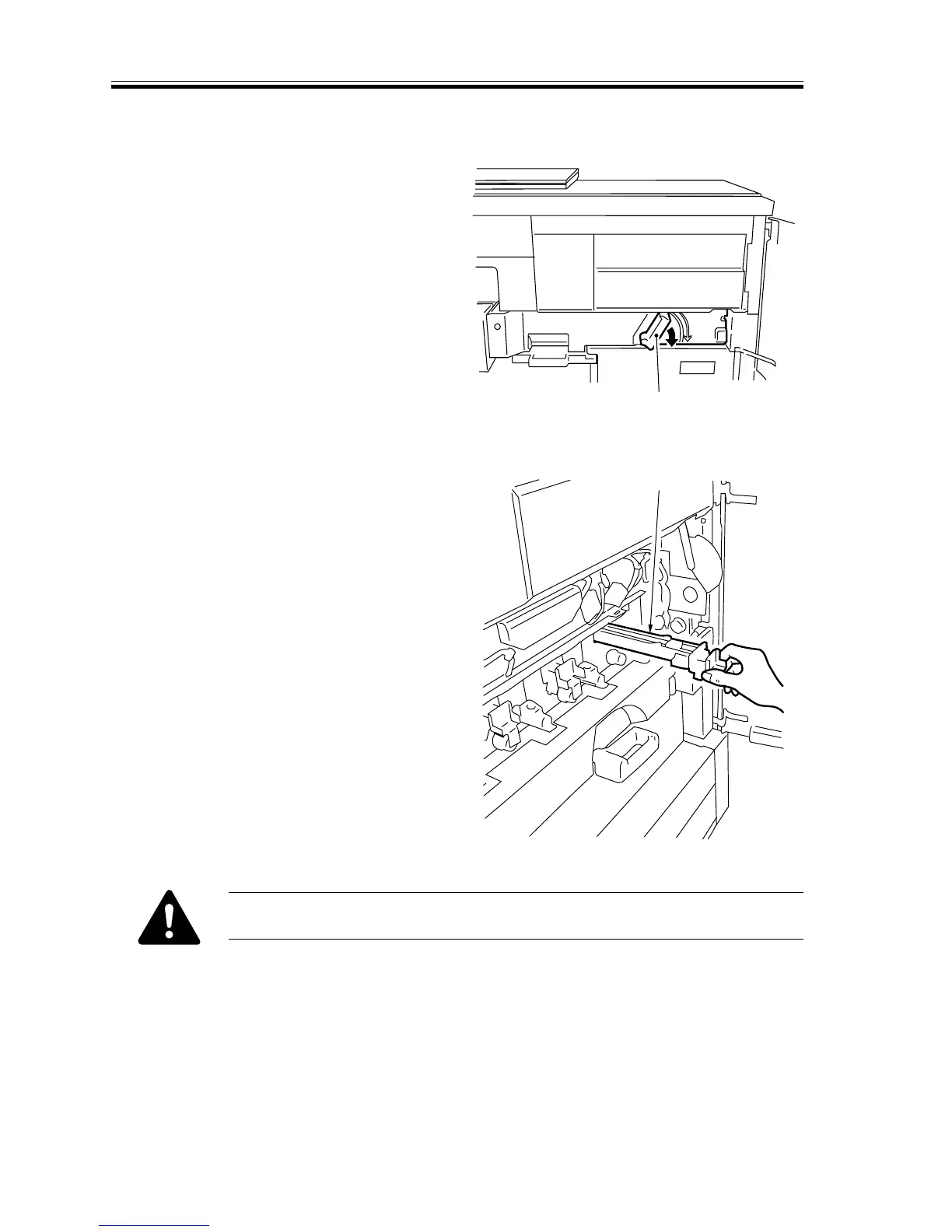
4.5.2 Process Unit System
a.Sliding out the process unit case
1) Shift down the releasing lever [1] of the
transfer unit to release the transfer belt
from the photosensitive drum.
[2]
[1]
F02-405-12
2) Lift the hopper unit.
3) Remove the four primary charging as-
semblies [2].
F02-405-13
Place the primary charging assembly so that the grid faces upward.














 To Next Page