2-29
CHAPTER 2 NEW FUNCTIONS
COPYRIGHT
©
2001 CANON INC. 2000 2000 2000 2000 CANON CLC5000 REV.0 JAN. 2001
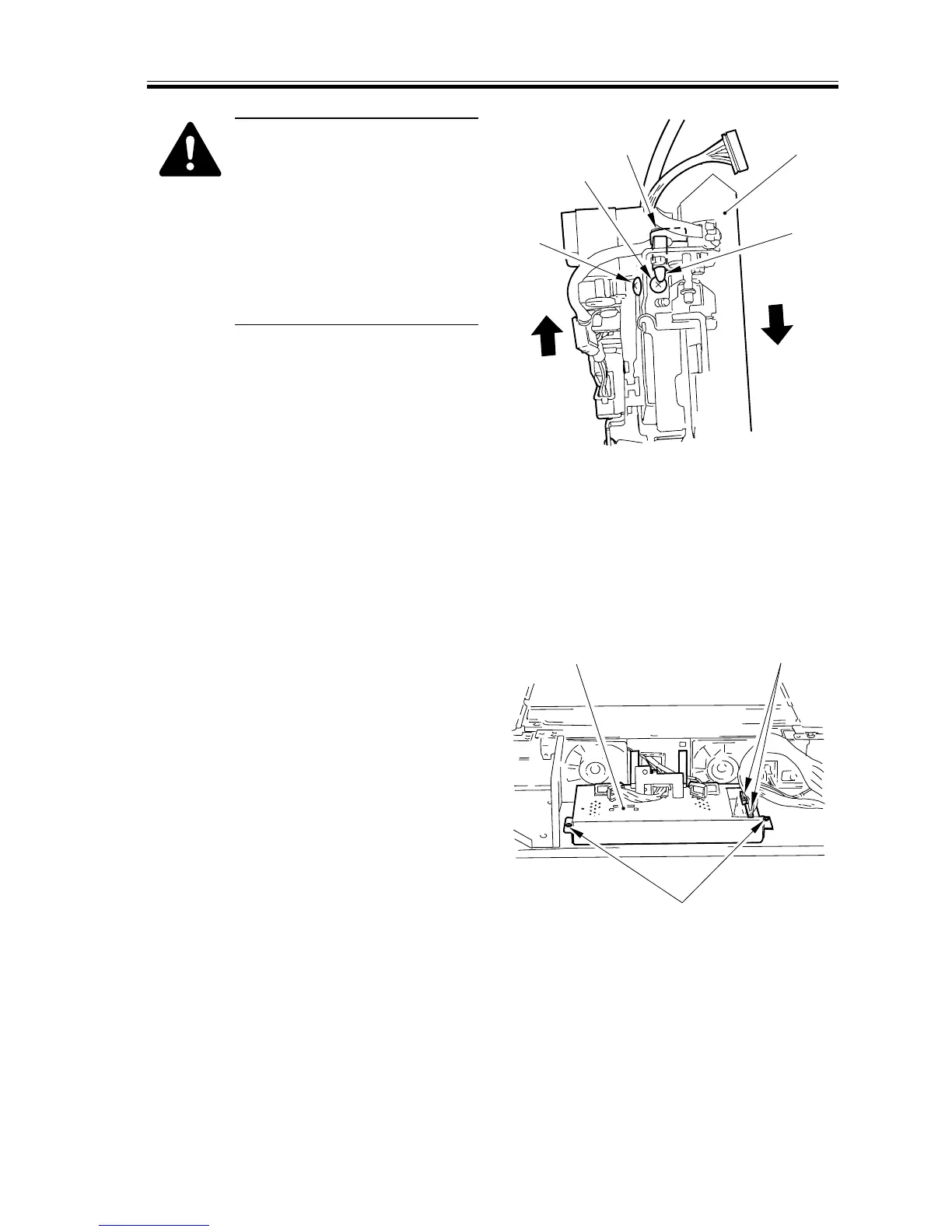
Points to Note When Mounting
the Slant Correction Motor
1) While moving the mirror
assembly [1] in the direction
of the arrow, force the motor
unit [3] in the direction of
tightening the screw [2].
2) Attach the wire saddle [4],
then attach the screw [5].
[1]
[2]
[3]
[4]
[5]
F02-305-17
3.5.7 Shifting the scanner Unit
1) Remove the right glass retainer, right
rear upper cover, and digital covers (1
through 4).
2) Secure the digital unit in place. (See
F02-305-02.)
3) Disconnect the two connectors [1] from
the analog processor PCB and the two
screws; then, detach the analog proces-
sor PCB [3].
[1]
[2]
[3]
F02-305-18














 To Next Page