2-28
CHAPTER 2 NEW FUNCTIONS
COPYRIGHT
©
2001 CANON INC. 2000 2000 2000 2000 CANON CLC5000 REV.0 JAN. 2001
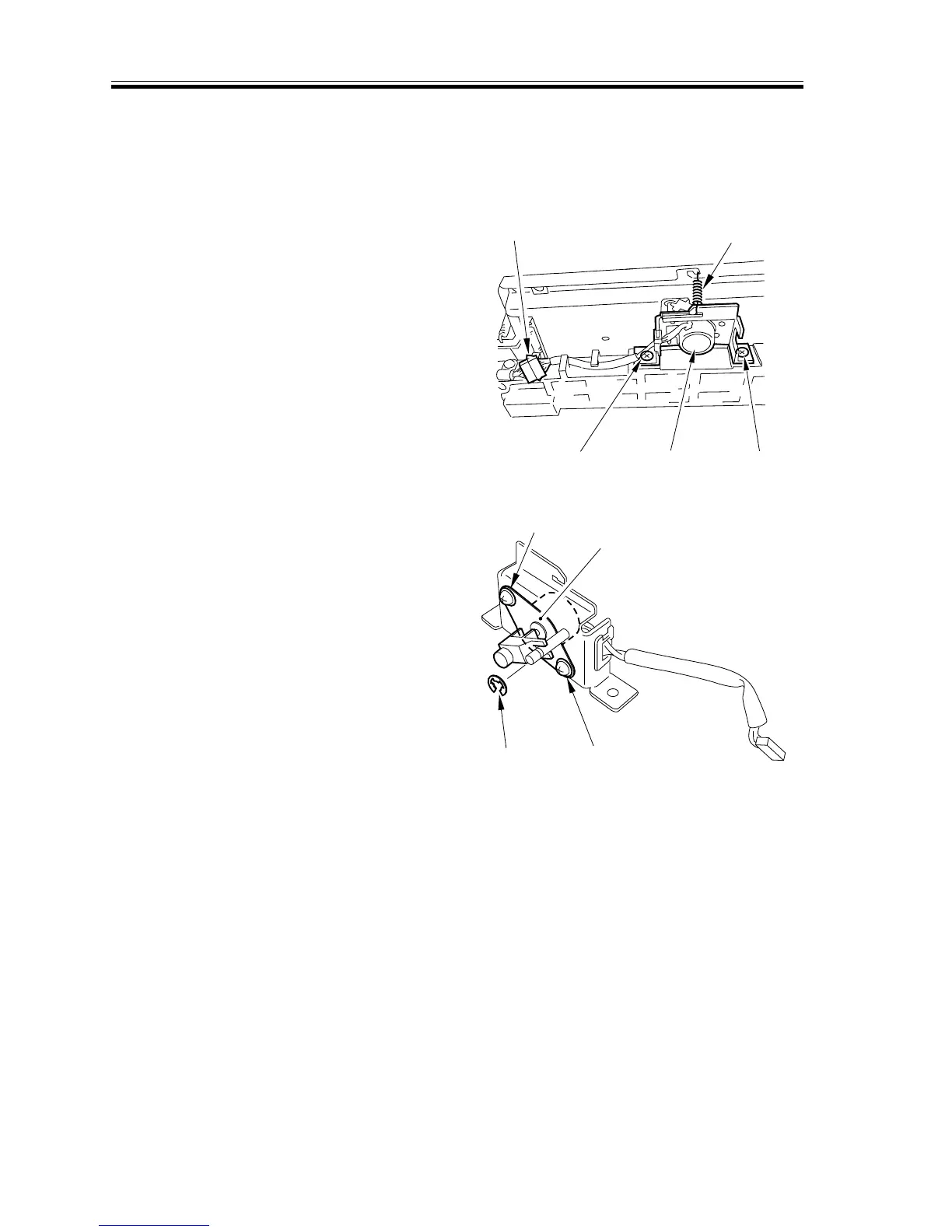
3.5.6 Removing the C Ratio Correction Motor
1) Remove the C image position correction
mirror unit.
2) Disconnect the connector [1], and re-
move the spring [2].
3) Remove the two screws [3], and detach
the ratio correction motor unit [4].
[3] [3]
[2]
[1]
[4]
F02-305-15
4) Remove the E-ring [5] and two screws
[76]; then, detach the ratio correction
motor [7].
[5] [6]
[6]
[7]
F02-305-16














 To Next Page