2-206
COPYRIGHT
©
2001 CANON INC. 2000 2000 2000 2000 CANON CLC5000 REV.0 JAN. 2001
CHAPTER 2 NEW FUNCTIONS
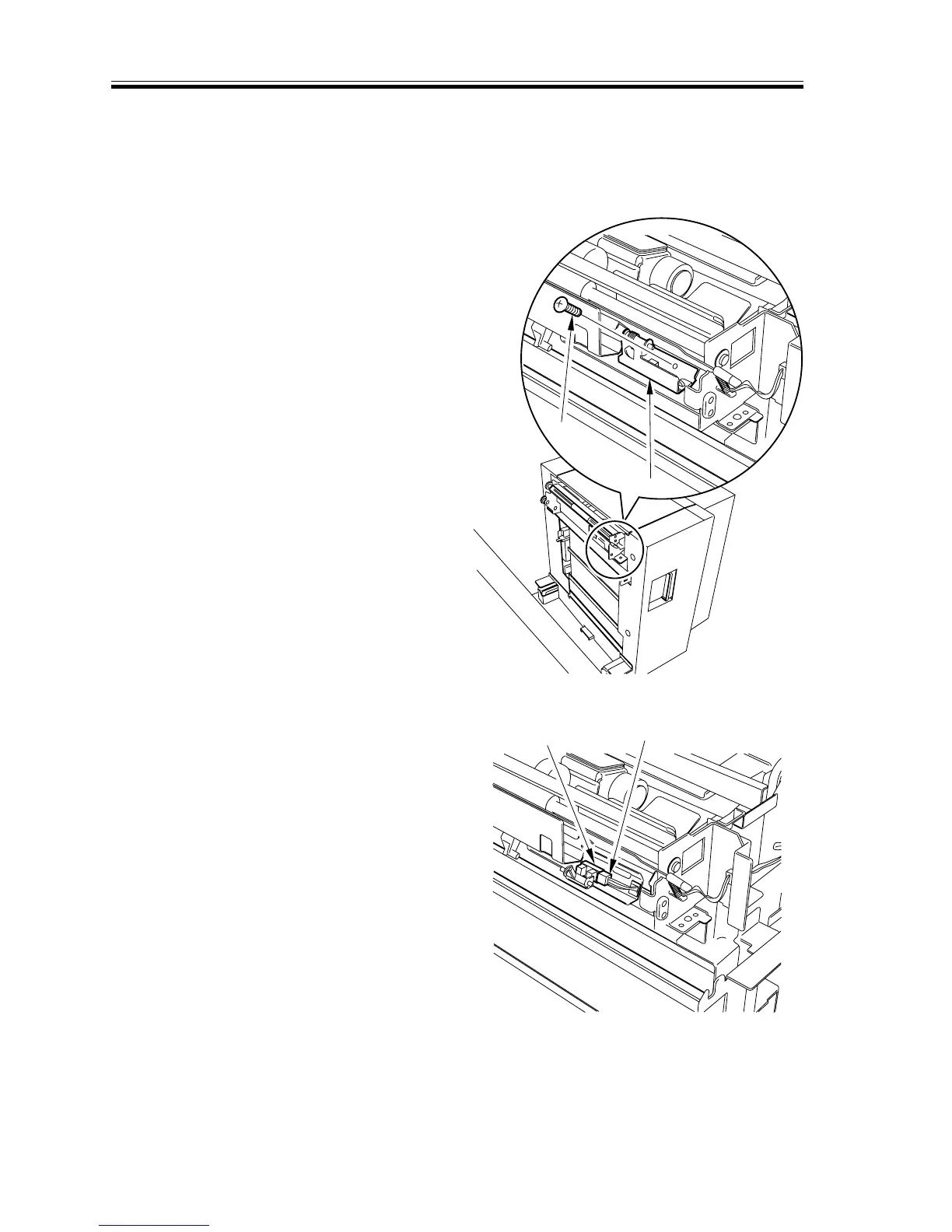
8.4.4 Removing the deck sensor
1) Detach the paper deck from the main
body of copier with the connecting rail
attached to the main body.
2) Remove the screw [1] (1 location), then
remove the deck sensor mounting plate
[2].
F04-804-11
3) Remove the connector [3] (1 location),
then remove the deck sensor [4].
F04-804-12
[1]
[2]
[3]
[4]














 To Next Page