2-11
CHAPTER 2 NEW FUNCTIONS
COPYRIGHT
©
2001 CANON INC. 2000 2000 2000 2000 CANON CLC5000 REV.0 JAN. 2001
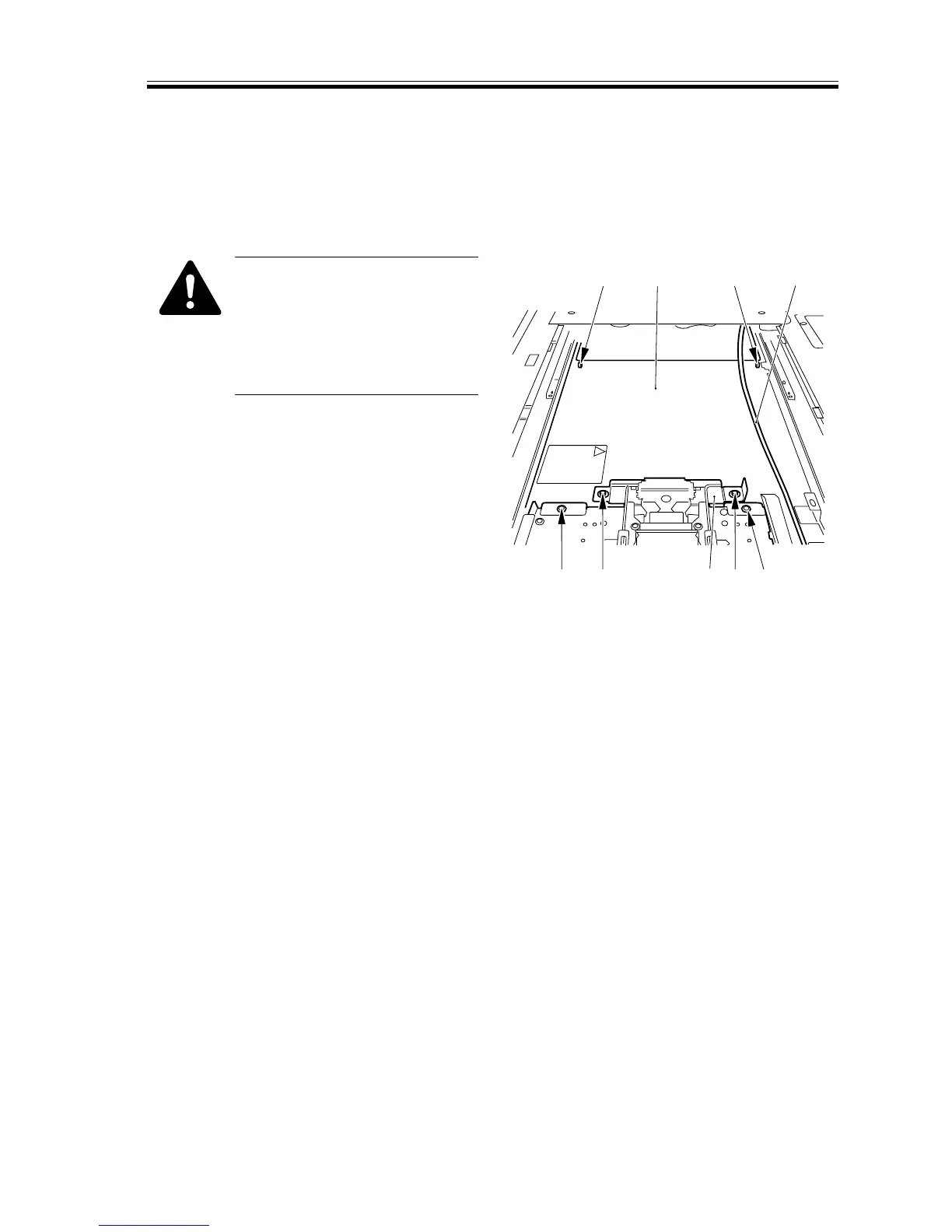
1.6.3 Removing the Scanner Cover
1) Remove the two screws [1], and detach
the auxiliary cover [2].
2) Remove the four screws [3], and detach
the laser scanner cover [4].
Be sure to keep the mirror base
fully to the left. In addition, take
care not to damage the power
cord [5] of the scanning lamp.
Pay attention to the bend found
at the front.
[3] [1]
[3] [3] [5][4]
[2] [1] [3]
F02-106-07














 To Next Page