2-143
CHAPTER 2 NEW FUNCTIONS
COPYRIGHT
©
2001 CANON INC. 2000 2000 2000 2000 CANON CLC5000 REV.0 JAN. 2001
6.10.3 Lower Fixing Cleaning Assembly
a.Removing the Lower Fixing Web/Lower Fixing Blade
1) Open the front cover (left), and shift
down the fixing lever; then, slide out the
fixing unit.
2) Remove the fixing assembly knob.
3) Remove the front fixing cover.
4) Open the outside delivery unit and the
inside delivery unit.
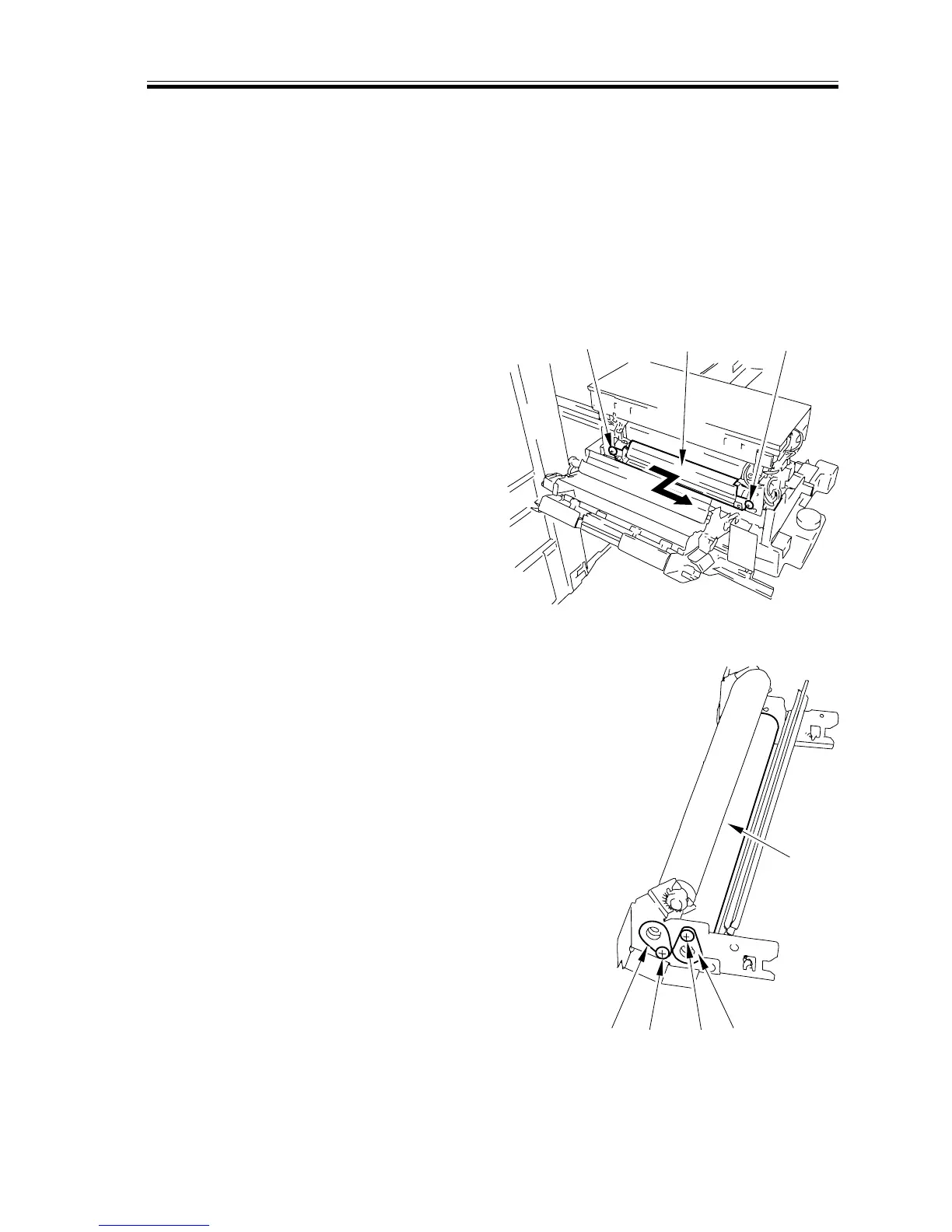
5) Remove the two screws [1]; then, slide
the lower fixing web unit [2] to the
front, and pull it out.
F02-610-17
6) Remove the two screws [3] and the two
bushings [4]; then, detach the web [5].
F02-610-18
[1]
[1]
[2]
[3]
[4]
[4]
[5]
[3]














 To Next Page