2-142
COPYRIGHT
©
2001 CANON INC. 2000 2000 2000 2000 CANON CLC5000 REV.0 JAN. 2001
CHAPTER 2 NEW FUNCTIONS
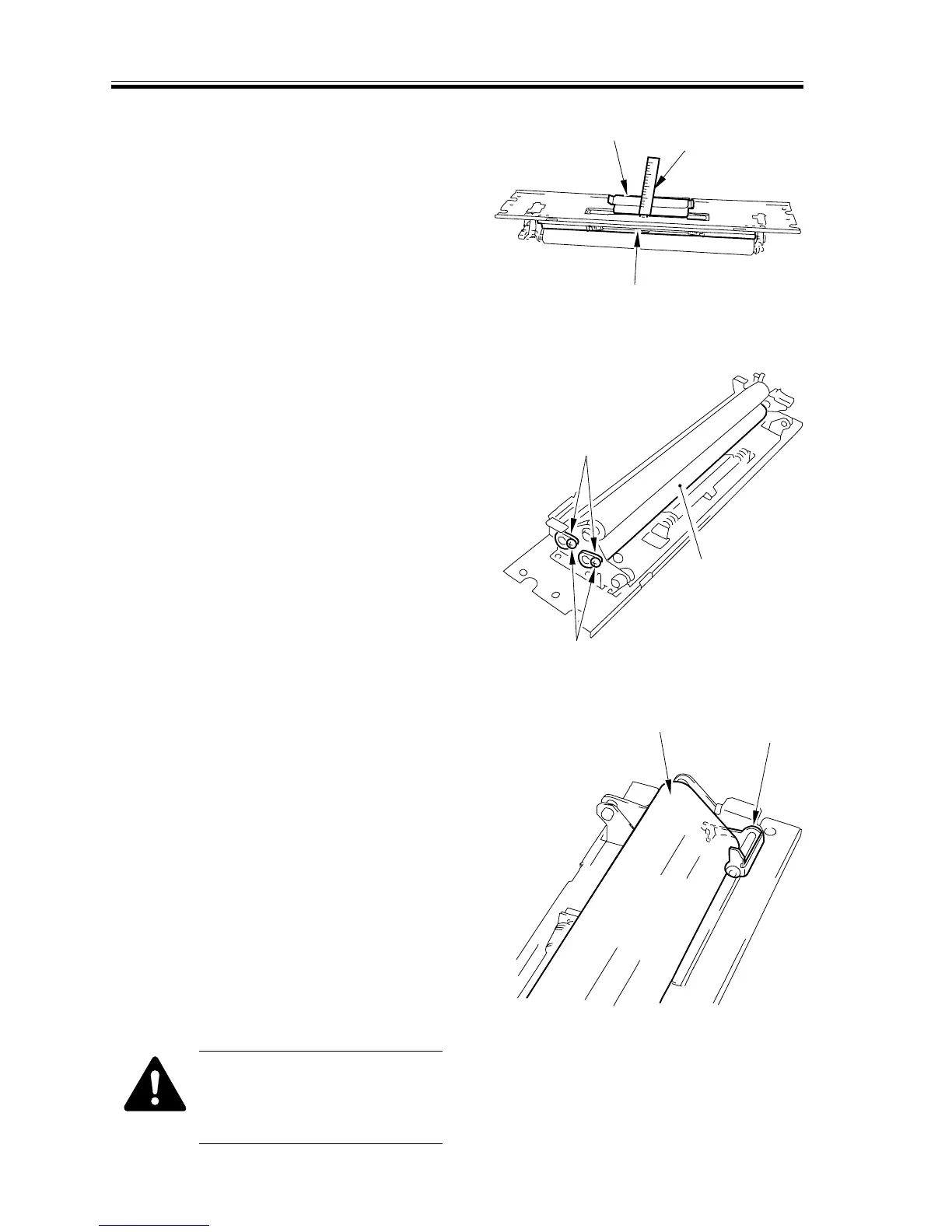
7) Insert a metal ruler [5] along the stop
plate [6] as shown, and release the web
[7].
F02-610-14
8) Remove the two screws [8] and the two
bushings [9]; then, detach the fixing up-
per web [10].
F02-610-15
b.Mounting the Upper Fixing Web
1. When mounting the web [1], be sure
that the length detecting lever [2] is po-
sitioned as shown.
F02-610-16
When mounting the upper fix-
ing web, be sure to move the
lever up and down to remove
any slack.
[5]
[6]
[7]
[8]
[9]
[10]
[1]
[2]














 To Next Page