F03-600-05
F03-600-06
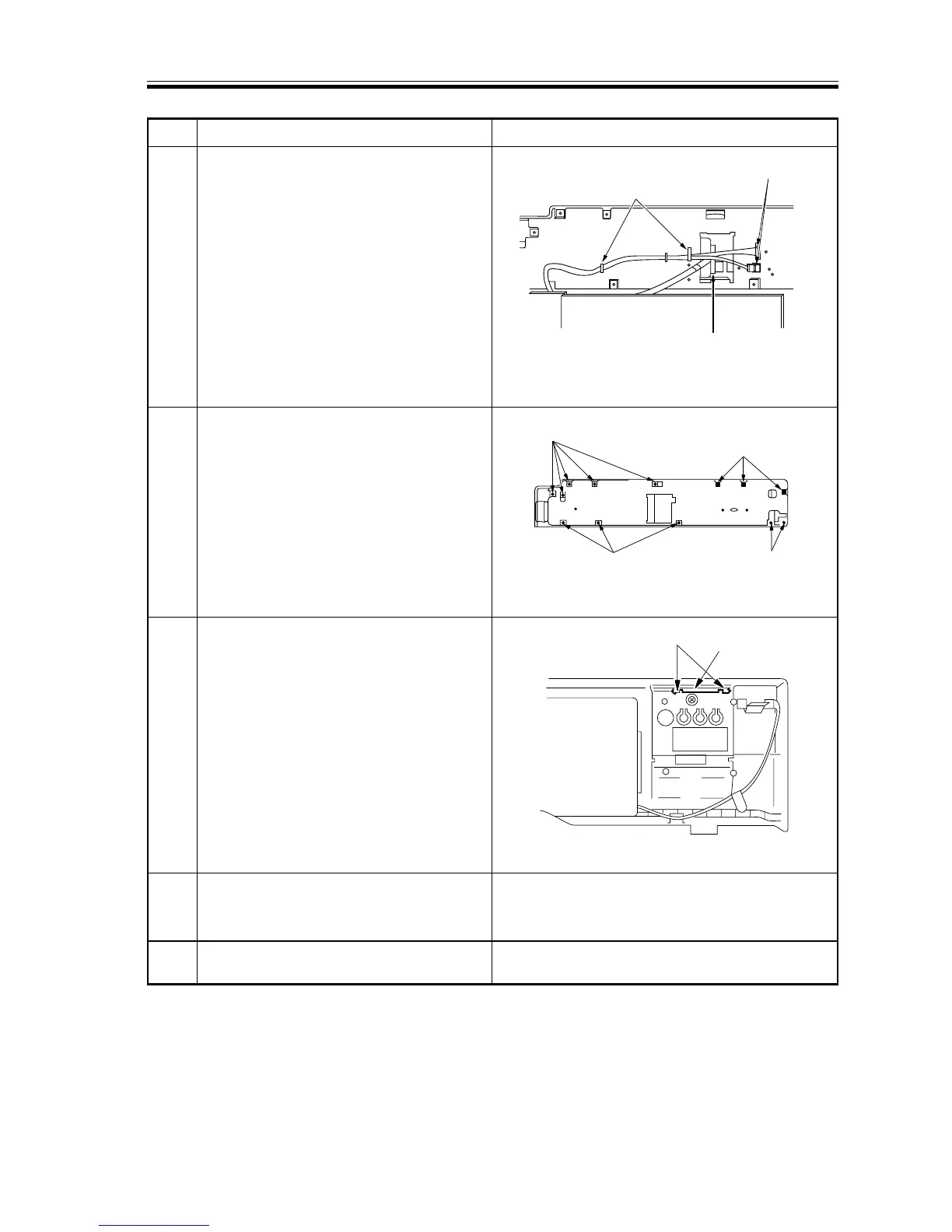
7 Remove the control panel relay
connector and the two control card
connectors; free the harness for the
control card from the wire saddles
behind the control panel; then, turn over
the control panel.
8 Remove the 13 screws, and remove the
control panel back cover.
9 Remove the mounting screw from the
face plate; then, disengage the claw to
remove the face plate from the card slot.
10 Install the insulating sheet over the
display window for the control card on
the control panel.
11 Peel the protection sheet from the
control card.














 To Next Page