COPYRIGHT
©
2001 CANON INC.
2000 2000 2000 2000
CANON CLC5000 REV.0 JAN. 2001
CHAPTER 3 INSTALLATION
3-32
Step Work Remarks
F03-600-07
F03-600-08
Screw Screw
Screws
Control Card V
Screw
Grounding wire
Control panel back cover
Short connector
Control panel back cover
Control card connector
F03-600-09
F03-600-10
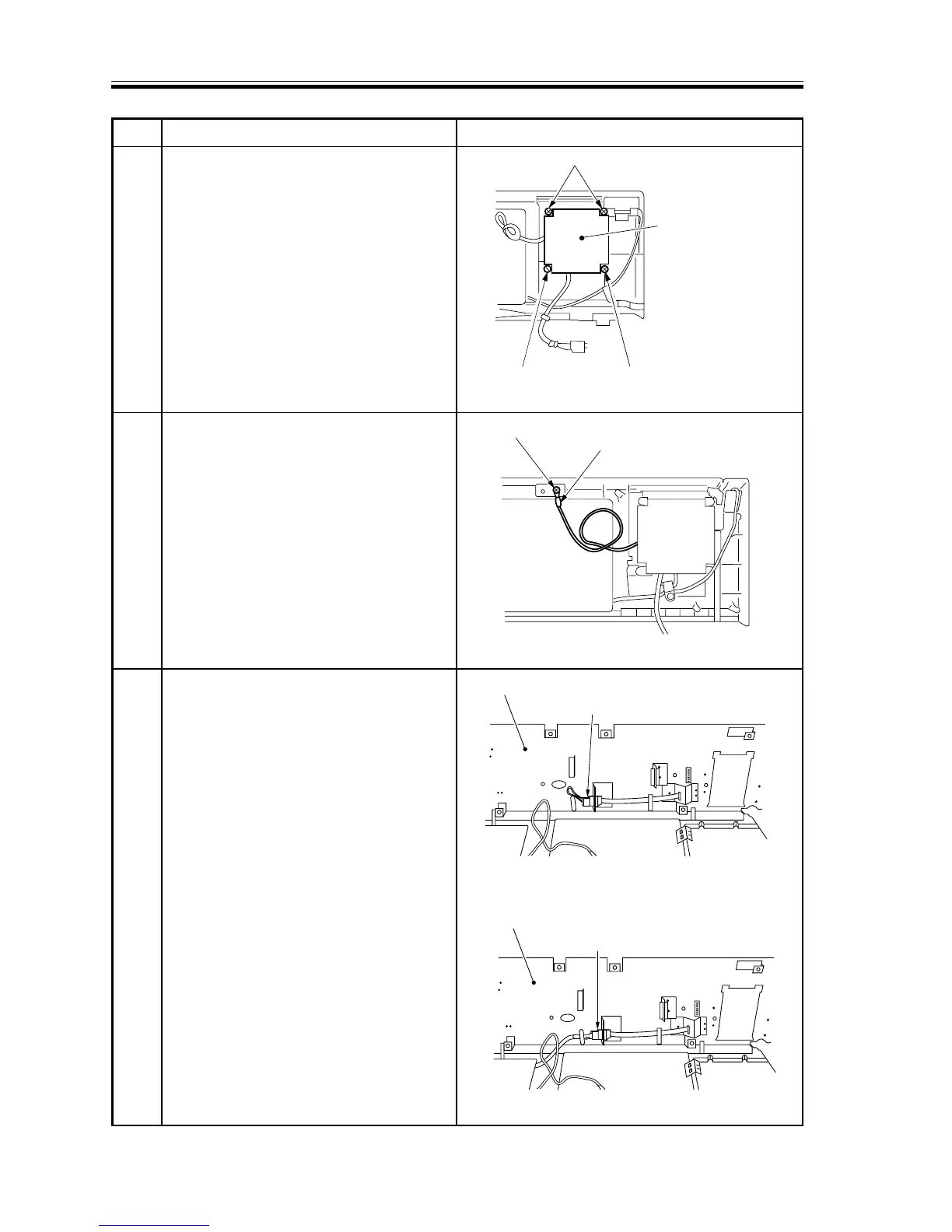
12 Fix the control card to the control panel
using four self-tapping screws.
At this time, slide in and out a card, and
fix the control card where the card
slides in and out easily.
Further, check that the printer connector
is centered over the hole.
13 Fix the grounding wire of the control
card to the control panel.
14 Disconnect the short connector for the
control card behind the control panel;
then, connect the connector (4P) of the
control card.














 To Next Page