2-249
CHAPTER 2 NEW FUNCTIONS
COPYRIGHT
©
2001 CANON INC. 2000 2000 2000 2000 CANON CLC5000 REV.0 JAN. 2001
9.7.5 Sensors
a.Removing the Reversal Timing Sensor (PS1)
1) Remove the rear cover.
2) Remove the right front cover.
3) Remove the vertical path guide assem-
bly. (See F02-907-12.)
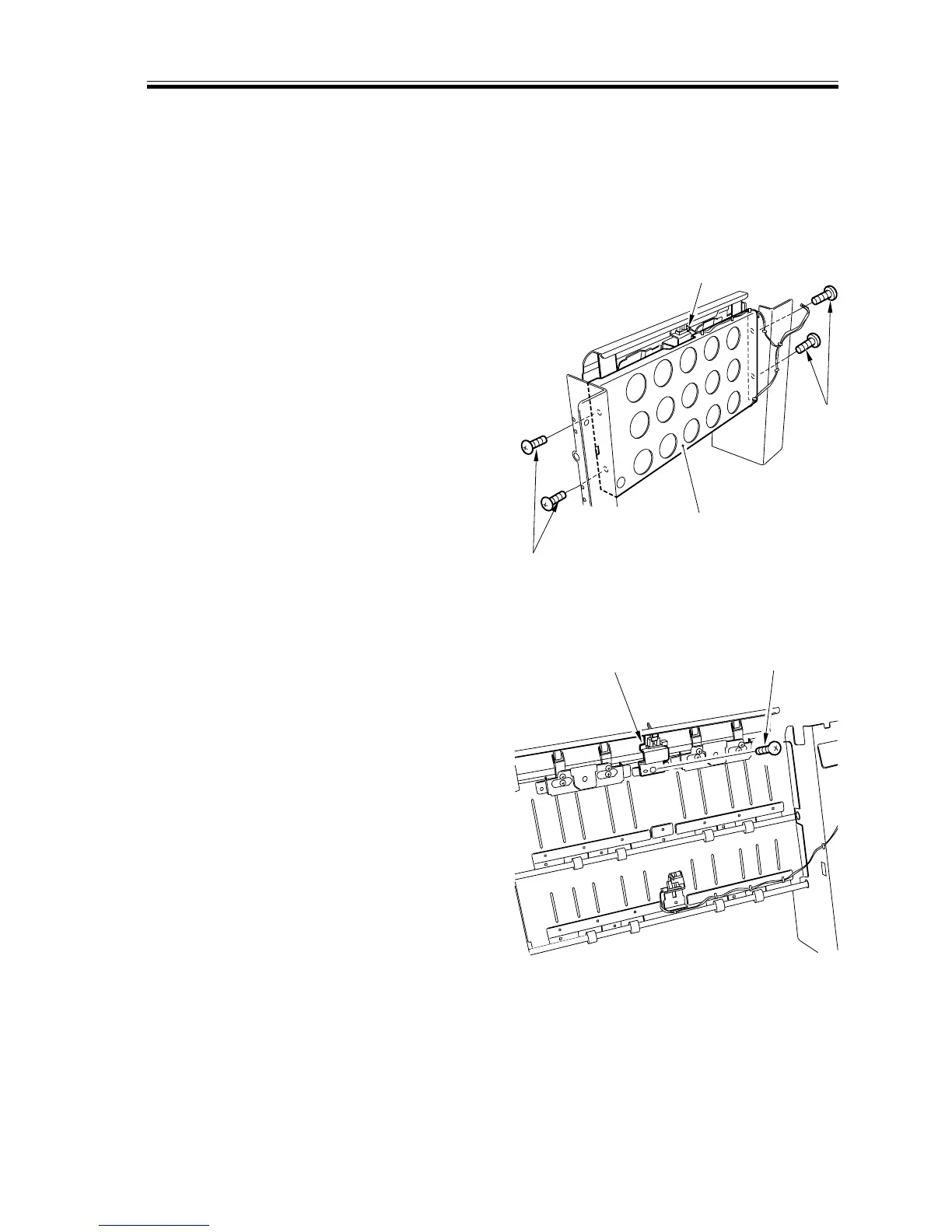
4) Remove the four screws [1], and dis-
connect the connector [2]; then, detach
the reinforcing plate [3].
F02-907-39
5) Remove the screw [4], and detach the
reversal timing sensor [5].
F02-907-40
[1]
[1]
[2]
[3]
[4]
[5]




 To Next Page