COPYRIGHT
©
2001 CANON INC.
2000 2000 2000 2000
CANON CLC5000 REV.0 JAN. 2001
CHAPTER 3 INSTALLATION
3-42
Step Work Remarks
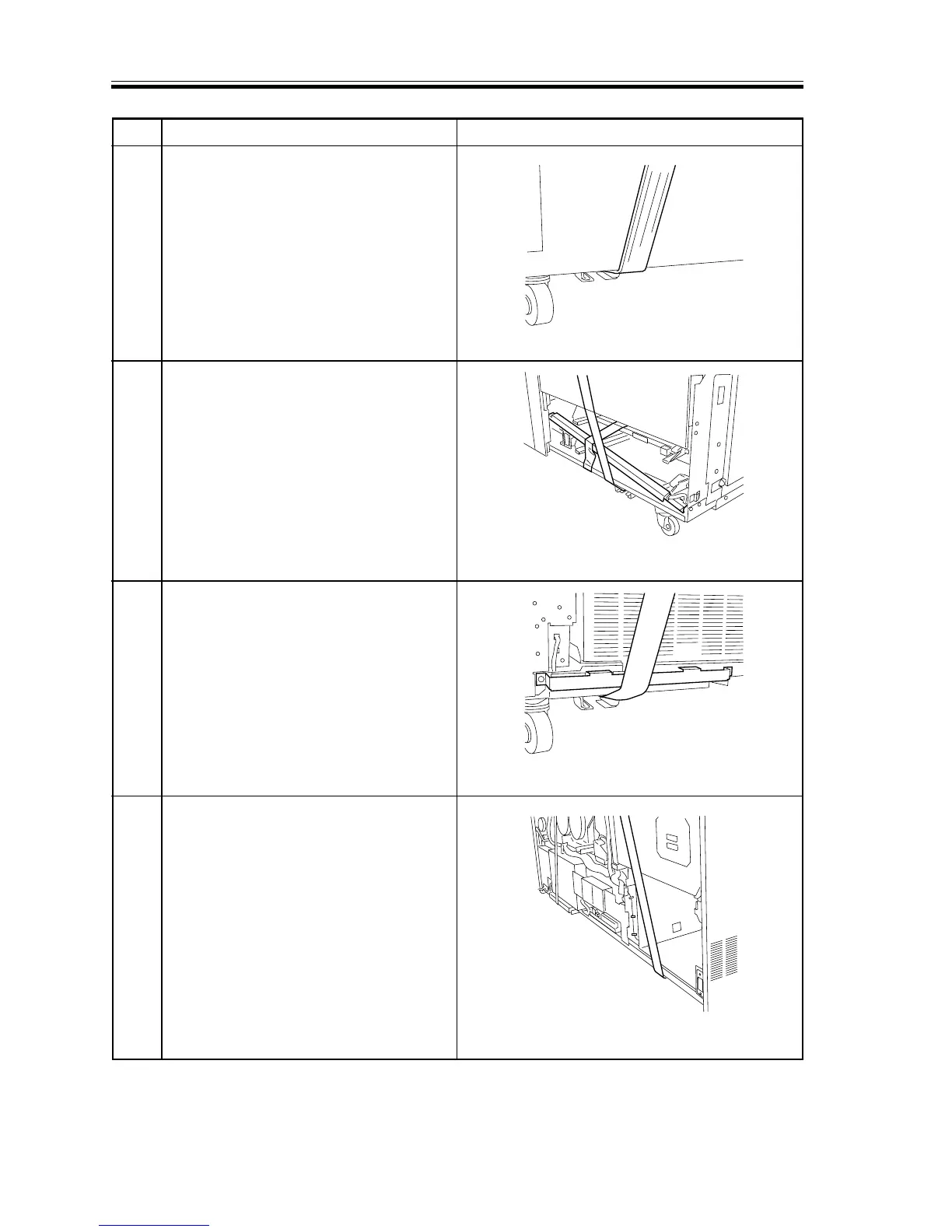
4 On the left side, put the belt directly to
the left cover. (The left cover will warp
when tension is imposed on the belt, but it
will recover as soon as the belt is
detached.)
5 On the right side, secure the harness base
removed previously by means of duct
tape, and put the belt directly on the base
plate.
6 At the right rear, put the belt over the
developing bias assembly protection
member mounted previously.
7 At the left rear, put the belt directly on the
base plate.
F03-802-12
F03-802-13
F03-802-14
F03-802-15














 To Next Page