COPYRIGHT
©
2001 CANON INC. 2000 2000 2000 2000 CANON CLC5000 REV.0 JAN. 2001
CHAPTER 5 TROUBLESHOOTING IMAGE FAULTS/MALFUNCTIONS
5-14
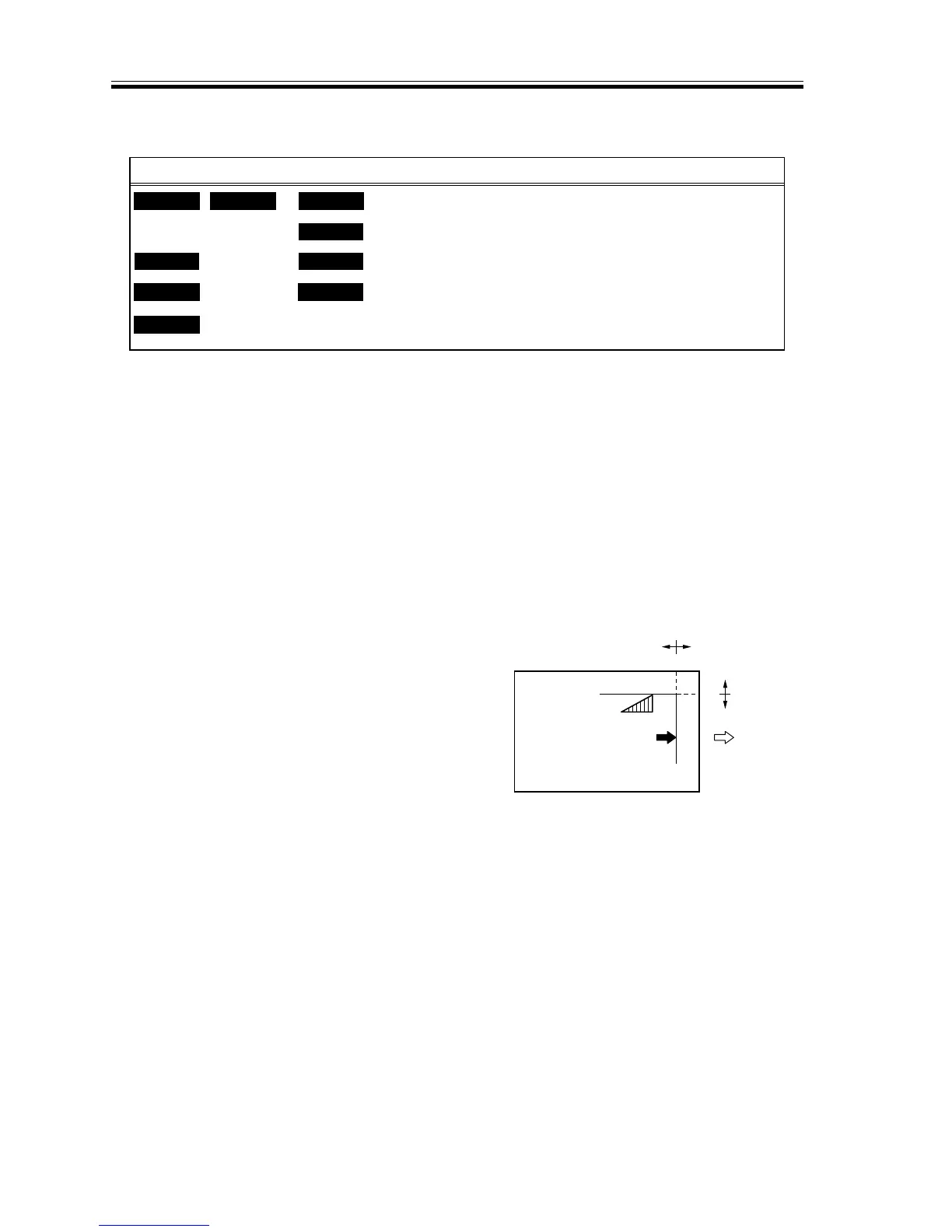
c.Adjusting the Image Reading Start Position (ADJ-XY)
F05-201-14
1) Start service mode, and select ‘ADJUST
> ADJ-XY’.
2) While the ‘ADJ-XY’ screen is on, press
the Start key.
• The appropriate copying mode will
be set automatically, and a copy is
made with a shift of about 20 mm as
shown in F05-201-15.
3) If a portion of the image is missing, de-
crease the setting of ‘ADJ-X’ and
‘ADJ-Y’.
4) If an area outside the image area is cop-
ied, increase the setting of ‘ADJ-X’ and
‘ADJ-Y’.
5) Press the Start key once again, and
check the output.
6) Press the Reset key.
F05-201-15
<M>
ADJ-XY <S>
<R>READY <P>READY <F>
DISP
ADJUST
COUNTER
FUNC
xxx
xxx
xxx
xxx
OPTION
ADJ-Y
ADJ-S
ADJ-J
TEST
ADJ-X













 To Next Page