COPYRIGHT
©
2001 CANON INC. 2000 2000 2000 2000 CANON CLC5000 REV.0 JAN. 2001
CHAPTER 5 TROUBLESHOOTING IMAGE FAULTS/MALFUNCTIONS
5-35
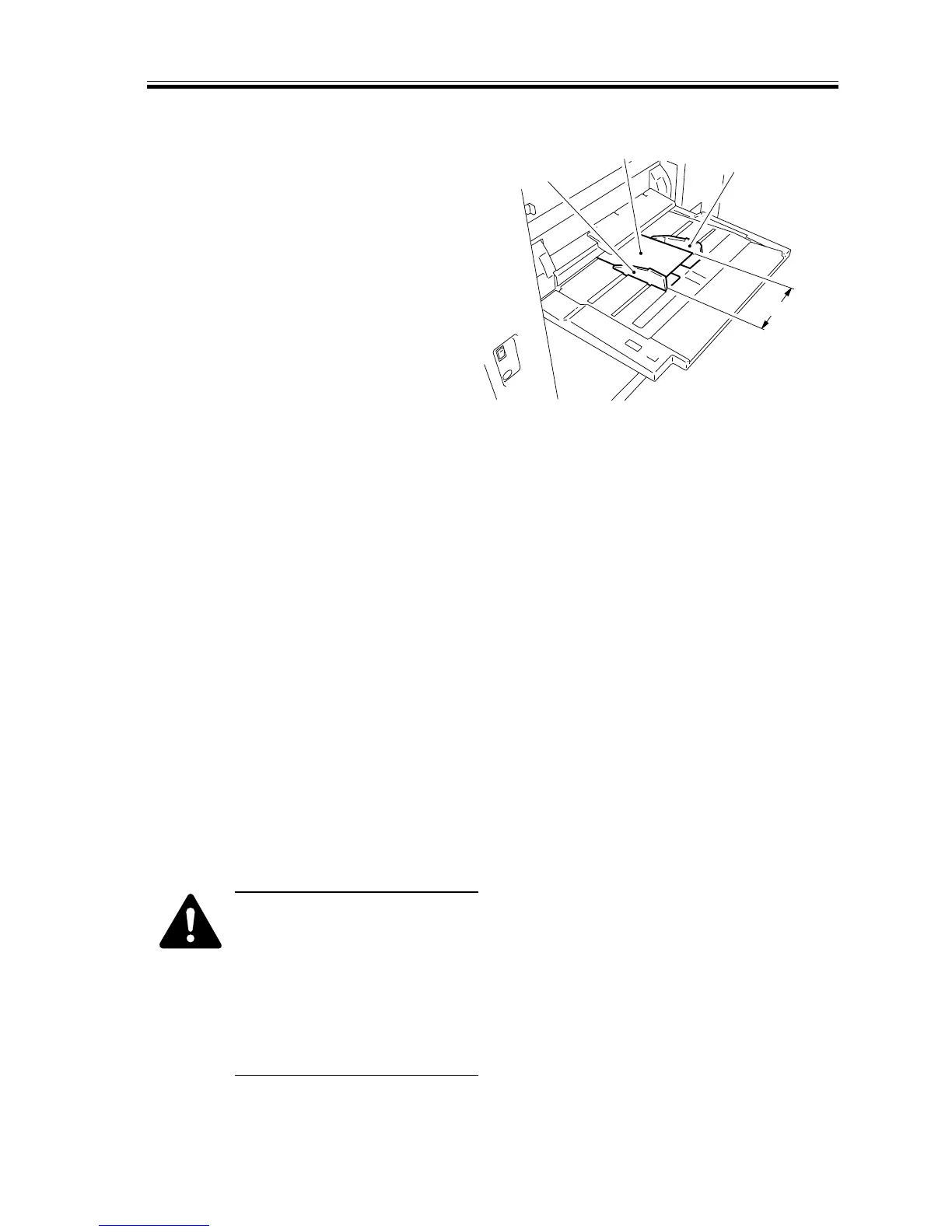
b.Multifeeder
1) Set the paper guide plate of the
multifeeder to A4R (210 mm).
2) Note that the basic setting is indicated
on the CST-AD screen for ‘FUNC’ in
service mode on the control panel.
3) Select the size for which you want to
register the basic setting.
MF-A4R
4) Note that basic setting 1 has been regis-
tered.
5) Set the paper guide plate of the
multifeeder to A6R (105 mm).
F05-207-01
6) Check that the basic setting is indicated
on the CST-AD screen under ‘FUNC’ in
service mode on the control panel.
7) Select the size for which you want to
register the basic setting.
MF-A6R
8) Note that basic setting 2 has been regis-
tered.
9) Set the paper guide plate of the
multifeeder to A4 (297 mm).
10) The basic setting is indicated on the
CST-AD screen under ‘FUNC’ in ser-
vice mode on the control panel.
11) Select the size for which you want to
register the basic setting.
MF-A4
12) Note that basic setting 3 has been regis-
tered.
If you have registered basic set-
tings, record the settings on the
service label.
If you have replaced the DC
controller PCB, enter the set-
tings recorded on the service
label using ‘DC-CON’ under
‘FUNC’ in service mode.
105mm
Paper (A6R)
Guide (rear)
Guide (front)














 To Next Page