COPYRIGHT
©
2001 CANON INC.
2000 2000 2000 2000
CANON CLC5000 REV.0 JAN. 2001
CHAPTER 5 TROUBLESHOOTING IMAGE FAULTS/MALFUNCTIONS
5-139
b.E194–0001, 0002
Shutter drive motor (M25)
1) Execute ‘FUNC > F-MISCp > MTR’ in service mode to operate the
shutter. Does the shutter drive motor operate normally?
YES: Check the drive system; if normal, replace the motor.
Shutter open sensor (PS40)
2) Is the shutter open sensor (PS40) normal? (in the case of E194-
0001)
NO: Replace the sensor.
YES: Check the wiring; if normal, replace the DC controller PCB.
Shutter closed sensor (PS39)
3) Is the shutter closed sensor (PS39) normal (if E194=0002)?
NO: Replace the sensor.
Shutter drive system
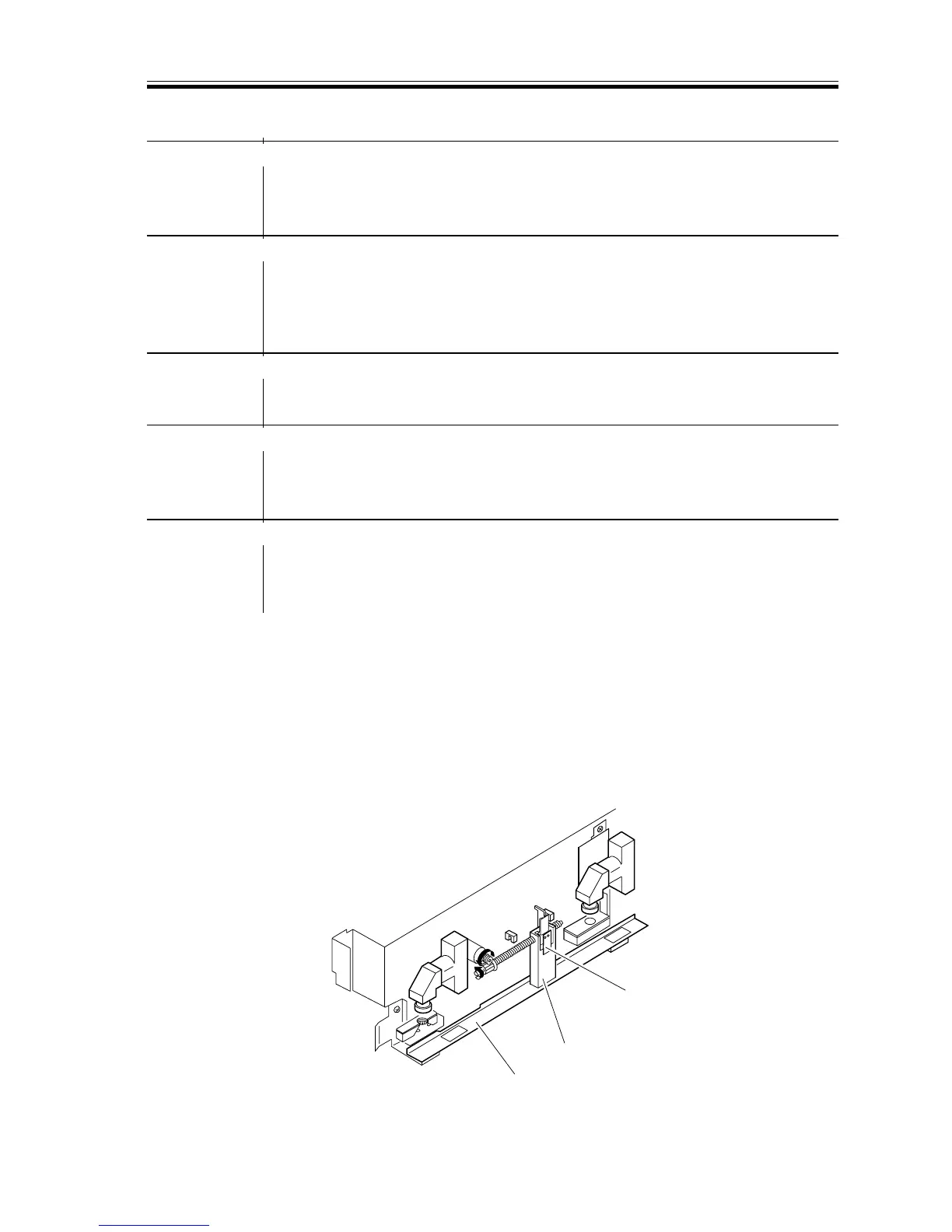
4) Check the shutter drive system as shown below. Does it move
smoothly?
YES: Check the wiring; if normal, replace the DC controller PCB.
Parts (deformation, dirt)
5) Is the shutter screw assembly soiled?
NO: Check the wiring; if normal, replace the DC controller PCB.
YES: Disassembly/clean the parts as shown below.
■ Correcting E194-0001/0002
1) Turn off the power switch.
2) Open the front cover.
3) Remove the image position correction CCD unit. (See the descriptions under “Remov-
ing the Image Position Correction CCD Unit” in Service Manual of CLC1000, Chapter
4.)
4) Remove the drive releasing pin [1], and dry moving the shutter [3] while holding the
mobile member.
[3]
[2]
[1]
F05-401-11













 To Next Page