2-32
CHAPTER 2 NEW FUNCTIONS
COPYRIGHT
©
2001 CANON INC. 2000 2000 2000 2000 CANON CLC5000 REV.0 JAN. 2001
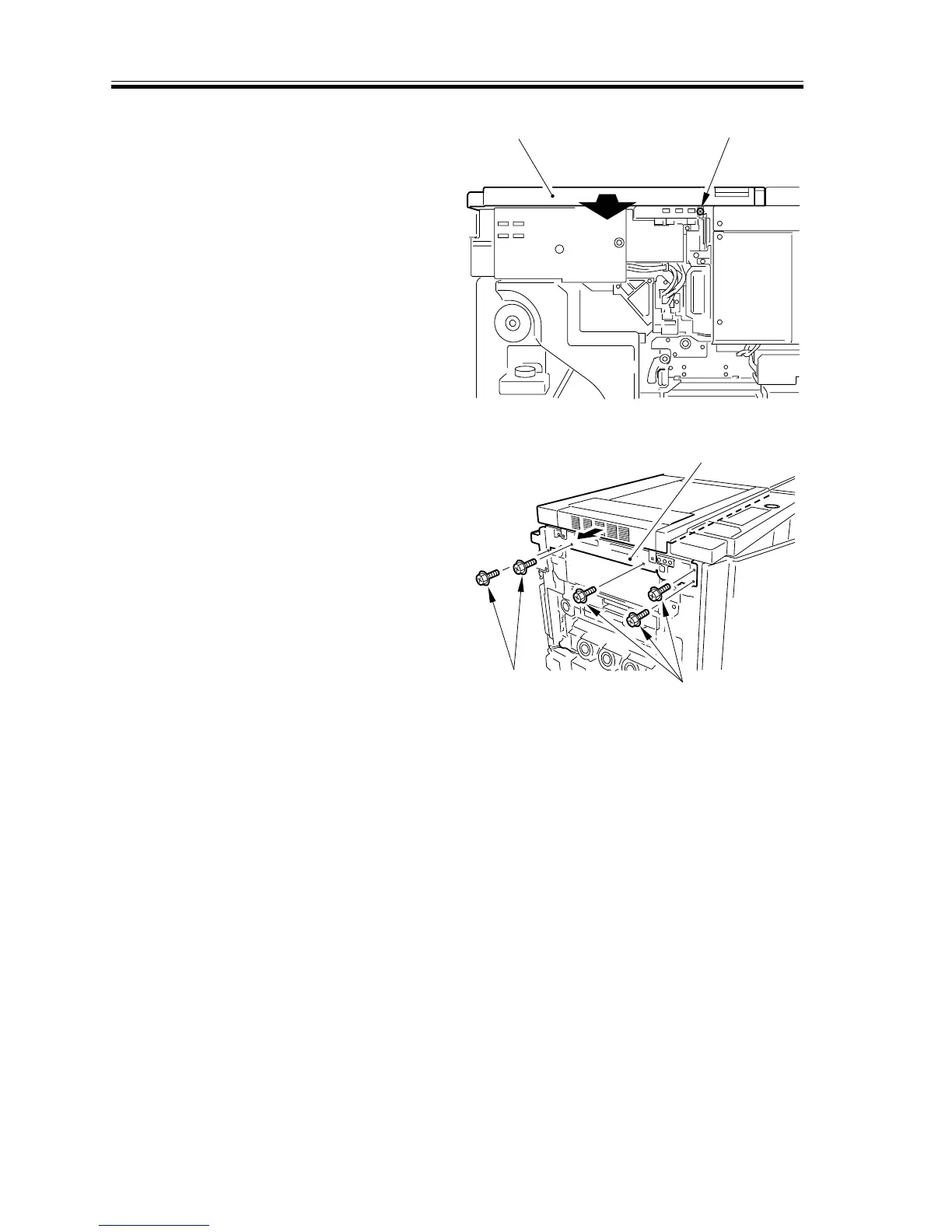
11) Remove the screw [13] from the control
panel support plate, and shift the control
panel [14] by 7 to 8 mm to the front.
[13][14]
F02-305-25
12) Remove the five screws [15], and shift
the scanner unit [16] to the left.
[15]
[15]
[16]
F02-305-26














 To Next Page