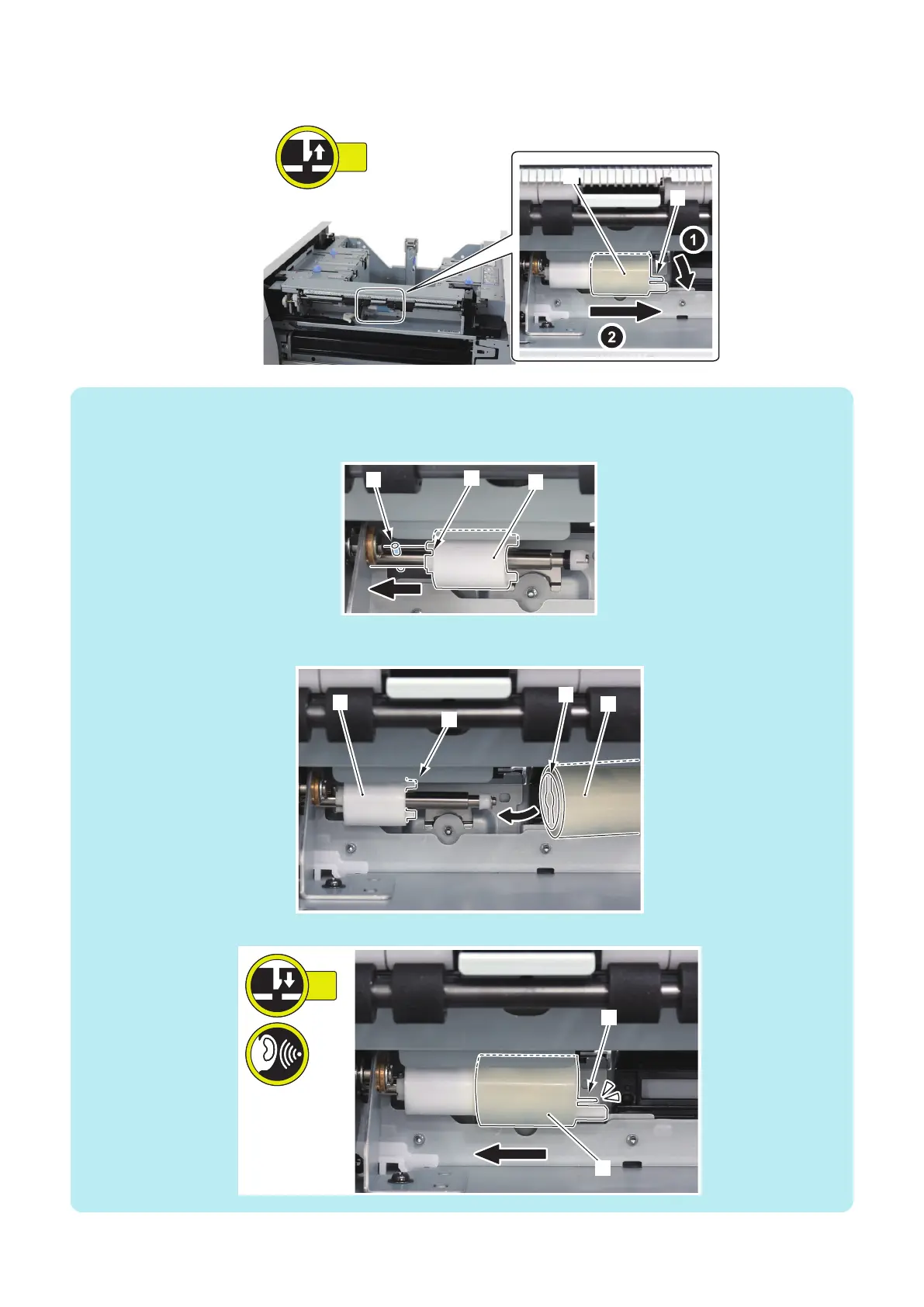
1. Remove the Deck Separation Roller [1].
• 1 Claw [2]
NOTE:
How to install the Deck Separation Roller
• Be sure to align the groove [2] of the Torque Limiter [1] with the Spring Pin [3] to install the roller.
• Be sure to align the groove [2] of the Deck Separation Roller [1] with the protrusion [4] of the Torque Limiter [3] to install the
roller.
• Be sure to insert the Deck Separation Roller [2] until the Claw [1] is hooked.
4. Parts Replacement and Cleaning
105













 To Next Page