NOTE:
Service Mode
• Adjust of paper surface height: MD (Upper)
COPIER> ADJUST> FEED-ADJ> MD-PKLV1
Middle deck and Lower deck uses the following service modes.
(MD-PKLV2, MD-PKLV3)
• Adjust of paper surface height: Sec MD (Upper)
COPIER> ADJUST> FEED-ADJ> MD2PKLV1
Middle deck and Lower deck uses the following service modes.
(MD2PKLV2, MD2PKLV3)
<Use case>
• When a pickup failure occurs
• When double feed occurs
• Set paper surface level down: Deck standby
COPIER> OPTION> FEED-SW> DK1-LDWN
• Set paper surface level down: Secondary Deck standby
COPIER> OPTION> FEED-SW> DK2-LDWN
<Use case>
• When Pickup Roller trace occurs on transparency or the 1st sheet of coated paper in an LL environment
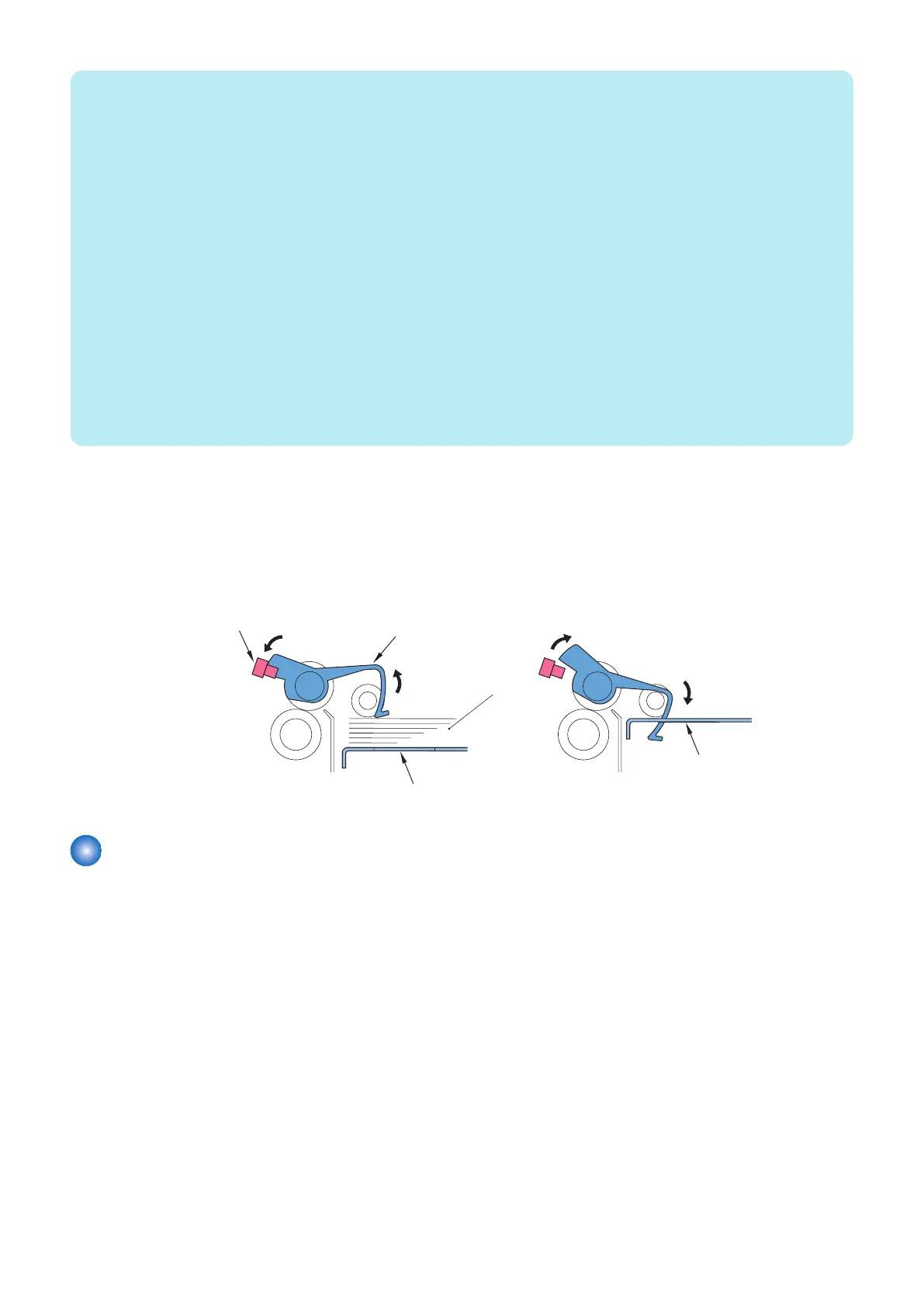
■ Paper Presence/Absence Detection Control
The presence/absence of paper inside each deck is checked by the Paper Presence/Absence Sensor (S105/S205/S305).
When the paper runs out and the Paper Detecting Lever of the Pickup Unit moves past the Paper Presence/Absence Sensor
(S105/ S205 /S305), the host machine indicates the absence of paper on its control panel.
Paper Detecting Lever
<Paper Presence>
<Paper Absence>
Paper Presence/Absence Sensor
(S105/ S205/ S305)
Lifter
Paper
Lifter
Feed Block
■ Feed Control
Paper picked up in each deck is fed to the host machine via the upper/middle/lower feed path [1] or the through path [2].
The double-fed paper is delivered to the escape block [3].
2. Technology
27













 To Next Page