Removing from the Connection Equipment
Removing from the Connection Equipment
CAUTION:
Remove all paper from the Deck before disconnecting it from the connection equipment.
CAUTION:
Do not pull out two or more decks simultaneously when this equipment is not connected to the host machine. Otherwise,
this equipment may topple over.
NOTE:
When separating this equipment with connecting the cables, it is not necessary to remove the Synchronous Communication Cable
and LAN cable.
1. Remove all paper from the Upper Deck, the Middle Deck, and the Lower Deck.
2. Turn OFF the main power switch of the host machine.
3. Unplug the Power Plug from the host machine.
4. Unplug the Power Plug from this machine.
5. Disconnect the LAN Cable.
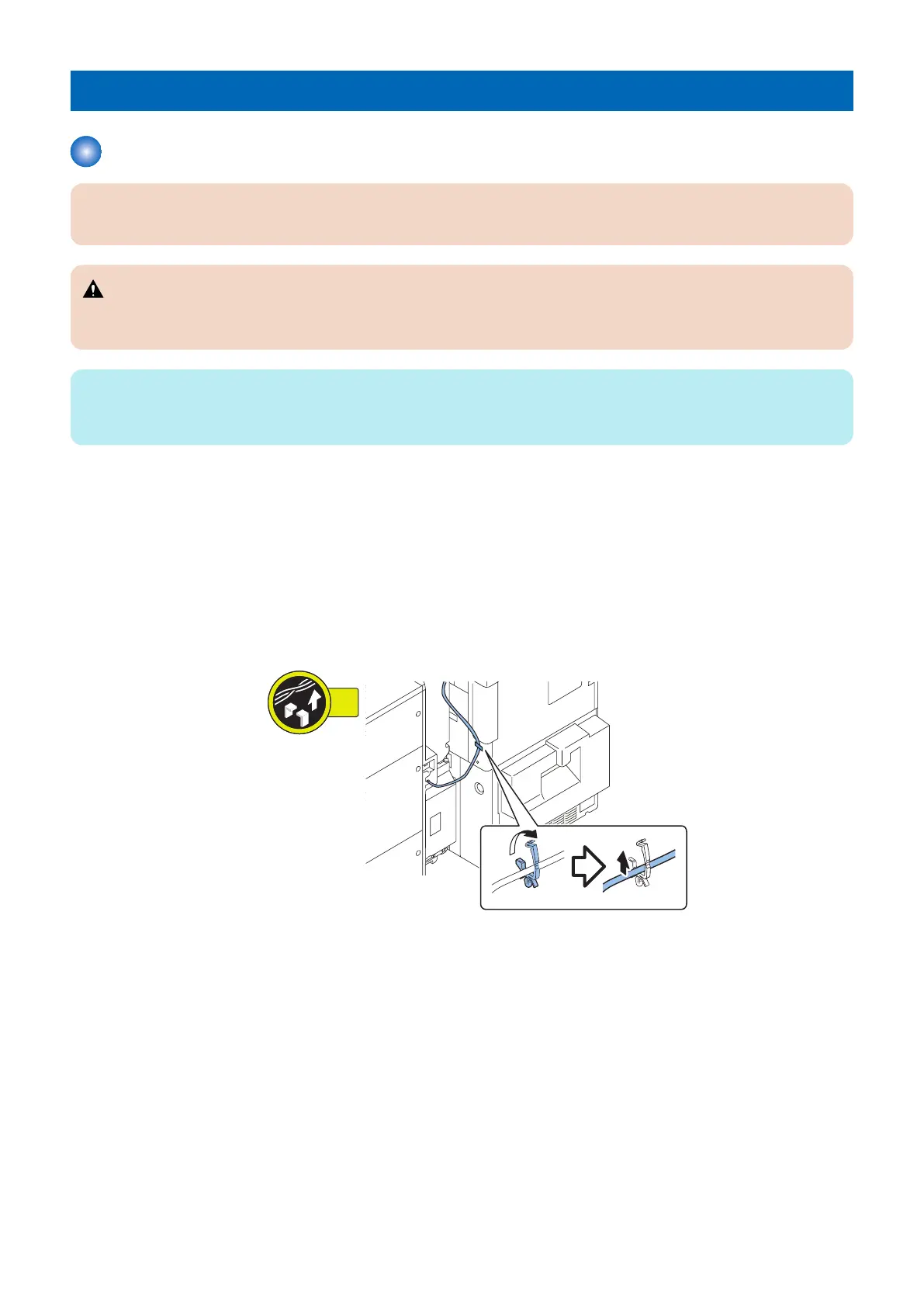
6. Remove the Synchronous Communication Cable from the Wire Saddle. (for imagePRESS C270/C265 series only)
• 1 Wire Saddle
4. Parts Replacement and Cleaning
50













 To Next Page