3. To register the width of A5R paper.
1. Set the A5R paper in the deck to adjust and align it with the side guide plate.
2. Execute the following item on the service mode.
COPIER> FUNCTION> CST> MDK1-A5R/MDK4-A5R : Upper (M Deck/Sec M Deck)
COPIER> FUNCTION> CST> MDK2-A5R/MDK5-A5R : Middle (M Deck/Sec M Deck)
COPIER> FUNCTION> CST> MDK3-A5R/MDK6-A5R : Lower (M Deck/Sec M Deck)
3. Select the item, and then press OK key.
4. After automatic adjustment, the value is stored in the following item.
COPIER> ADJUST> CST-ADJ> MDK1-A5R/MDK4-A5R : Upper (M Deck/Sec M Deck)
COPIER> ADJUST> CST-ADJ> MDK2-A5R/MDK5-A5R : Middle (M Deck/Sec M Deck)
COPIER> ADJUST> CST-ADJ> MDK3-A5R/MDK6-A5R : Lower (M Deck/Sec M Deck)
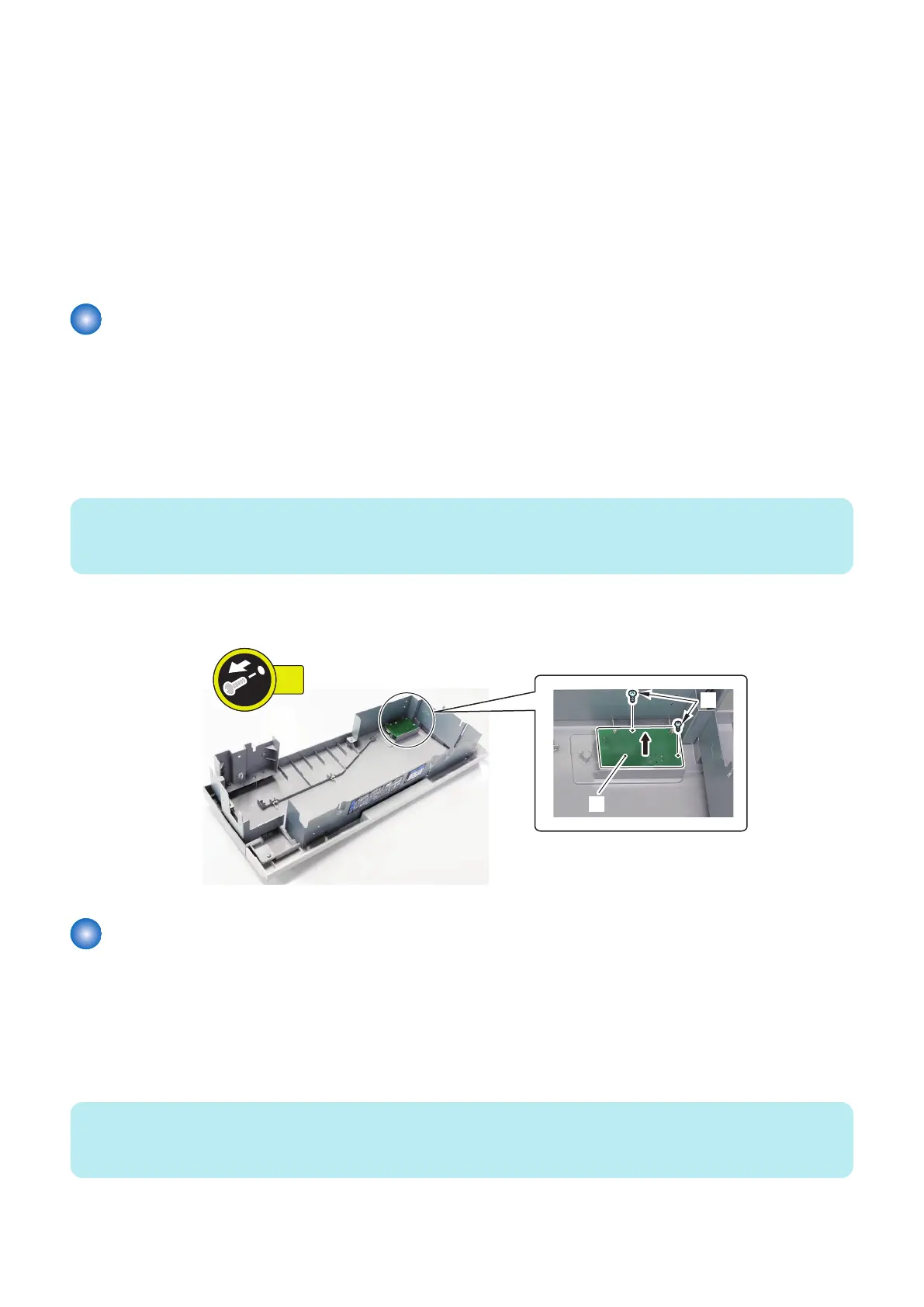
Removing the Deck Open Switch PCB (PCB102/202/302)
■ Preparation
1. Release the lock to open the target Deck.“Releasing the Deck” on page 77
2. Remove the Deck Front Cover.“Removing the Deck Front Cover” on page 84
■ Procedure
NOTE:
The removal procedure of the Deck Open Switch PCB from the Upper Deck is described below. The procedure of the Middle and
Lower Decks is the same.
1. Remove the Deck Open Switch PCB [1].
• 2 Screws [2]
Removing the Deck Air Heater PCB (PCB103/203/303)
■ Preparation
1. Remove the Rear Cover of the target Deck.“Removing the Deck Rear Upper Cover” on page 79, “Removing the Deck
Rear Middle Cover” on page 79, “Removing the Deck Rear Lower Cover” on page 79
■ Procedure
NOTE:
The removal procedure of the Deck Air Heater PCB from the Upper Deck is described below. The procedure of the Middle and
Lower Decks is the same.
4. Parts Replacement and Cleaning
142













 To Next Page