Feed Failure in the Through Path Unit (pickup from Stack Bypass/
POD Deck Lite C/XL)
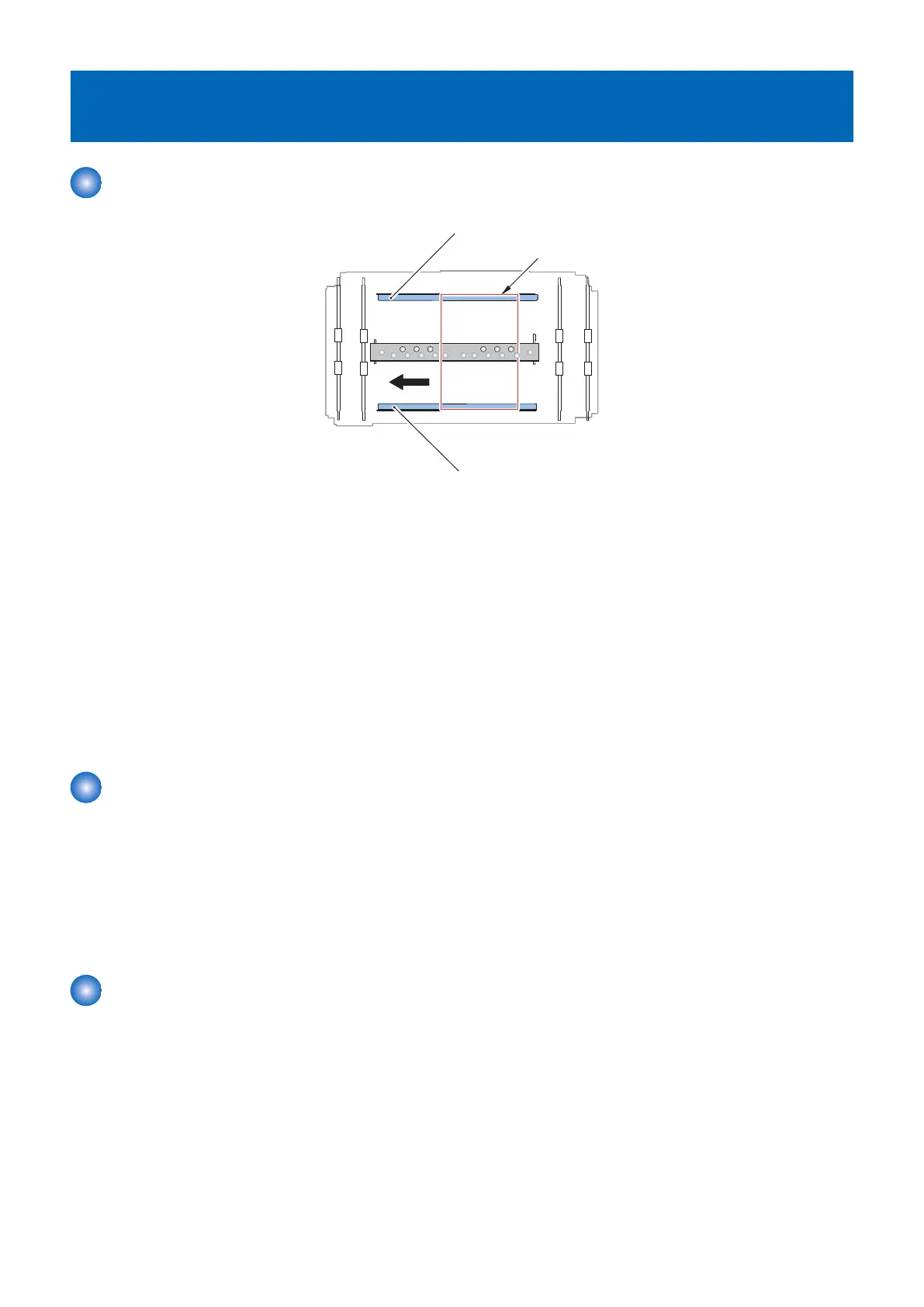
Miss-feeding in the Through Path Unit
Rear Alignment Plate
Front Alignment Plate
Paper
< Location >
When a delay/stationary jam in the Through Path Unit occurs, sheet is left on the feed section of the Through Path Unit.
< Cause >
1. The width of the Alignment Plate is narrow for the paper size.
2. The center reference position of the Through Path Unit is not right.
< Field Remedy >
1. Adjust the width of the Alignment Plate“Adjustment the width of the Alignment Plate of the Through Path Unit” on page
192
2. Adjust the center reference position of the Through Path Unit and the Stack Bypass or the POD Deck Lite C/XL“ Adjustment
the center reference position of the Through Path Unit” on page 193
3. Adjust the center reference position of the Through Path Unit and the Host Machine“Adjustment of Reference Position with
Host Machine (Checking the Left Edge Margin)” on page 197, “Adjustment of Reference Position with Host Machine
(Checking the Left Edge Margin)” on page 212
Skew of Paper
< Location >
Poor image by skew of paper occurs.
< Cause >
1. The width of the Alignment Plate is wide for the paper size.
< Field Remedy >
1. Adjust the width of the Alignment Plate“Adjustment the width of the Alignment Plate of the Through Path Unit” on page
192
Failure of the Left Edge Margin of the Image
< Location >
When the Left Edge Margin of the Image is failure.
< Cause >
1. The width of the Alignment Plate is wide for the paper size.
2. The center reference position of the Through Path Unit is not right.
< Field Remedy >
1. Adjust the width of the Alignment Plate“Adjustment the width of the Alignment Plate of the Through Path Unit” on page
192
2. Adjust the center reference position of the Through Path Unit and the Stack Bypass or the POD Deck Lite C/XL“ Adjustment
the center reference position of the Through Path Unit” on page 193
6. Troubleshooting
187













 To Next Page