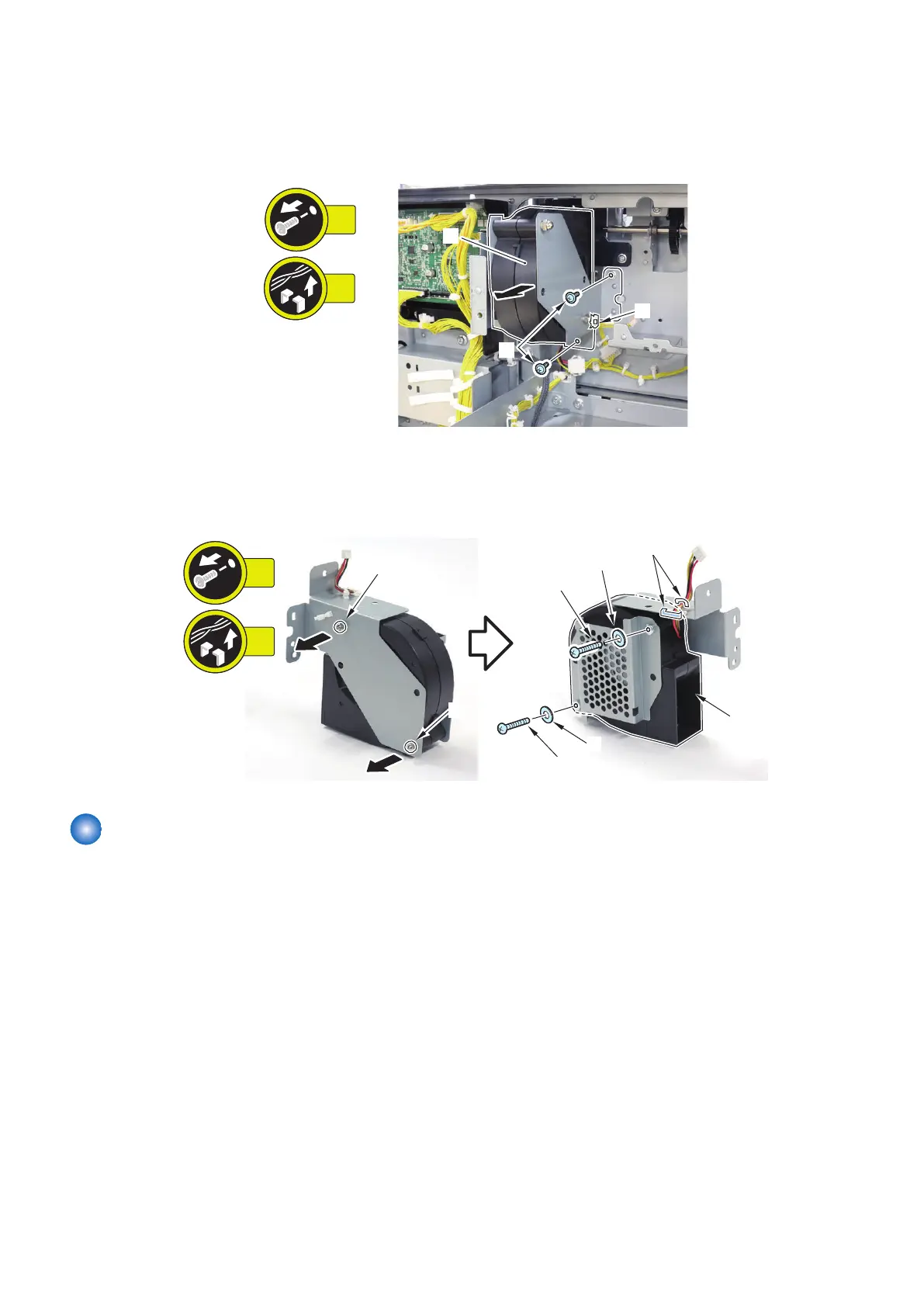
■ Procedure
1. Remove the Deck Flotation Fan Unit [1].
• 2 Screws [2]
• 1 Wire Saddle [3]
2. Remove the 2 Nuts [1] and remove the Deck Flotation Fan 2 [2].
• 2 Screws [3]
• 2 Spring Washers [4]
• 2 Wire Saddles [5]
Removing the Through Path Cooling Fan 1 (FAN401)
■ Preparation
1. Remove the Right Connection Unit. “Removing the Right Connection Unit” on page 91
2. Remove the Deck Rear Middle Cover.“Removing the Deck Rear Middle Cover” on page 79
3. Remove the Through Path Unit. “Removing the Through Path Unit” on page 93
4. Remove the Through Path Outlet Unit. “Removing the Through Path Outlet Unit” on page 98
4. Parts Replacement and Cleaning
128













 To Next Page