PCBs
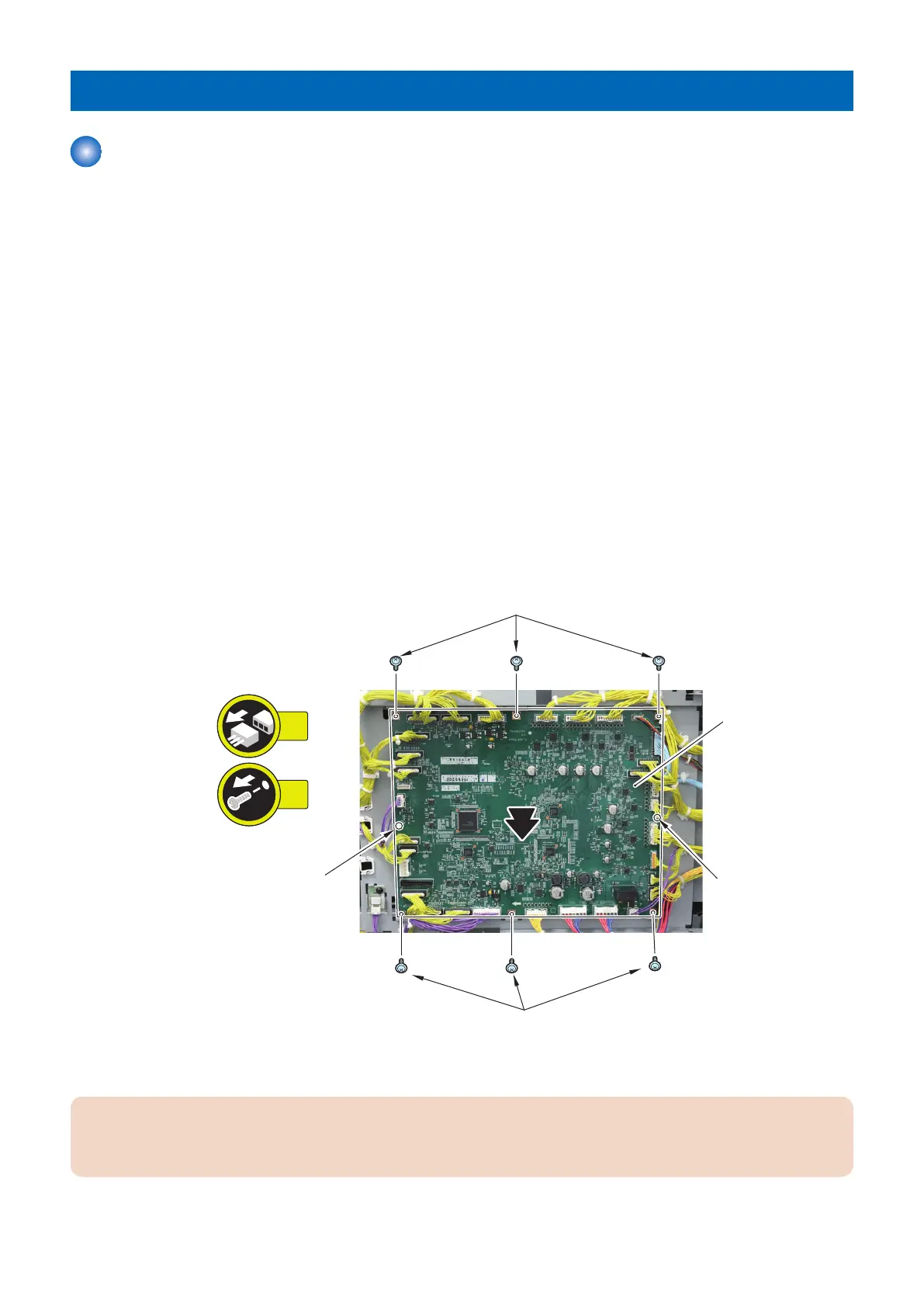
Removing the Deck Controller PCB (PCB001)
■ Handling before Parts Replacement
1. Before replacing the Deck Controller PCB, back up the counter values of consumable parts and various adjustment
values to the host machine in service mode.
COPIER> FUNCTION> SYSTEM> MD-BK-R (M Deck)
COPIER> FUNCTION> SYSTEM> MD2-BK-R (Sec M Deck)
2. If backing up is not possible, before replacing the Deck Controller PCB, output P-PRINT in the host machine's service
mode.
COPIER> FUNCTION> MISC-P> P-PRINT
■ Preparation
1. Remove the Deck Rear Middle Cover.“Removing the Deck Rear Middle Cover” on page 79
■ Procedure
1. Remove the Deck Controller PCB [1].
• 30 Connectors
• 6 Screws [2]
• 2 Locking Supports [3]
■ Handling after Parts Replacement
CAUTION:
If the version of this equipment is old by the host machine, a message prompting you to update will appear. If this message
appears, press [Update] to automatically update the version of this equipment.
4. Parts Replacement and Cleaning
132













 To Next Page