■ Procedure
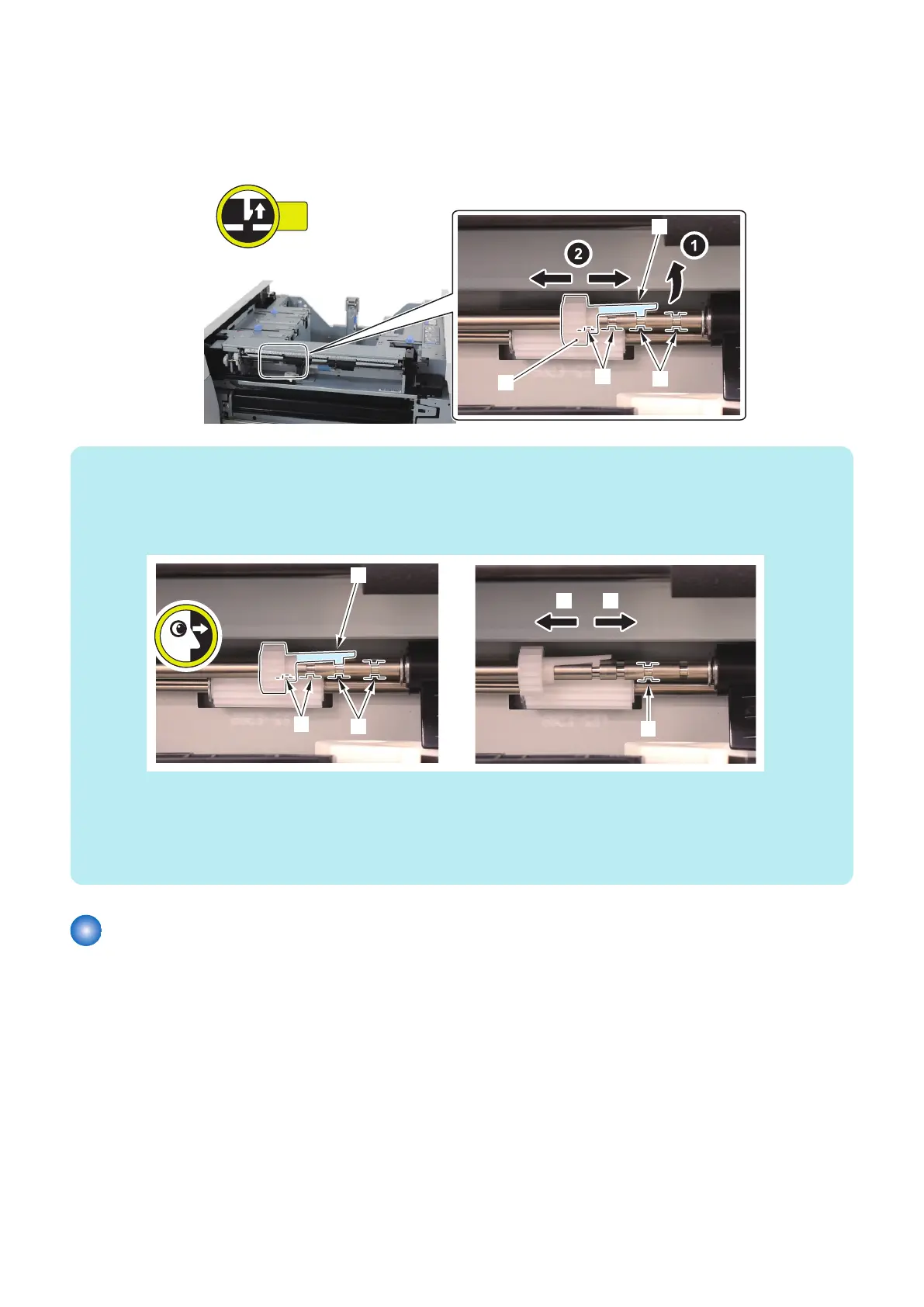
1. Move the Drive Transmission Gear [1] of the Deck Separation Roller.
• 1 Claw [2]
• 4 Grooves [3]
NOTE:
• After movement, make sure that the Claw [1] is in the Groove [2] of Shaft fully.
• When move the Drive Transmission Gear in direction [A], the pressure of the Deck Separation Roller is up.
• When move the Drive Transmission Gear in direction [B], the pressure of the Deck Separation Roller is down.
• At the time of shipment, the position of the Drive Transmission Gear is [C].
Case of up the pressure of the Deck Separation Roller
• When the pickup failure in the separation section occurs.
• When the double feeding occurs in the low frictional paper (coated paper, etc).
Case of down the pressure of the Deck Separation Roller
• When the double feeding occurs in the high frictional paper (plain paper, recycled paper, matt coated paper, etc).
Adjusting the pressure of the Deck Pickup Roller
In case that the Pickup Roller trace on the 2nd sheets and later or the double feeding occurs, change the position of the Pickup
Roller Pressure Lever.
■ Preparation
1. Release the lock to open the target Deck. “Releasing the Deck” on page 77
■ Procedure
1. Lift the Lock Lever [1] and lower the Deck Pickup Roller Assembly [2].
5. Adjustment
179













 To Next Page