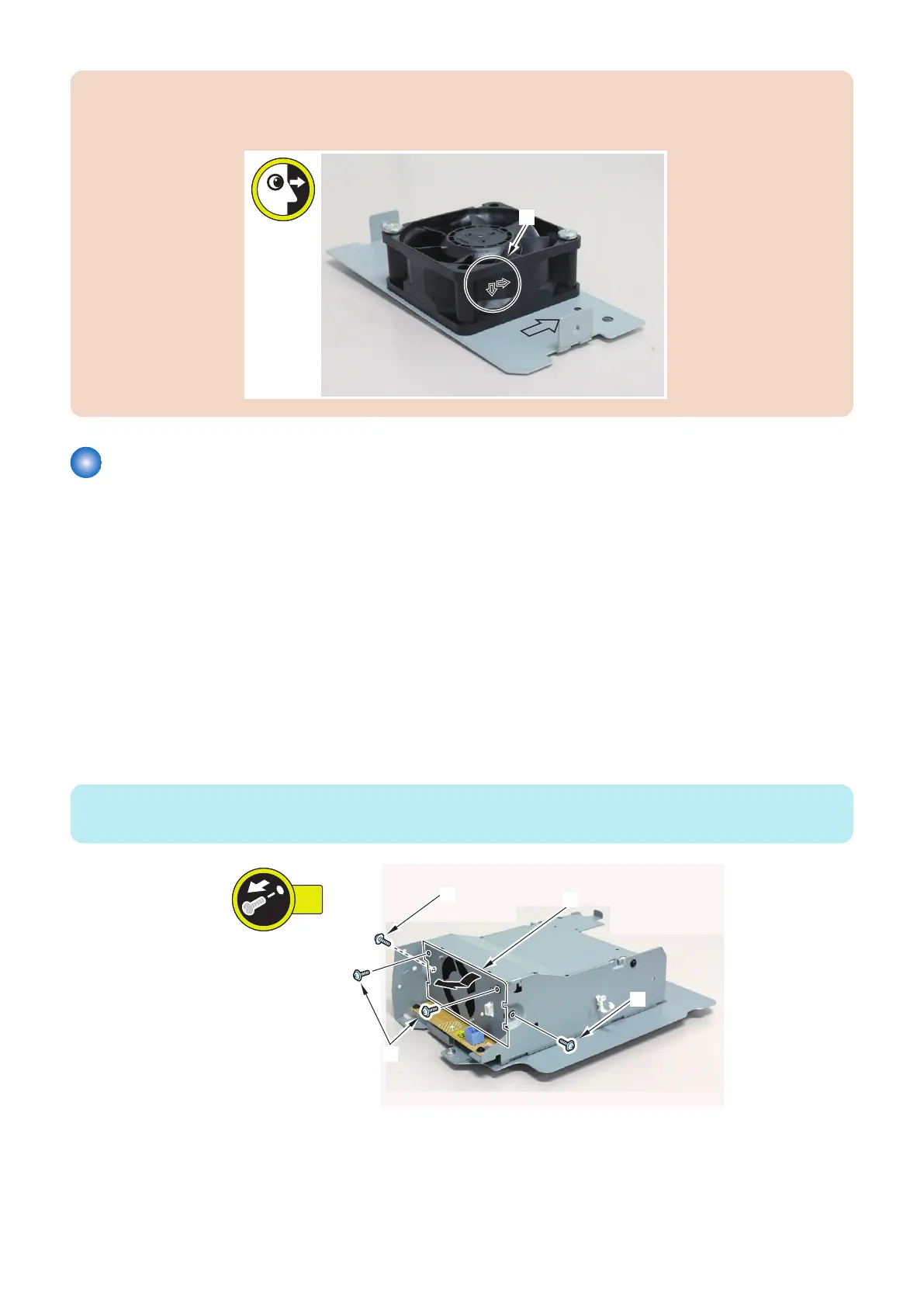
CAUTION:
Attach Power Supply Cooling Fan 1 to the bracket so that the arrows [A] on the fan are pointing to the directions shown in
the figure below.
Removing the Power Supply Cooling Fan 2 (FAN002)
■ Preparation
1. Remove the Deck Rear Upper Cover.“Removing the Deck Rear Upper Cover” on page 79
2. Remove the Deck Rear Middle Cover. “Removing the Deck Rear Middle Cover” on page 79
3. Remove the Deck Rear Lower Cover.“Removing the Deck Rear Lower Cover” on page 79
4. Remove the Deck Left Rear Cover.“Removing the Deck Left Rear Cover” on page 80
5. Remove the Power Supply Unit 2.“Removing the DC Power Supply PCB 2 (PCB006)” on page 135
■ Procedure
1. Remove the Power Supply Cooling Fan Support Plate [1].
• 4 Screws [2]
NOTE:
The shape of the Metal Plate is different, but the procedure is the same.
4. Parts Replacement and Cleaning
125













 To Next Page