Fans
Removing the Power Supply Cooling Fan 1 (FAN001)
■ Preparation
1. Remove the Deck Rear Middle Cover.“Removing the Deck Rear Middle Cover” on page 79
2. Remove the Deck Rear Lower Cover.“Removing the Deck Rear Lower Cover” on page 79
3. Remove the Power Supply Unit 1.“Removing the DC Power Supply PCB 1 (PCB005)” on page 134
■ Procedure
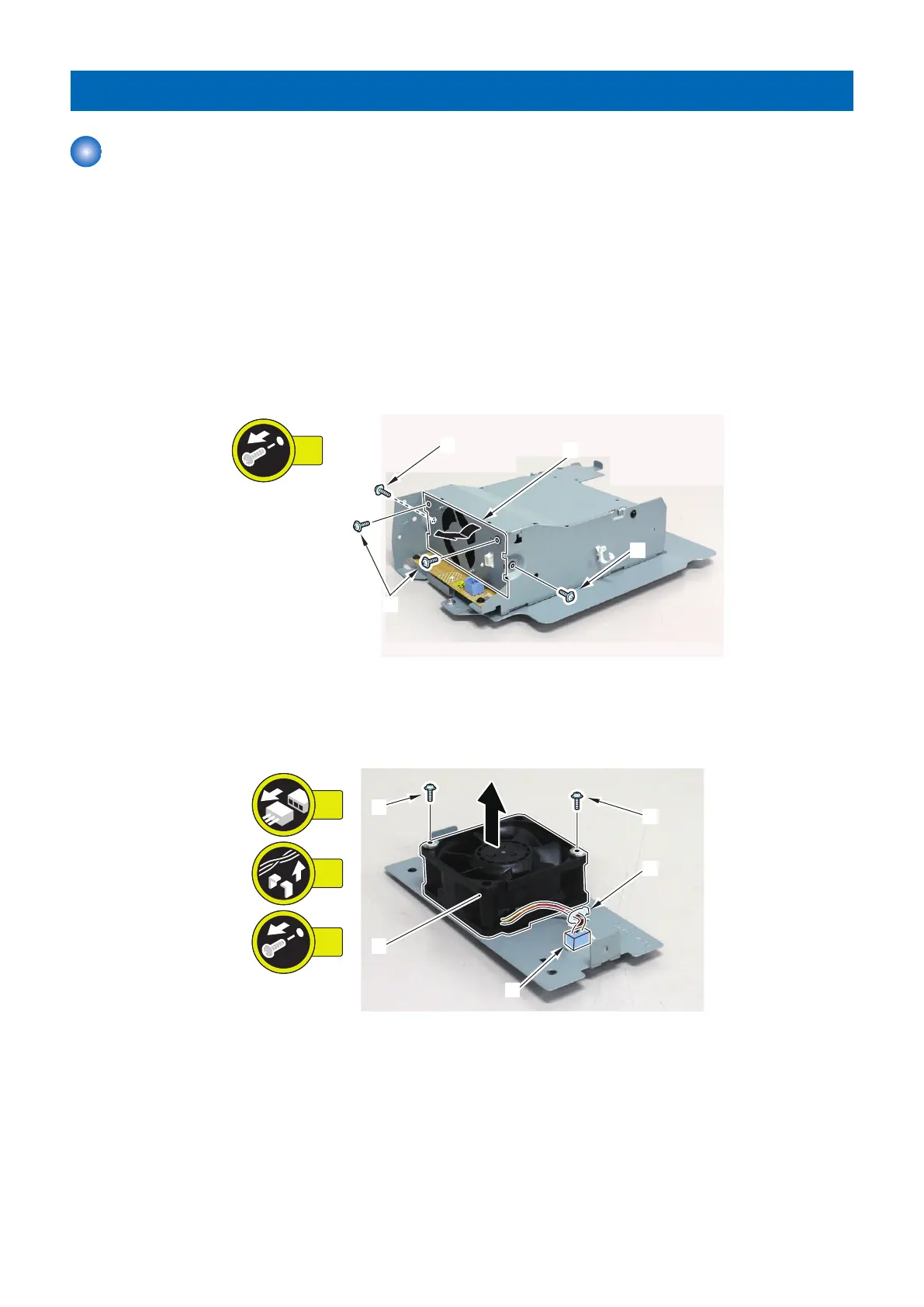
1. Remove the Power Supply Cooling Fan Support Plate [1].
• 4 Screws [2]
2. Remove the Power Supply Cooling Fan 1 [1].
• 1 Connector [2]
• 1 Wire Saddle [3]
• 2 Screws [4]
4. Parts Replacement and Cleaning
124













 To Next Page