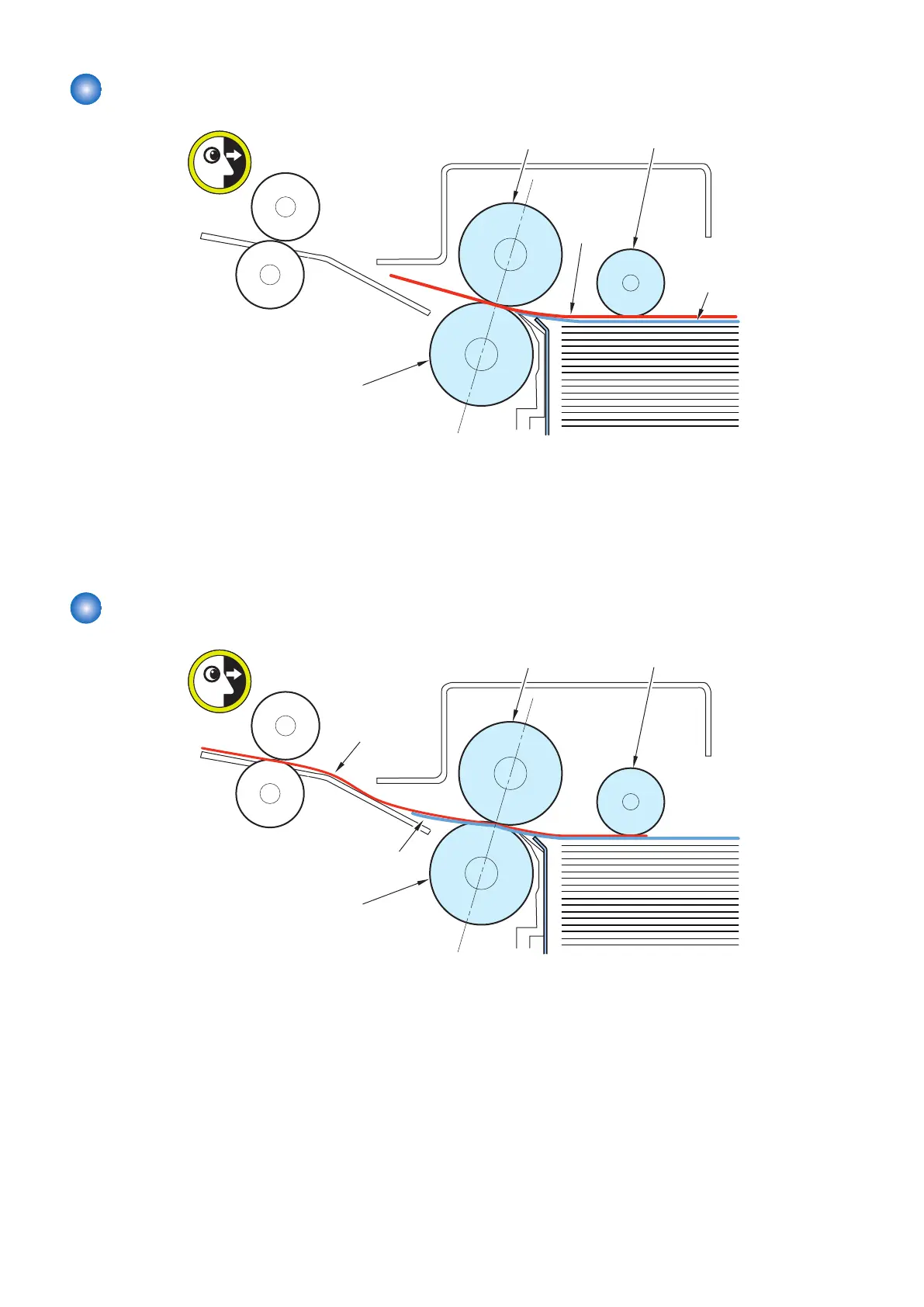
Miss-feeding (Feed Failure of the Pickup/Feed Roller)
Deck Separation Roller
Deck Pickup/Feed Roller Deck Pickup Roller
1st sheet
2nd sheet
< Location >
When a delay jam occurs, leading edge of sheet has passed the Deck Pickup/Feed Roller.
< Cause >
1. Pressure of the Deck Separation Roller is too low.
< Field Remedy >
1. Adjust the pressure of the Deck Separation Roller. “Adjustment the pressure of the Deck Separation Roller” on page 191
Double Feed
Deck Separation Roller
Deck Pickup/Feed Roller Deck Pickup Roller
1st sheet
2nd sheet
< Location >
When a stationary jam occurs, leading edge of the 2nd sheet has passed the Deck Pickup/Feed Roller.
< Cause >
1. Friction between the sheets of paper is too much.
2. Pressure of the Pickup Roller is too much. (for high frictional paper: plain paper, recycled paper, matt coated paper, etc)
3. Pressure of the Separation Roller is too low. (for low frictional paper: coated paper, etc)
4. Pressure of the Separation Roller is too much. (for high frictional paper: plain paper, recycled paper, matt coated paper, etc)
< Field Remedy >
1. Adjust the airflow amount of the Deck Flotation Fan “Adjustment of the Deck Flotation Fan” on page 190
2. Adjust the pressure of the Pickup Roller. (down the pressure) “Adjustment the pressure of the Deck Pickup Roller” on page
191
3. Adjust the pressure of the Pickup Roller. (up the pressure) “Adjustment the pressure of the Deck Separation Roller” on page
191
6. Troubleshooting
185













 To Next Page