Field Remedy
Adjustment of the Deck Flotation Fan
■ Preparation
1. Remove the Right Cover of the target Deck.“Removing the Deck Right Upper Cover” on page 83, “Removing the
Deck Right Middle Cover” on page 82, “Removing the Deck Right Lower Cover” on page 83
■ Procedure
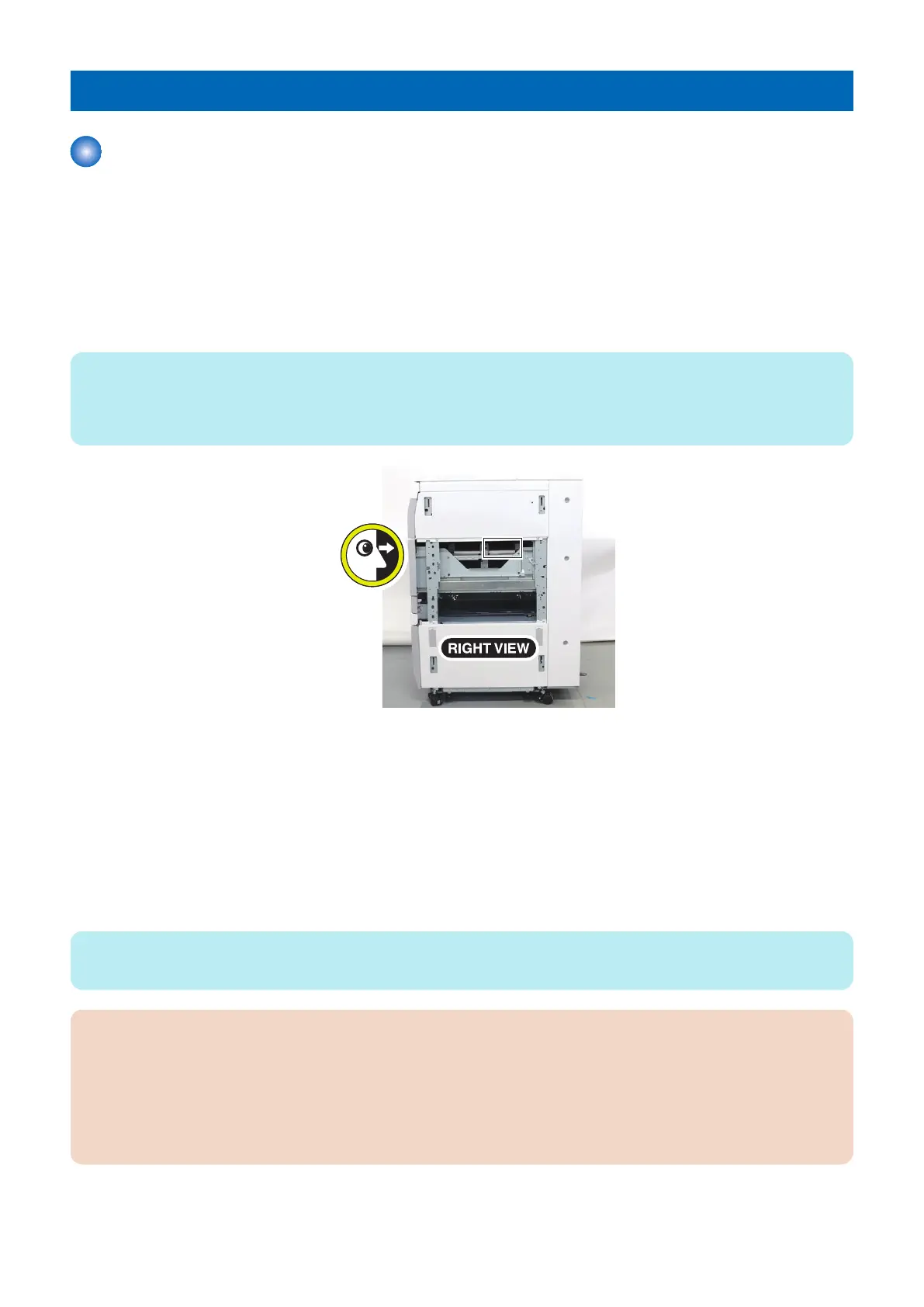
1. Open and Close the target Deck, check the floating of paper from the right side of the machine.
NOTE:
If the fan does not run automatically because of the paper type, select the following in service mode, and set the value to 1.
COPIER > OPTION > FEED-SW > MD-AIR1/2/3 (M Deck Upper/Middle/Lower)
COPIER > OPTION > FEED-SW > MD2-AIR1/2/3 (Sec M Deck Upper/Middle/Lower)
2. Execute the following in service mode, and set the air flow to a value between -10 and 10 that produces the optimal
air pressure. Increasing the setting increases the air flow.
• Upstream:
COPIER > OPTION > FEED-SW > MD-ALVU1/2/3 (M Deck Upper/Middle/Lower)
COPIER > OPTION > FEED-SW > MD2ALVU1/2/3 (Sec M Deck Upper/Middle/Lower)
(LV2)
• Downstream:
COPIER > OPTION > FEED-SW > MD-ALVD1/2/3 (M Deck Upper/Middle/Lower)
COPIER > OPTION > FEED-SW > MD2ALVD1/2/3 (Sec M Deck Upper/Middle/Lower)
(LV2)
NOTE:
Enter the same value for upstream and downstream.
CAUTION:
When COPIER > OPTION > FEED-SW > MD-AIR1/2/3 is set to 1, only the air flow setting of service mode becomes valid.
When COPIER > OPTION > FEED-SW > MD-AIR1/2/3 is set to 0, the air flow must be adjusted both in service mode and
user mode. As such, the value will be the sum of each values.
Examples:
• If the value in user mode is +1 and that in service mode is +2, the value will be +3.
• If the value in user mode is -1 and that in service mode is +1, the value will be 0.
6. Troubleshooting
190













 To Next Page