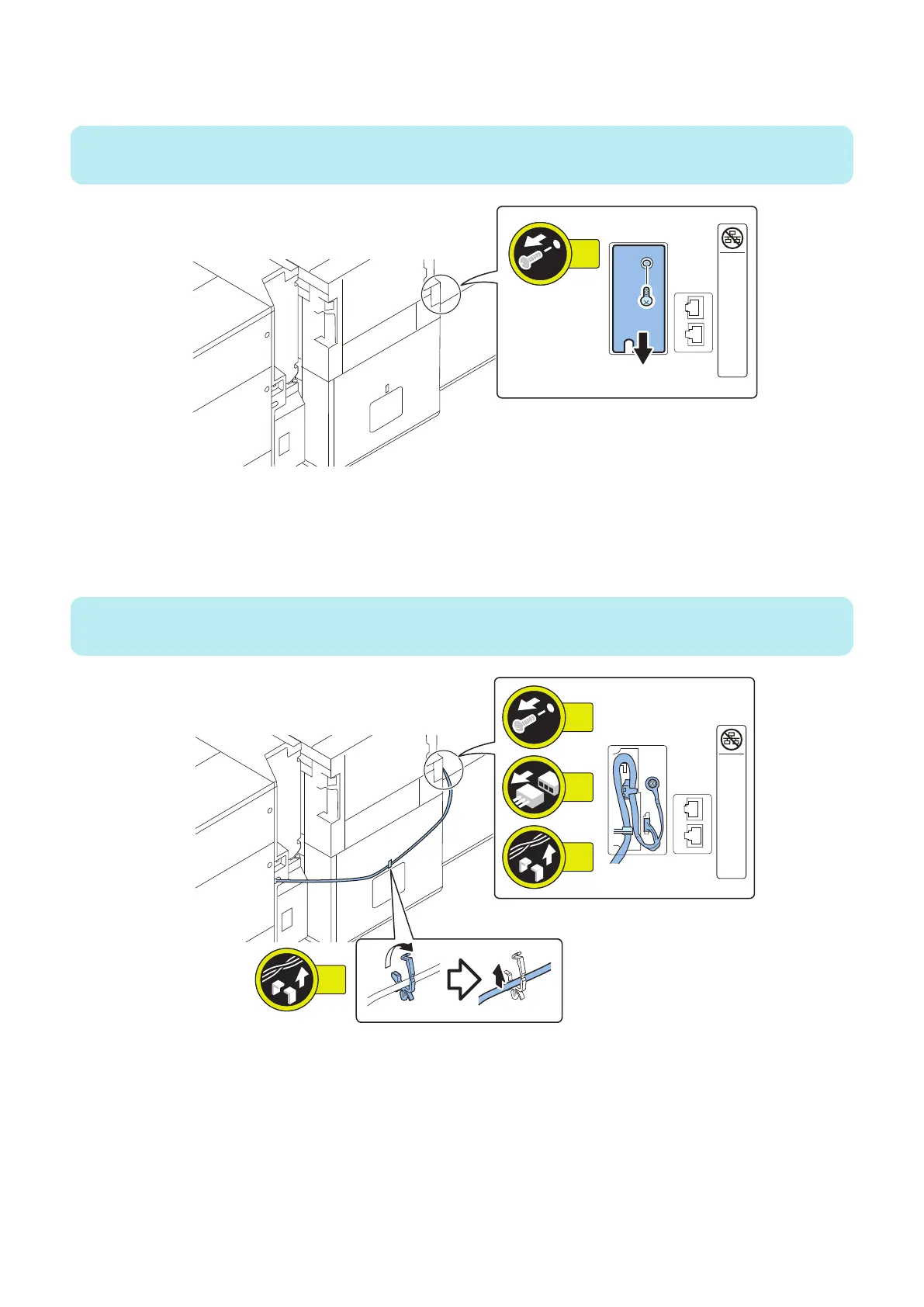
7. Remove the Face Cover of the host machine. (for imagePRESS V1000 series only)
• 1 Screw
NOTE:
When separating the Multi-drawer Paper Deck (Upstream), this step is not performed.
8. Remove the Synchronous Communication Cable. (for imagePRESS V1000 series only)
• 1 Screw
• 1 Connector
• 1 Cable Guide
• 1 Wire Saddle
NOTE:
When separating the Multi-drawer Paper Deck (Upstream), this step is not performed.
4. Parts Replacement and Cleaning
51













 To Next Page