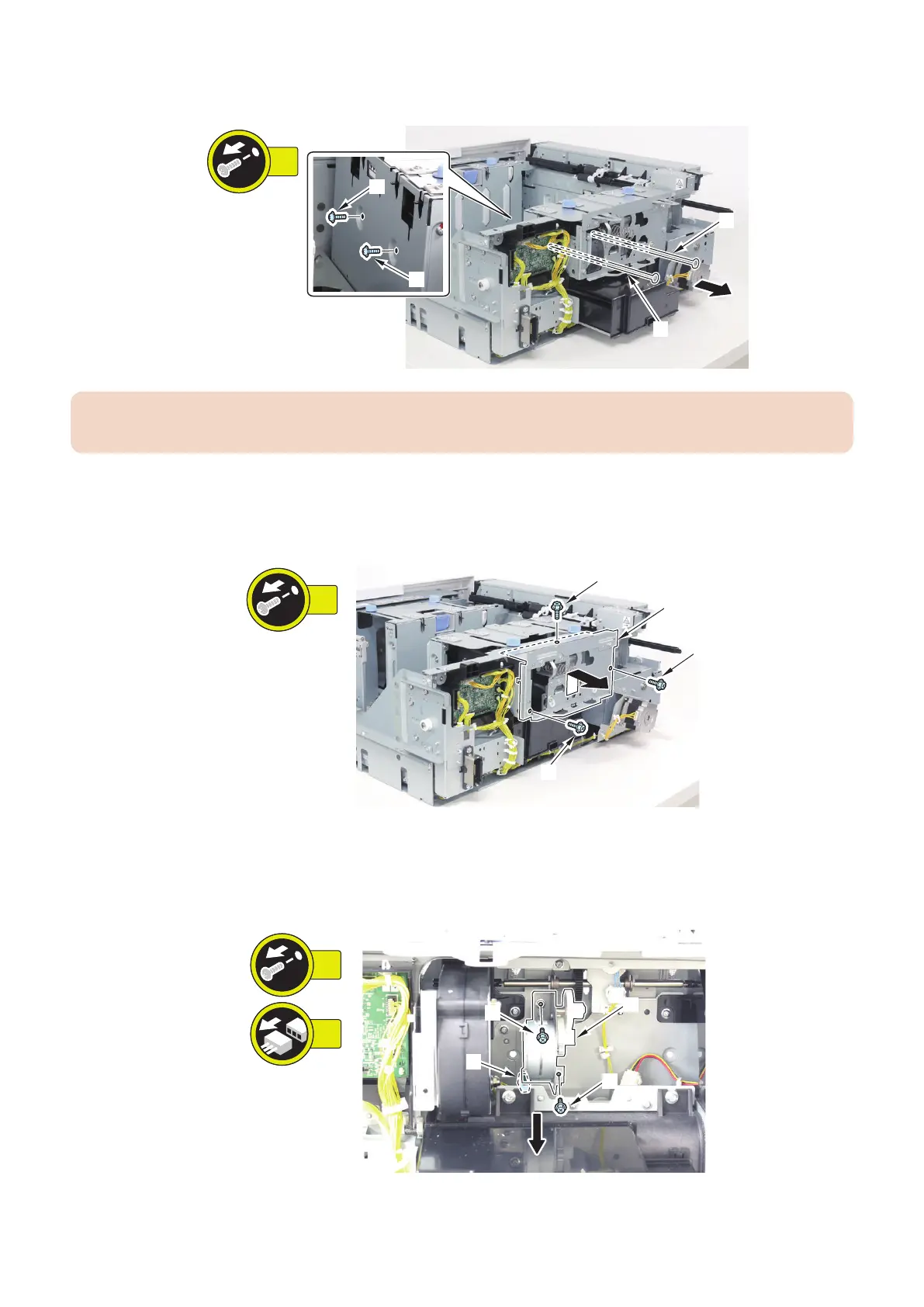
2. Remove the 2 Shafts [1].
• 2 Screws [2]
CAUTION:
When installing the Shafts, align the D-cut surface of each Shaft with the D-cut surface of the screw hole.
3. Move the side guide plate of the deck to the inside.
4. Remove the Shaft Plate Unit [1].
• 3 Screws [2]
5. Move the side guide plate of the deck to the outside.
6. Remove the Deck Swing Motor Unit [1].
• 2 Screws [2]
• 1 Connector [3]
4. Parts Replacement and Cleaning
112













 To Next Page