3
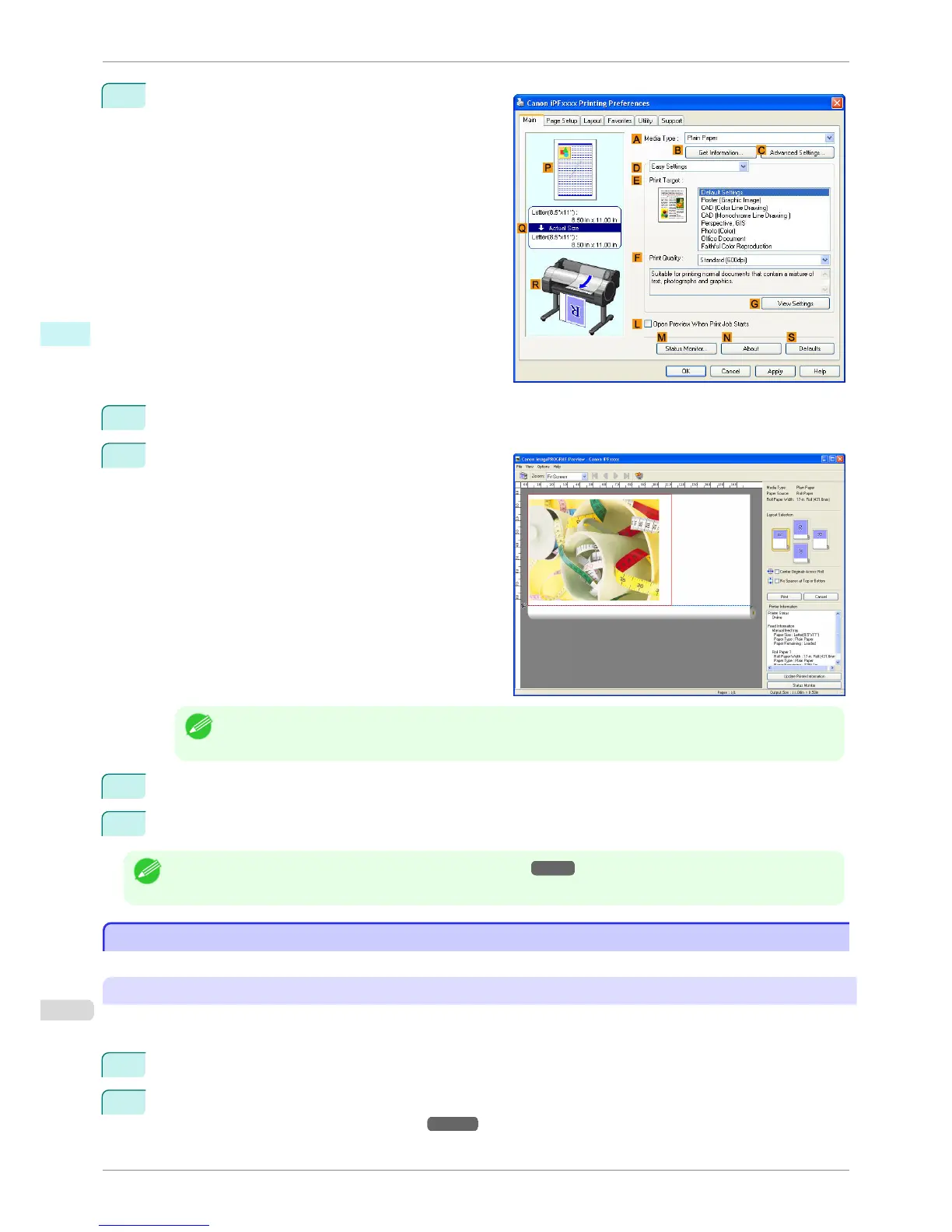
Make sure the Main sheet is displayed.
4
Select the L Open Preview When Print Job Starts check box.
5
After you click OK, when you print a job, the image-
PROGRAF Preview window will be displayed.
Note
• If PageComposer is running, access the Special Settings dialog box from the Layout sheet and clear Enable
Preview Switching.
6
On the main window, you can check the layout and change settings as needed.
7
To print, click Print in the File menu.
Note
• For details on imagePROGRAF Preview functions, see Preview →P.187 .
Using Favorites
Using Favorites
This topic describes how to register favorites and print using favorite settings.
Registering a favorite
This section describes the procedure for registering printing settings that have been changed in the driver as Fa-
vorites.
1
Choose Print in the application menu.
2
Select the printer in the dialog box, and then display the printer driver dialog box. (Refer to "Accessing the
Printer Driver Dialog Box from Applications →P.164 ")
Using Favorites
iPF760
User's Guide
Windows Software Printer Driver
162















 To Next Page