• A Image
Select this option to apply color adjustment to image areas, such as photos.
• B Graphics
Select this option to apply color adjustment to graphics, such as lines and circles.
• C Text
Select this option to apply color adjustment to text.
Matching Sheet
Matching Sheet
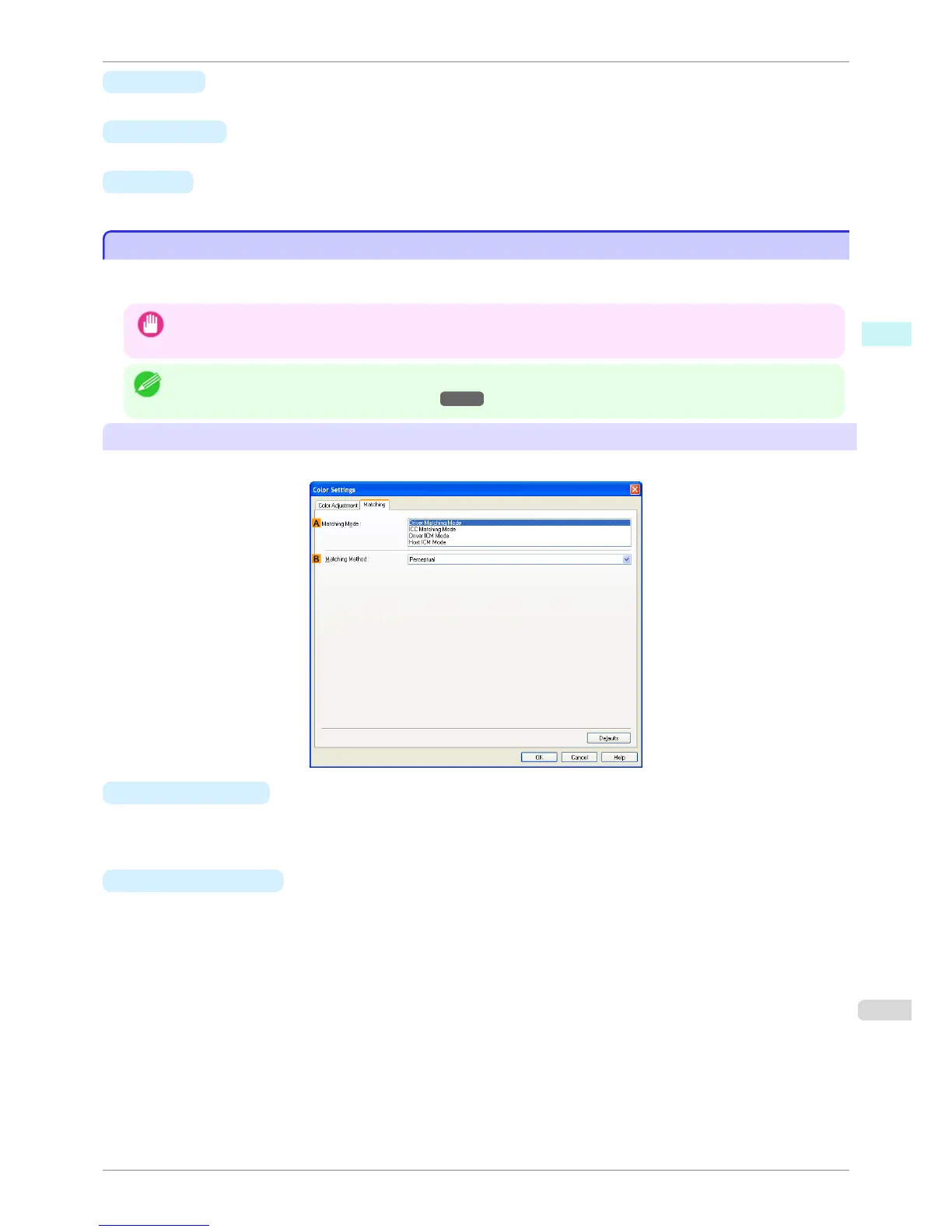
On the Matching sheet, you can specify color matching to compensate for differences in the appearance of colors
on various devices.
Important
• If No color correction is selected under Color Mode, the Matching sheet is not displayed.
Note
• To display the Matching sheet, on the Main sheet, click Color Settings in Color Mode in Advanced Settings, and then
click the Matching sheet. (Refer to "Main Sheet →P.167 ")
Driver Matching Mode
The following options are available when you select Driver Matching Mode in the
A Matching Mode list.
• A Matching Mode
Select the color matching mode to use, as desired.
Normally, select Driver Matching Mode. For color matching based on ICC profiles, select ICC Matching
Mode, Driver ICM Mode, or Host ICM Mode, depending on your color matching system.
• B Matching Method
Select the color matching method that suits the document to be printed. Various Matching Method options are
available depending on your selection in Matching Mode.
iPF760
Matching Sheet
User's Guide
Windows Software Printer Driver
173















 To Next Page