Note
• You can select only after ICC Matching Mode has been selected in Matching Mode.
•
Printer Profile
Select the printer profile.
Note
• (Using Mac OS X 10.4)You can select only after ICC Matching Mode or ColorSync has been selected in Matching
Mode.
• (Using Mac OS X 10.5 or later)You can select only after ICC Matching Mode has been selected in Matching Mode.
•
Soft Proof
When you place a checkmark here, ColorSync applies to the preview area.
Note
• You can select only after ColorSync has been selected in Matching Mode.
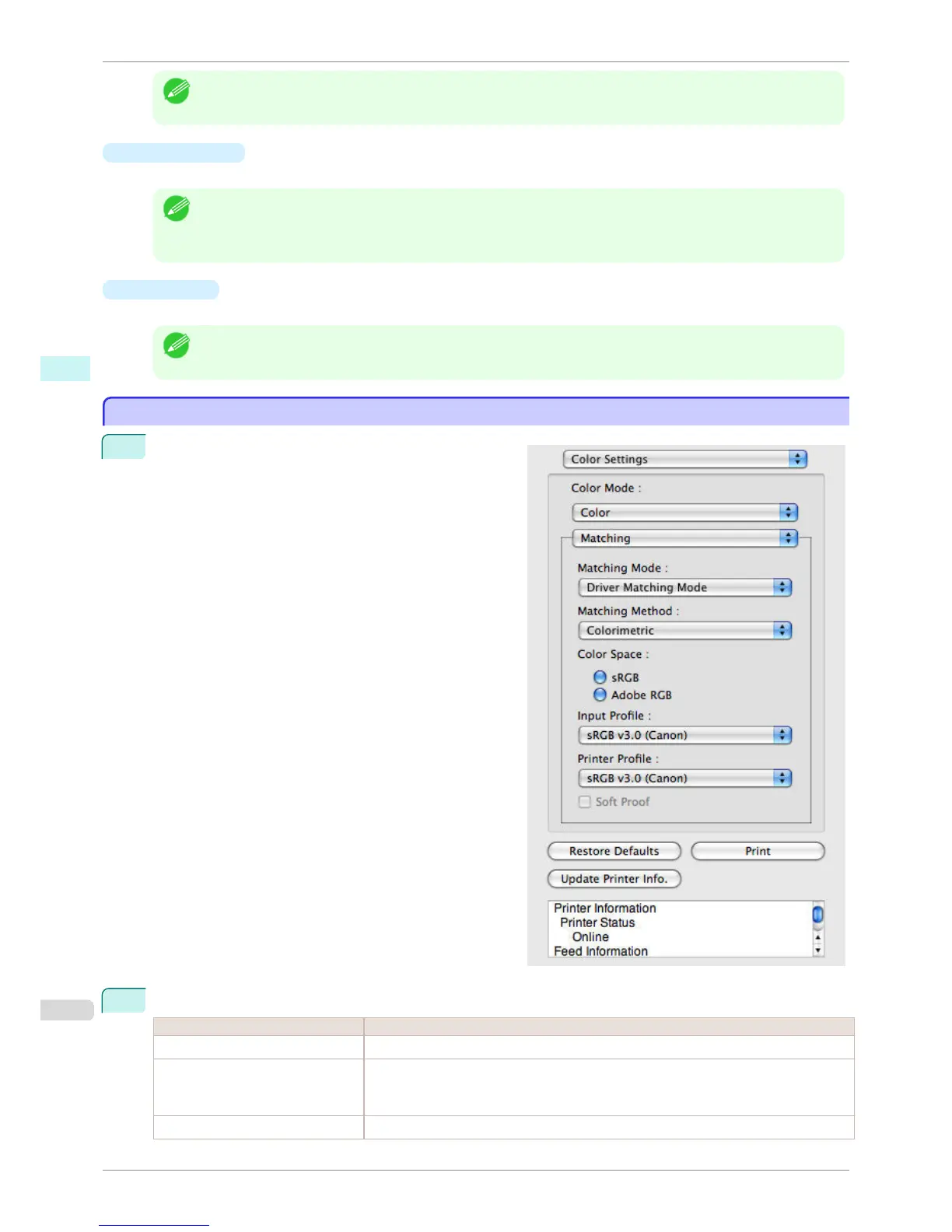
Driver Matching Mode
Driver Matching Mode
1
Under Matching Mode, select Driver Matching Mode.
2
Click Matching Method list, and then select a setting.
Setting Details
Auto Automatically selects the best color matching method for each Image, Graphics, Text.
Perceptual Color-matching optimized for printing typical photos attractively. Smooth gradation is a fea-
ture. This is also an easy-to-use mode when performing color adjustment using application
software.
Saturation Color-matching optimized for printing posters, etc., vividly.
Driver Matching Mode
iPF760
User's Guide
Mac OS X Software Preview
324















 To Next Page