Paper Size Options Dialog Box
Paper Size Options Dialog Box
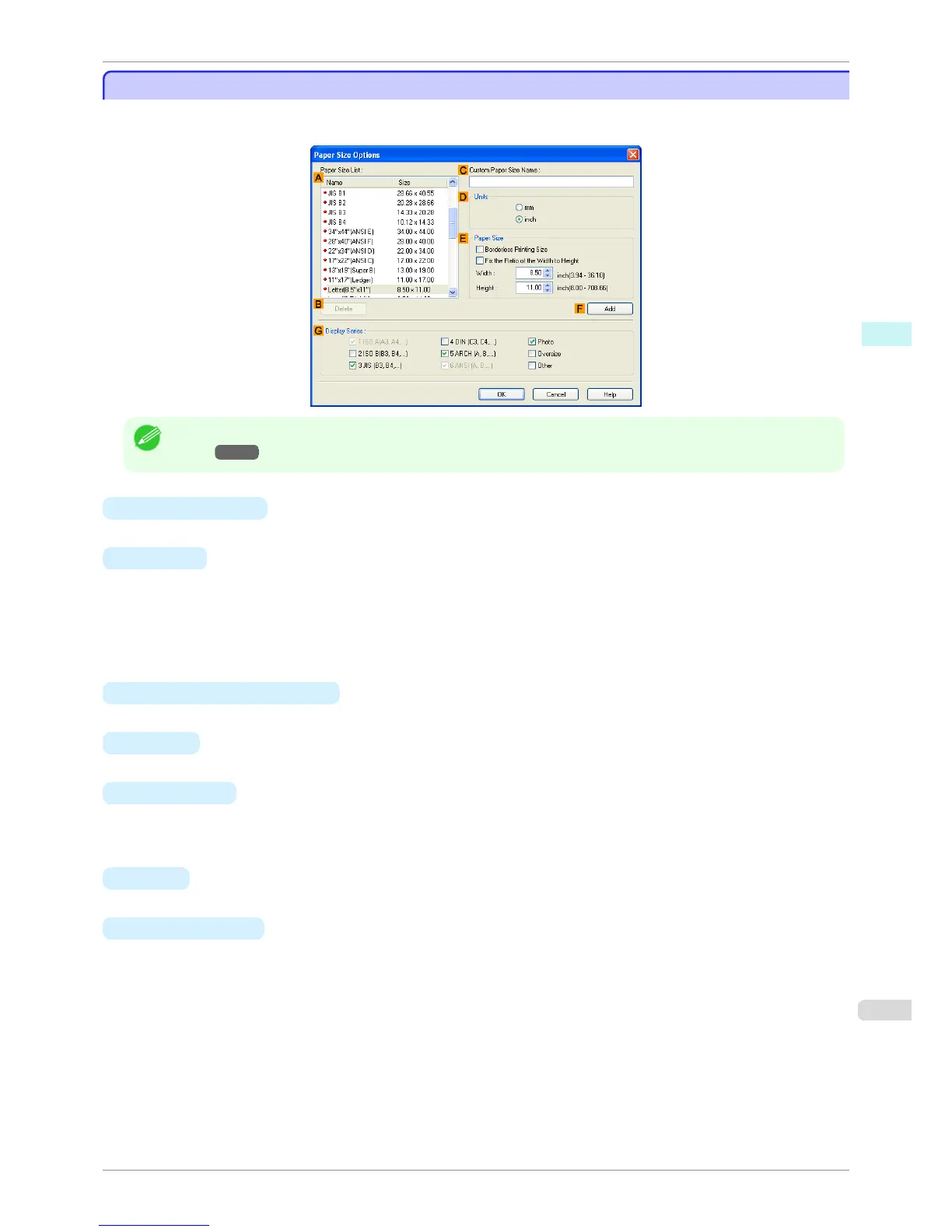
In the Paper Size Options dialog box, you can create and register your own Custom Paper Size. The sizes you
define are listed with standard paper sizes for selection later as needed.
Note
• To display the Paper Size Options dialog box, on the Page Setup sheet, click Paper Size Options.(See "Page Setup
Sheet →P.176 ")
• A Paper Size List
Shows the names and sizes of paper that can be used with the printer driver.
• B Delete
Custom paper sizes created by users can be deleted from the APaper Size List, as needed.
However, they cannot be deleted in the following situations.
•
If a standard paper size of the printer driver is selected.
•
If an oversized paper size is selected.
•
If a paper size marked with a red circle is selected.
• C Custom Paper Size Name
You can name Custom Paper Size as desired.
• D Units
Specify the desired unit of measure for the Custom Paper Size height and width.
• E Paper Size
Specify the desired Width and Height. You can make your selection from sizes that are compatible with Bor-
derless Printing by selecting Borderless Printing Size. To maintain the aspect ratio of the Width and Height
as you resize the paper, select Fix the Ratio of the Width to Height.
• F Add
Enables you to register the custom paper size you have specified or overwrite an existing custom paper size.
• G Display Series
You can limit the number of options shown in Page Size, Paper Size, and Paper Size List.
iPF760
Paper Size Options Dialog Box
User's Guide
Windows Software Printer Driver
179















 To Next Page