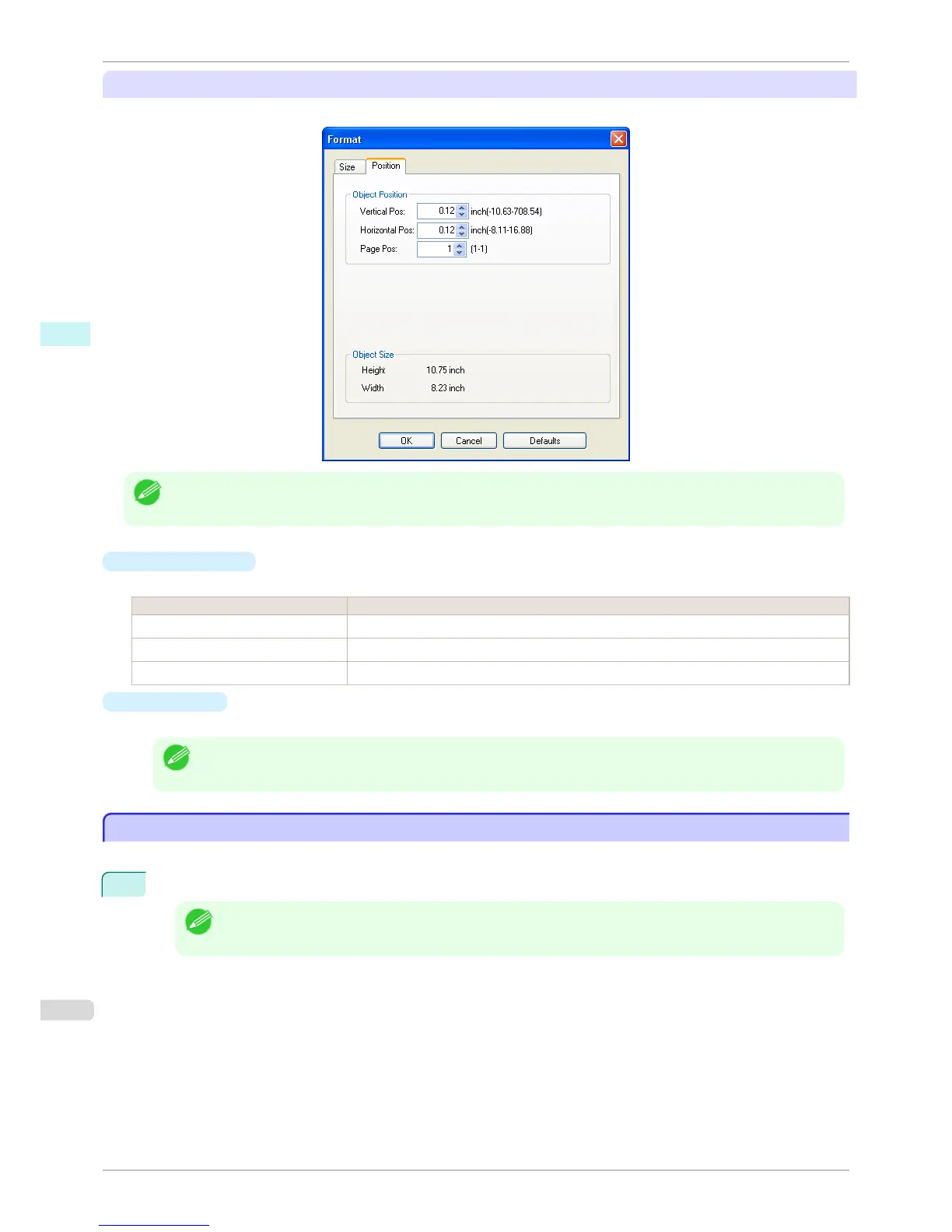
Position Sheet
You can rotate, enlarge, or reduce an object.
Note
• When the objects are not selected, you can not select Format.
•
Object Position
You can move the object position by changing the values.
Setting Details
Vertical Pos You can input the number of the vertical position in numerical characters.
Horizontal Pos You can input the number of the horizontal position in numerical characters.
Page Pos You can input the number of the page position in numerical characters.
•
Object Size
You can confirm the object size.
Note
• When several objects are selected, you cannot display Object Size.
Laying out a Multiple-File Document on One Page
Laying out a Multiple-File Document on One Page
You can lay out and print a multiple-file document on one page.
1
From the application software's File menu, select the printer setup menu to open the Print dialog box.
Note
• Normally, select Print from the File menu.
Laying out a Multiple-File Document on One Page
iPF760
User's Guide
Windows Software Free Layout
204















 To Next Page