You can view support information and the user's manual.
With the imagePROGRAF Free Layout feature, you can arrange originals from various source applications on a
single page before printing. For details, see Free Layout →P.332 .
With the imagePROGRAF Preview feature, you can check the layout before printing and adjust layout or size set-
tings while viewing a preview screen. For details, see Preview →P.310 .
With the Color imageRUNNER Enlargement Copy feature, you can automatically enlarge and print scanned origi-
nals from a Color imageRUNNER. For details, see Color imageRUNNER Enlargement Copy →P.357 .
Specifying Paper in the Printer Driver
Specifying Paper in the Printer Driver
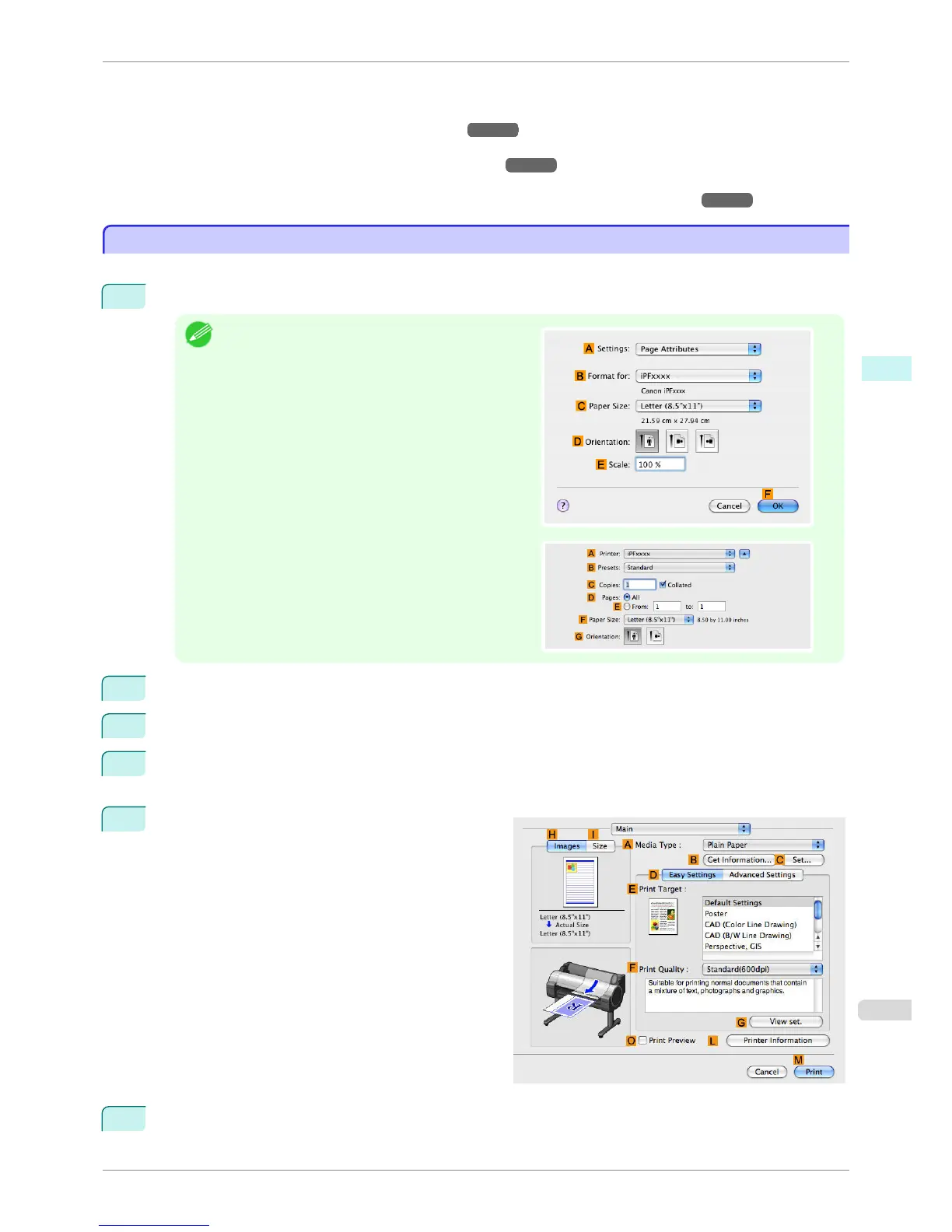
If you have replaced the paper, you must complete the following settings in the printer driver.
1
This sets the B Format for and C Paper Size.
Note
•
The configuration method varies depending on the OS
and application software you are using.
If Page Setup is displayed in the application menu, the
settings are configured by opening the Page Attributes
dialog box from Page Setup.
If it is not displayed, the settings are configured in the
upper part of the printer driver displayed when you se-
lect Print from the application software menu.
2
Select the printer in the A Printer list.
3
Choose the original size in the FPaper Size list.
4
If you configured the settings using the Page Attributes dialog box, click FOK to close the dialog box, and
then select Print from the application software menu.
5
Access the Main pane.
6
In the A Media Type list, select the type of paper that is loaded.
iPF760
Specifying Paper in the Printer Driver
User's Guide
Mac OS X Software Printer Driver
293















 To Next Page