2
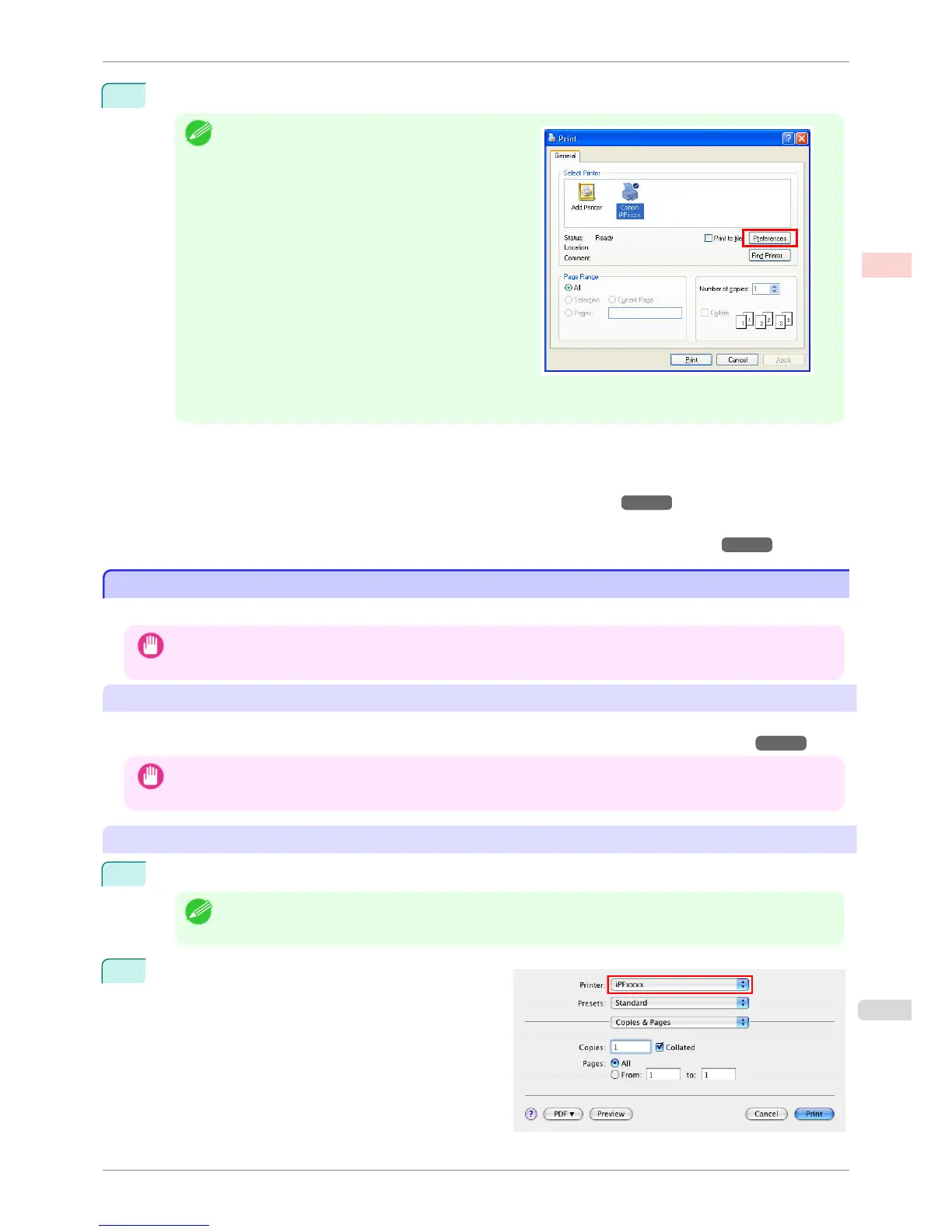
After confirming that the printer is selected in the dialog box, click Print or OK to start printing.
Note
•
The appearance of the dialog box varies depending on
the software application. In most cases, the dialog box
includes basic printing options and enables you to
choose the printer, specify the range of pages, number
of copies, and so on.
Example: Print dialog box displayed by the application
• If another printer is selected, select the printer you want to use under Select Printer or in the dialog box dis-
played after clicking Printer.
Settings for many printing methods (including enlarged or reduced printing, borderless printing, and so on) are dis-
played in the printer driver dialog box. There are two ways to access the printer driver dialog box, as follows.
•
From the application
(See "Accessing the Printer Driver Dialog Box from Applications(Windows).") →P.164
•
From the operating system menu
(See "Accessing the Printer Driver Dialog Box from the Operating System Menu(Windows).") →P.165
Printing from Mac OS X
Printing from Mac OS X
Print from the application menu after registering the printer.
Important
• We recommend exiting unnecessary applications before printing. Running several applications while printing may inter-
rupt the transfer of print data and affect printing quality.
Registering the printer
Before printing, you must register the printer in imagePROGRAF PrinterSetup.app.
For instructions on registering the printer, see "Configuring the Printer Driver Destination (Mac OS X)."
→P.480
Important
• During this setup process, the printer will not be listed among available printers if it is off or disconnected.
Printing from the application software
1
In the application software, select Print from the File menu to display the dialog box for printing conditions.
Note
• This dialog box includes basic printing options and enables you to choose the printer, specify the range of pa-
ges, number of copies, and so on.
2
Select the printer in the Printer list.
iPF760
Printing from Mac OS X
User's Guide
Basic Printing Workflow Printing procedure
23















 To Next Page