Changing the Object Size
Changing the Object Size
You can change the object size by means of mouse operation or by specifying a scaling value.
Note
• The vertical-to-horizontal ratio remains unchanged when the object is enlarged or reduced.
Resizing by means of mouse operation
1
Select an object.
2
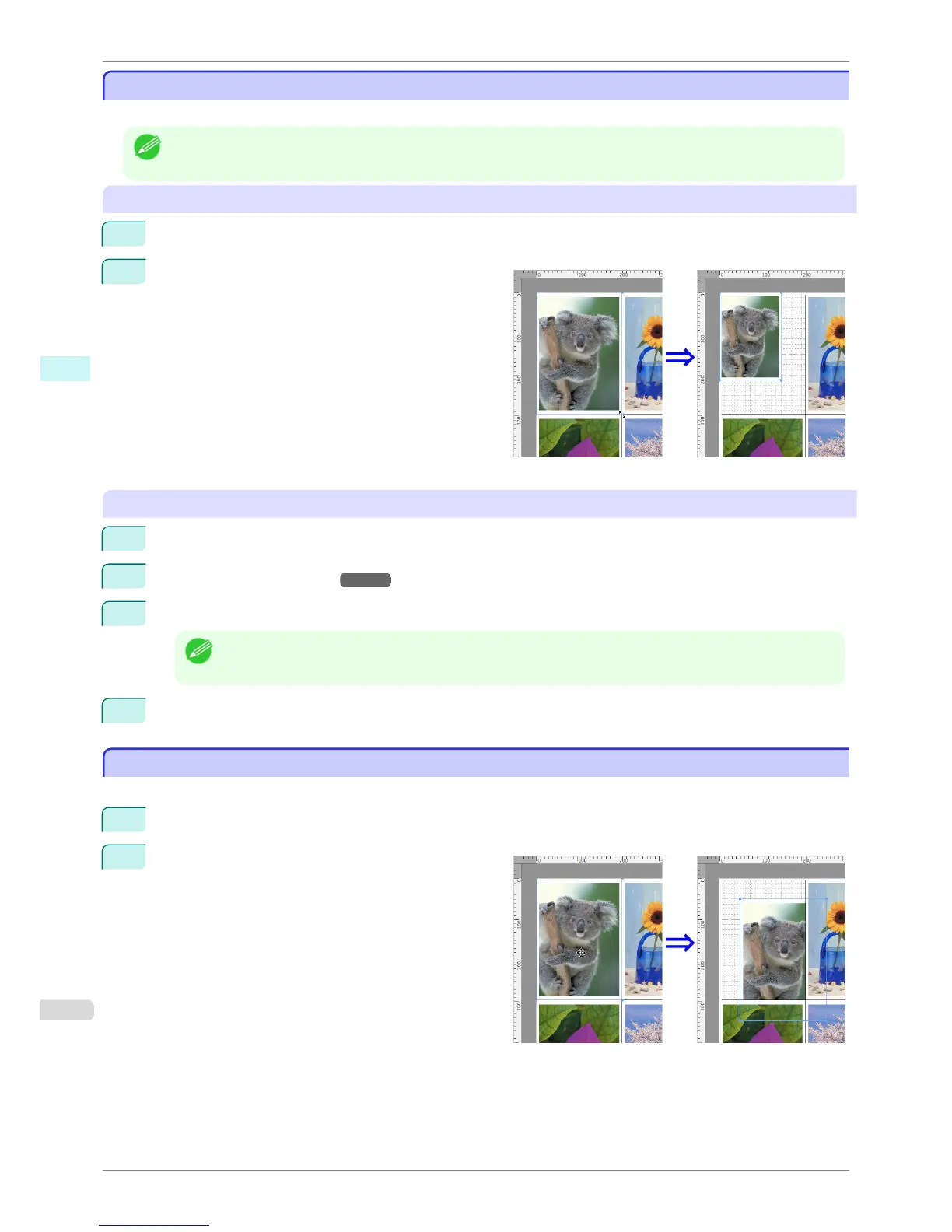
Place the pointer at a corner of the selection box
around the object to show the arrow handle, and drag
this handle to change the object size.
Resizing by specifying a scaling value
1
Select an object.
2
Open the Format Dialog Box →P.350 .
3
Use Scaling to set the magnification for enlargement or reduction. You either enter numbers directly.
Note
• You can input between 25 and 400.
• You can change the numbers by clicking either ▲ button or ▼ button.
4
Click the OK button.
Moving an Object
Moving an Object
You can move the object position.
1
Select an object.
2
Place the pointer inside the selection box of the ob-
ject to show the crosshair handle, and drag it to move
the object.
Changing the Object Size
iPF760
User's Guide
Mac OS X Software Free Layout
352















 To Next Page