2
Enter the Width and Length of the paper, and the Price per area for the configured width x height.
3
Click the Add button. To change the unit cost for a media type you have already set, click the Overwrite
button.
4
Click the OK button.
Important
• Your settings are not applied until you click the OK button.
Setting the Unit Cost for Items Other Than Ink and Paper
Setting the Unit Cost for Items Other Than Ink and Paper
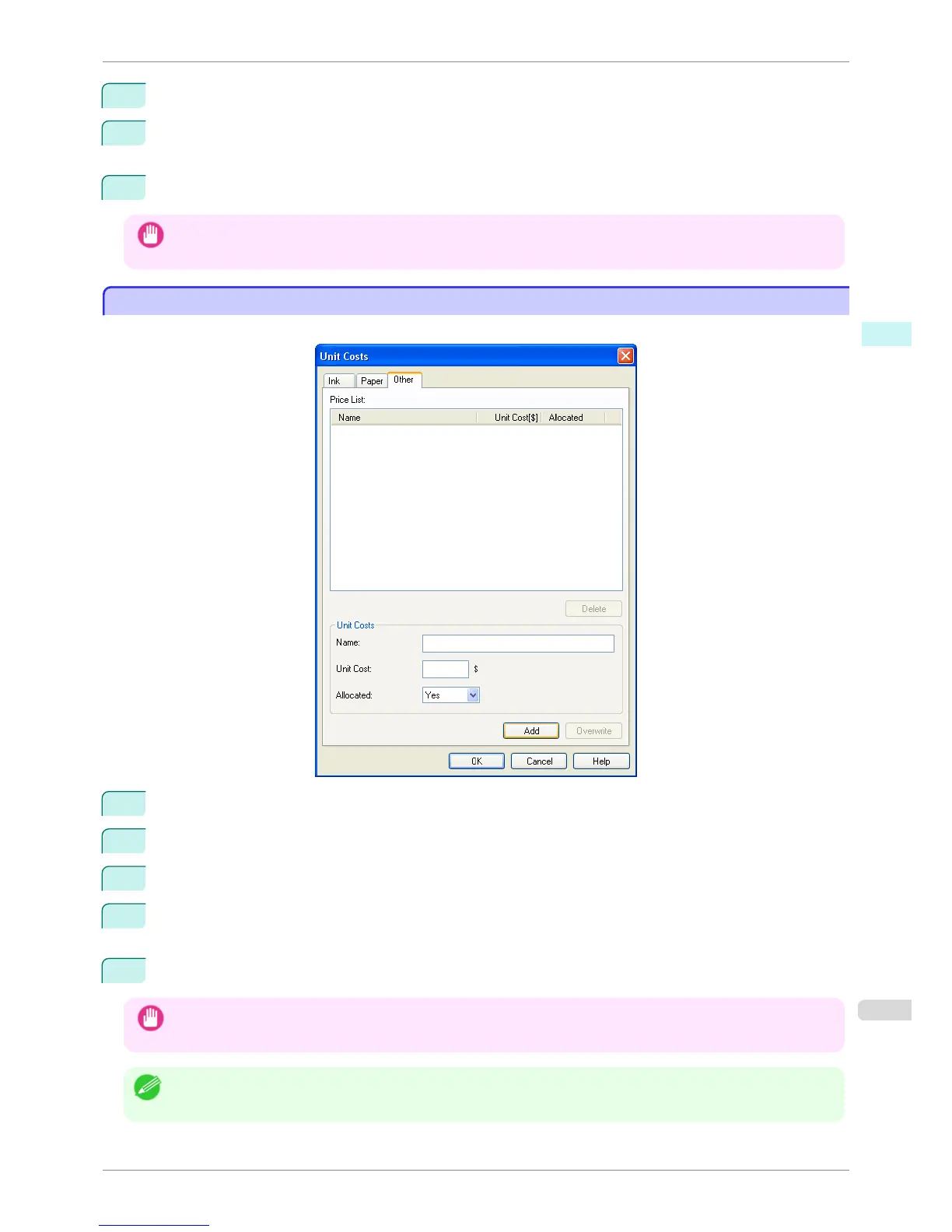
Open the Other sheet. Use this sheet to set any price for items other than inks and paper.
1
Enter any name in the Name field.
2
Enter a value in Unit Cost.
3
Use Allocated to specify whether the costs are allocated as being incurred by the print job.
4
Click the Add button. To change the unit cost for a media type you have already set, click the Overwrite
button.
5
Click the OK button.
Important
• Your settings are not applied until you click the OK button.
Note
• You can set unit costs for up to 5 items.
iPF760
Setting the Unit Cost for Items Other Than Ink and Paper
User's Guide
Windows Software Accounting
271















 To Next Page