Creating a New Hot Folder
Creating a New Hot Folder
1
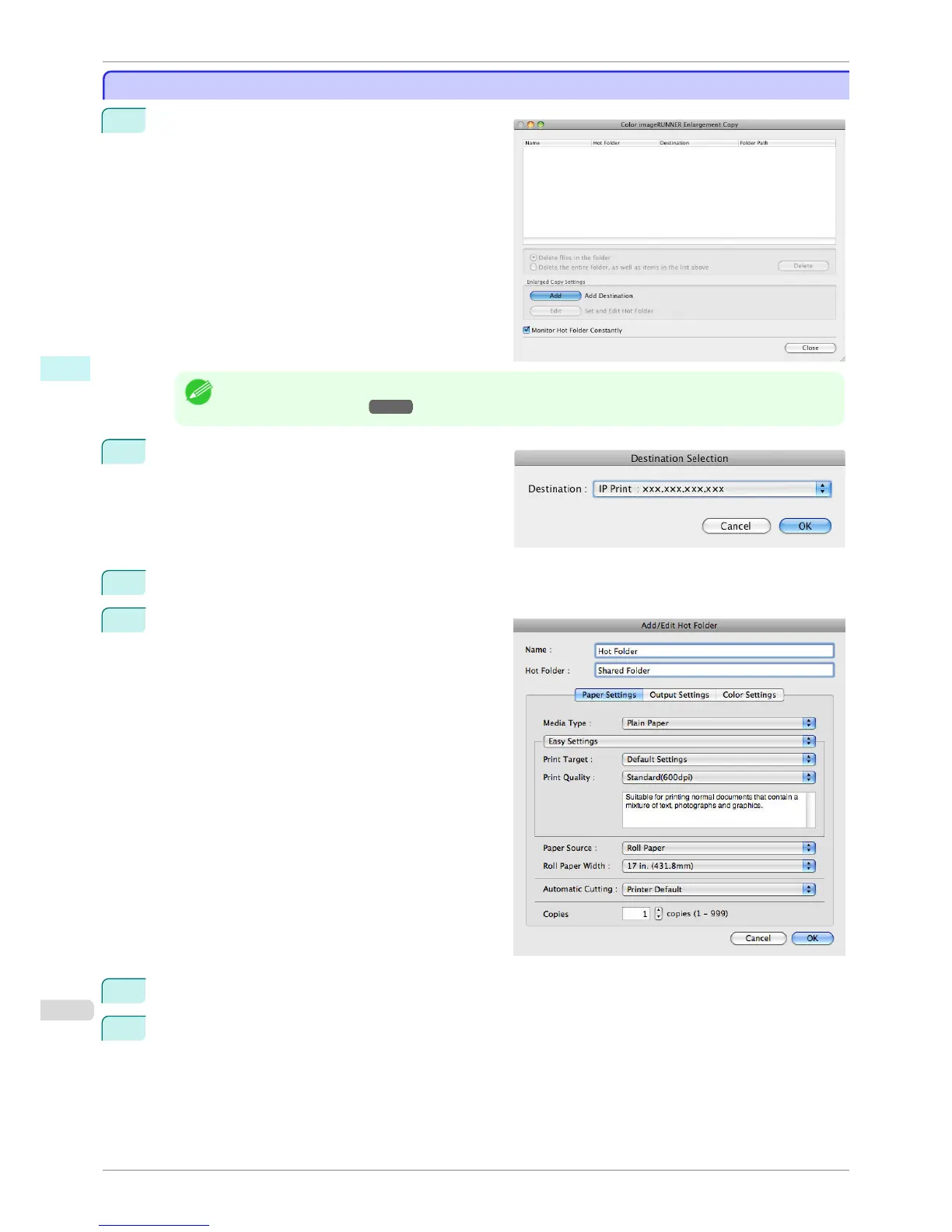
Open the Color imageRUNNER Enlargement Copy
dialog box.
Note
• For the step to open the Color imageRUNNER Enlargement Copy dialog box, see "Starting Color imageRUN-
NER Enlargement Copy." →P.358
2
Click the Add button in Enlarged Copy Settings to
open the Destination Selection dialog box.
3
From the printer list in Destination, select the printer of destination.
4
Click the OK button to open the Add/Edit Hot Folder
dialog box.
5
In Name, enter the name to display in the Hot Folder list.
6
In Hot Folder, enter the Hot Folder name.
Creating a New Hot Folder
iPF760
User's Guide
Mac OS X Software Color imageRUNNER Enlargement Copy
360















 To Next Page