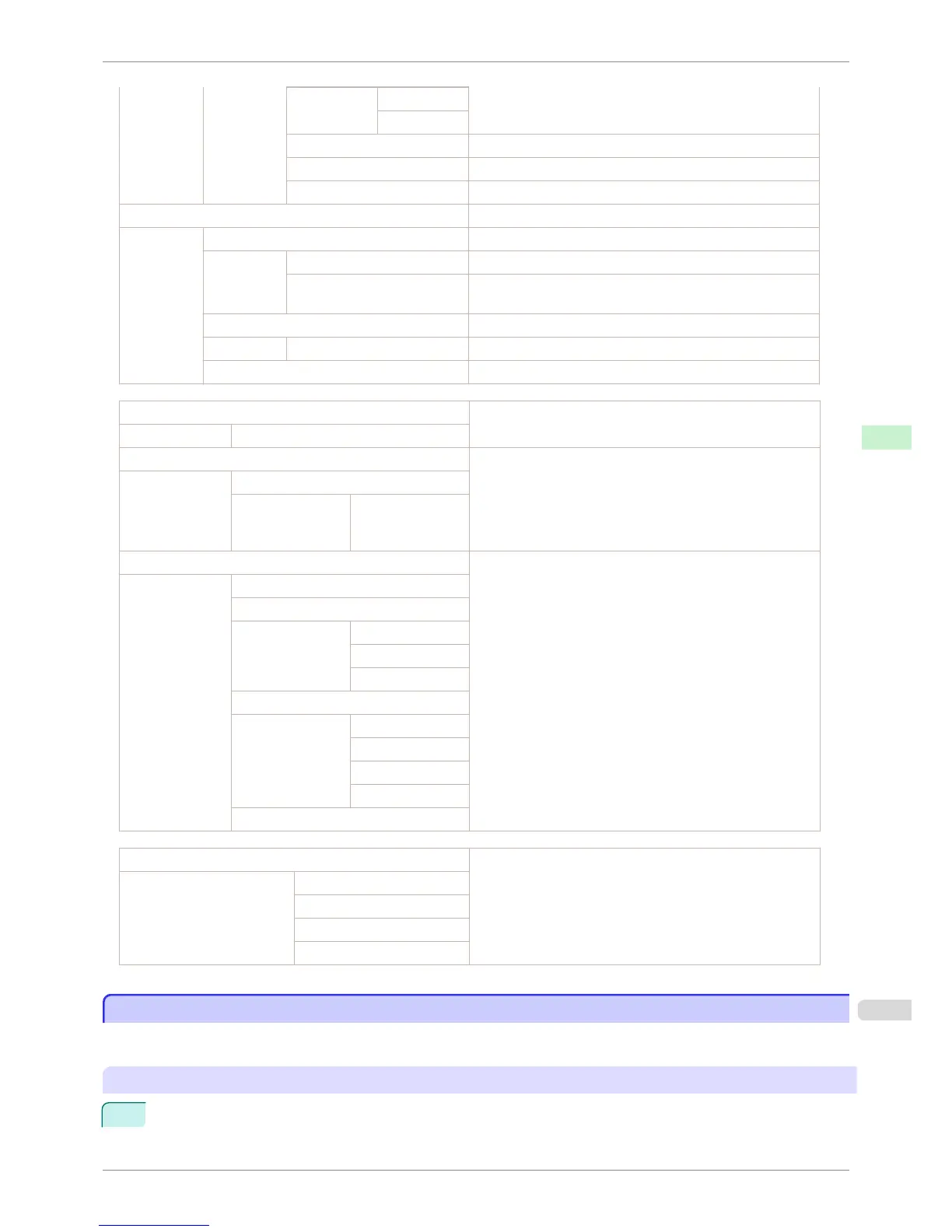
Timing
Nozzle-check settings.
Warning
Use USB Setting value for using USB.
Use Ethernet Setting value for using Ethernet.
Use RemoteUI Settings used by RemoteUI.
Printer Info Various printer information.
Ink Info Ink-related information.
MC Maintenance Cartridge capacity (%)
C,M,Y,MBK,MBK2,BK Ink levels.
The remaining ink is displayed in a five-level scale.
System Info System-related information.
RAM Total RAM (system RAM and print buffer)
Error Log The past five error codes.
HEAD LOT NUMBER Printhead lot number.
LOT
PARTS STATUS
Utilization status of replacement parts that require servicing.
COUNTER
CR1-5, SP1, PG1,
HMa1, MT1, PL1,
Mi1,CT1,WF1-2
COUNTER
Utilization status of the cutter, media, and other items (indicating
how much they have been used).
CUTTER
MEDIA
LIFE TTL
LIFE ROLL
LIFE CUTSHEET
MEDIA 1-7,OTHER
NAME
TTL
ROLL
CUTSHEET
AFTER INSTALLATION
DUTY Counters for maintenance purposes. Needed when service is re-
quested.
UNIT:m2
UNIT:sq.f
UNIT:A4 Sheet
UNIT:Letter Sheet
Printing Interface Setting Reports
Printing Interface Setting Reports
You can print an Interface Print report indicating the current interface settings values of the printer.
Interface Print reports indicate settings values for TCP/IP, NetWare, and other settings.
Printing Interface Print reports
1
Load the paper.
If using sheets, load paper A4/Letter-sized, you will need at least three sheets.
iPF760
Printing Interface Setting Reports
User's Guide
Control Panel Printer Menu
459















 To Next Page