Problems Regarding Paper
Problems Regarding Paper
Clearing Jammed Paper (Paper Feed Slot) ................................................................................................. 550
Clearing Jammed Roll Paper ....................................................................................................................... 552
Clearing a Jammed Sheet ............................................................................................................................ 554
Roll paper cannot be inserted into the paper feed slot ............................................................................... 556
Cannot load sheets ...................................................................................................................................... 557
Paper is not cut neatly ................................................................................................................................. 557
Paper is not cut ............................................................................................................................................ 557
Depression on the leading edge is left ........................................................................................................ 557
The size of clear film cannot be detected .................................................................................................... 557
Roll Paper is Continuously Ejected .............................................................................................................. 557
Clearing Jammed Paper (Paper Feed Slot)
Clearing Jammed Paper (Paper Feed Slot)
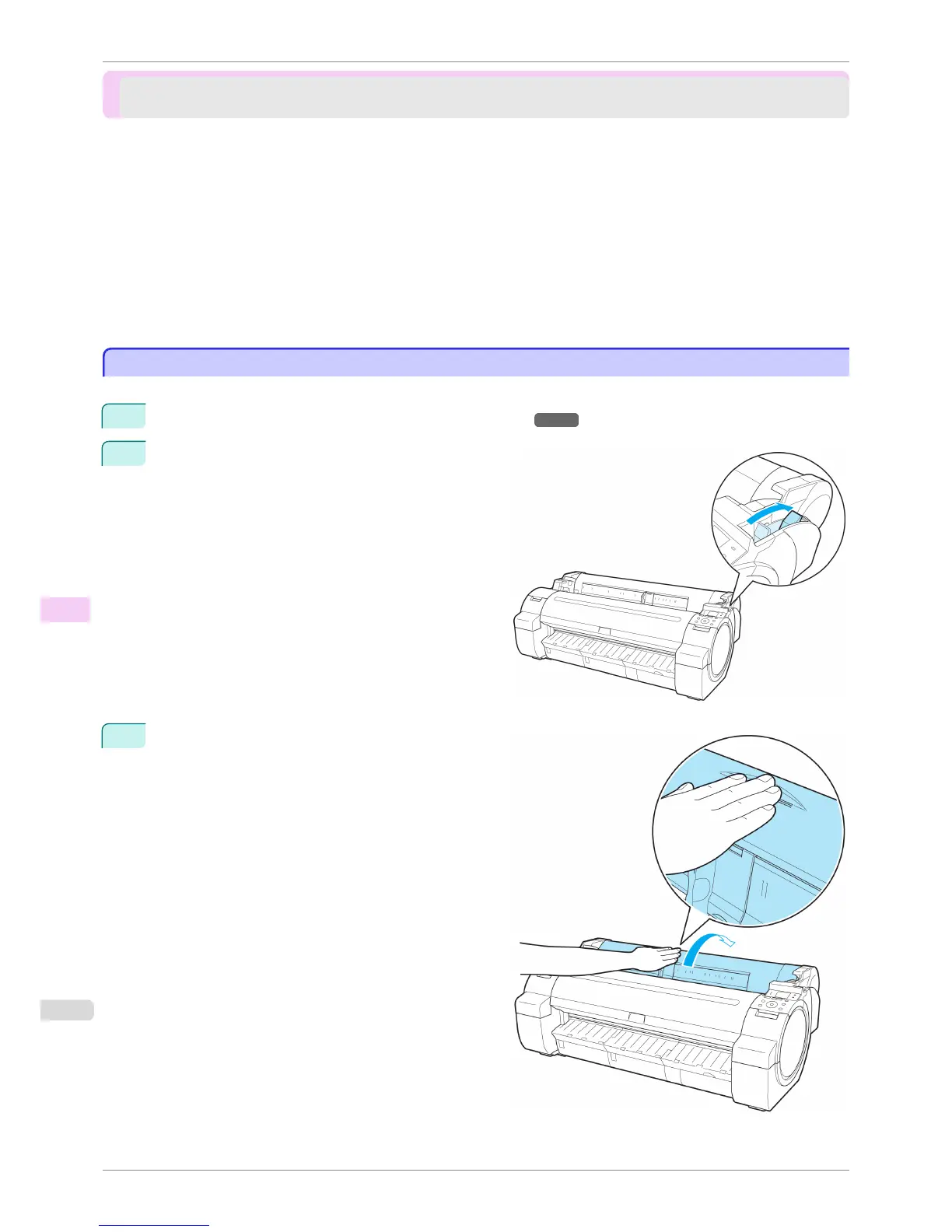
Follow these steps to remove any scraps left in the Paper Feed Slot after you clear jammed sheets or roll paper.
1
Turn the printer off. (See "Turning the Printer On and Off.") →P.17
2
Push the Release Lever back.
3
Positioning your hands as shown, open the Roll Cov-
er.
Clearing Jammed Paper (Paper Feed Slot)
iPF760
User's Guide
Troubleshooting Problems Regarding Paper
550















 To Next Page