Support Pane
Support Pane
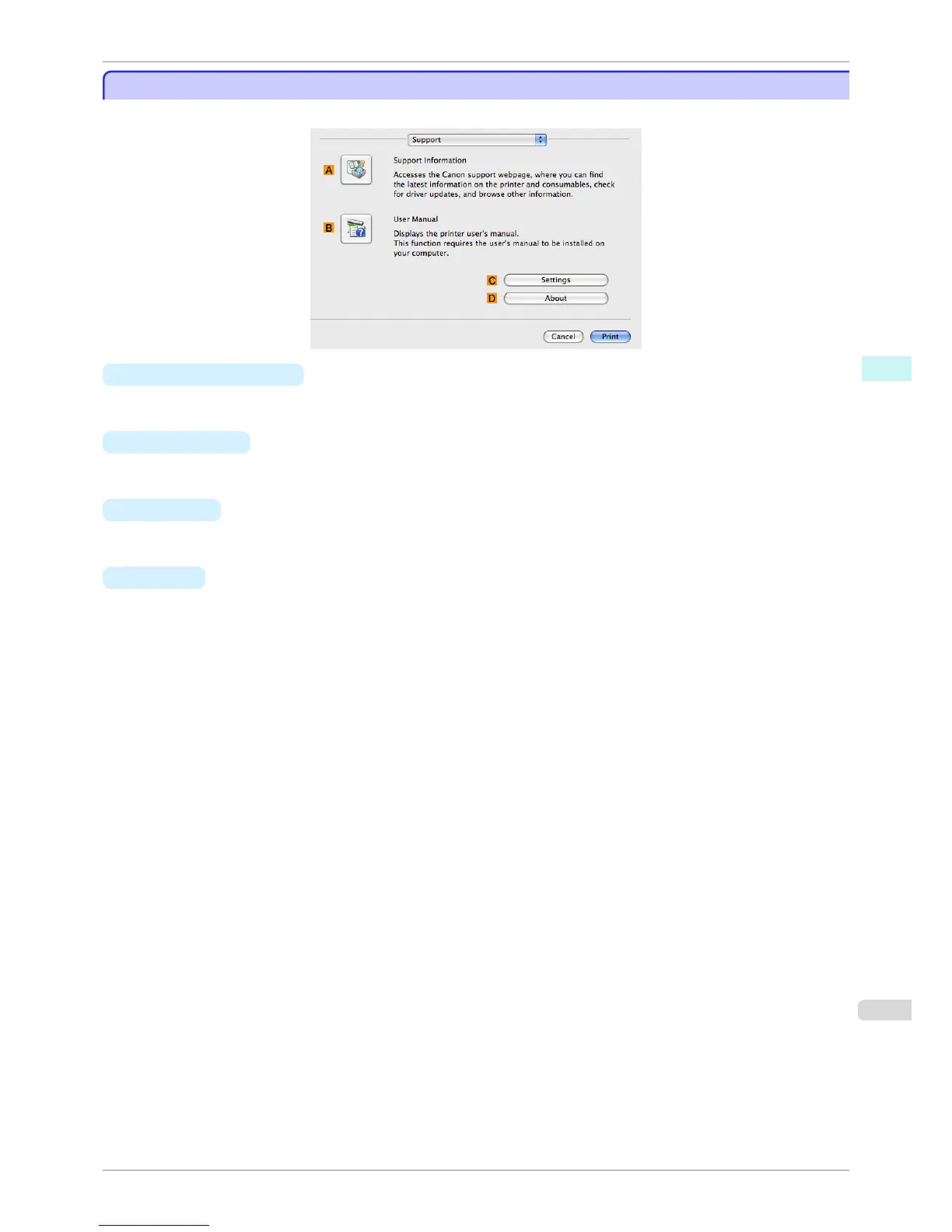
On the Support pane, you can view support information and the user's manual.
• A Support Information
Click to access the Canon support webpage, where you can find the latest information on the printer and con-
sumables, check for printer driver updates, and browse other information.
• B User Manual
Click to view the printer user's manual. This function requires the user's manual to be installed on your comput-
er.
• C Settings
The settings can be saved as a file. Click to display the Export dialog box, which enables you to specify where
to save the file.
• D About
You can display version information for the printer driver.
iPF760
Support Pane
User's Guide
Mac OS X Software Printer Driver
309















 To Next Page