Preview
Preview
The Features of Preview ............................................................................................................................... 187
Starting Preview ........................................................................................................................................... 187
Preview Main Window .................................................................................................................................. 188
Dialog Area .................................................................................................................................................. 190
Enlarge/Reduce the screen display ............................................................................................................. 191
Moving a Page ............................................................................................................................................. 191
Using the ruler .............................................................................................................................................. 191
Priority setting for rotating 90 degrees ......................................................................................................... 192
Printing with Selecting the Layout ................................................................................................................ 193
Print on the Center ....................................................................................................................................... 195
Not Print Spaces at the Top/Bottom ............................................................................................................. 196
The Features of Preview
The Features of Preview
The main features of Preview are as follows.
•
While viewing this screen, you can adjust layout settings of a document created with application software.
•
You can not only adjust layout settings but also your changes will be instantly applied on the preview screen,
and you can print the preview screen as it is seen.
Note
• The media type, image size, detailed media settings, and the printer settings can cause the actual print output to differ
from the Preview settings.
Starting Preview
Starting Preview
Follow the procedure below to start the Preview.
1
Start the apllication software which you use.
2
From the application software's File menu, select the printer setup menu to open the Print dialog box.
Note
• Normally, select Print from the File menu.
3
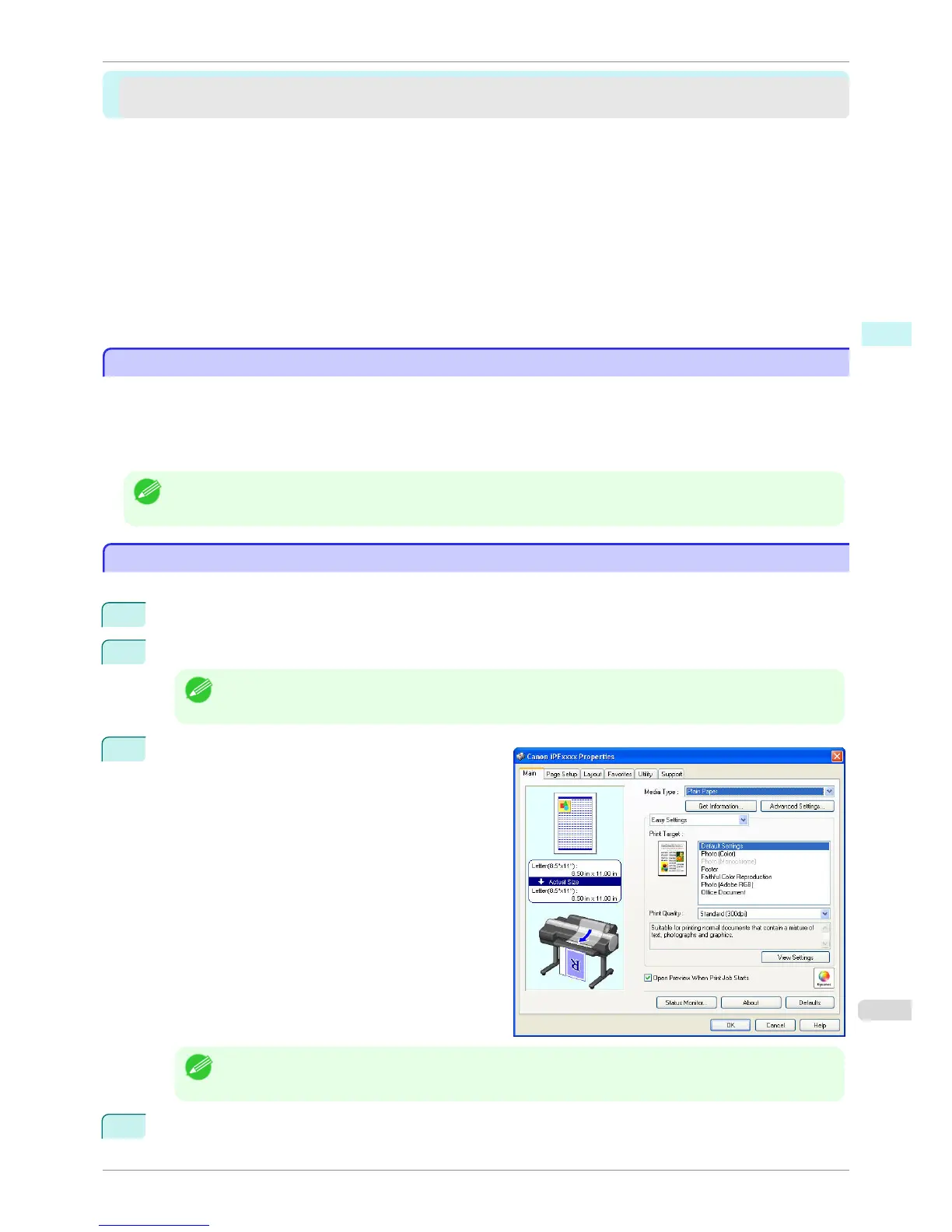
On the Main sheet, click on the Open Preview When
Print Job Starts check box.
Click the OK button to save the settings.
Note
• Your printer is depicted in the lower-left area of this screen.
4
On the Print dialog box in the apllication software, click the Print button.
iPF760
The Features of Preview
User's Guide
Windows Software Preview
187















 To Next Page