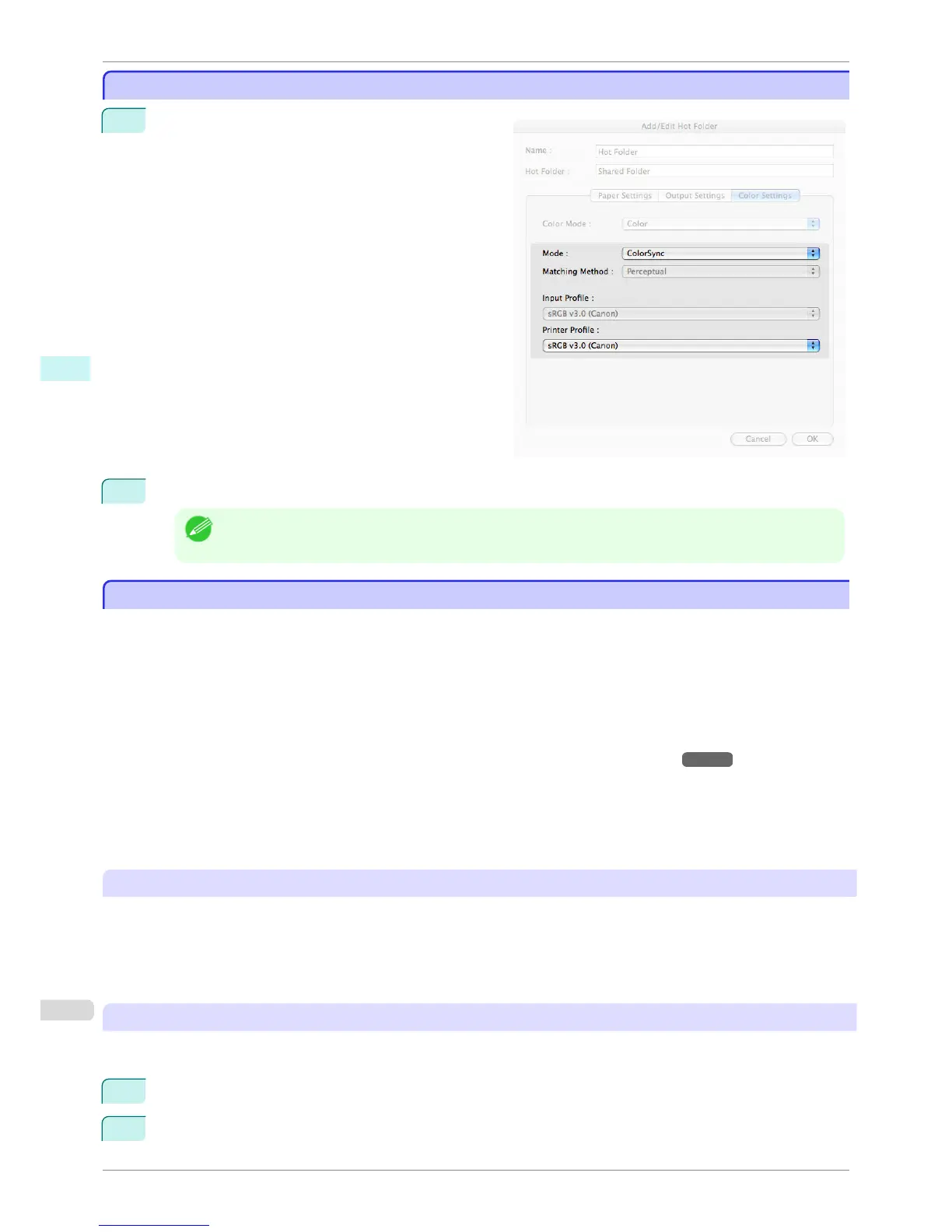
ColorSync
ColorSync
1
Under Matching Mode, select ColorSync.
2
Click the Printer Profile list, and then select a printer profile.
Note
• Available when using Mac OS X 10.4.
Printing Enlargements of Scanned Originals from a Color imageRUNNER
Printing Enlargements of Scanned Originals from a Color imageRUNNER
Scanned originals from a Color imageRUNNER can be enlarged and printed automatically.
Originals you create by scanning with a Color imageRUNNER are transferred to a "hot folder" and printed automati-
cally after enlargement according to printing conditions you specify for that folder.
This processing sequence is called the Color imageRUNNER Enlargement Copy function.
To use Color imageRUNNER Enlargement Copy, first complete these settings in the following order.
1.
Register a hot folder on your computer.
Register a hot folder on your computer for storing scanned originals from the Color imageRUNNER and com-
plete the settings for enlargement copy. For details, see "Creating a New Hot Folder." →P.360
2.
Complete the scanning settings on the Color imageRUNNER.
Configure the Color imageRUNNER to send scanned originals to the hot folder.
After these settings are complete, you can print enlarged copies of scanned originals from the Color imageRUN-
NER.
Completing the scanning settings on the Color imageRUNNER.
Configure the Color imageRUNNER to send scanned originals to the hot folder. It is easy to send scanned originals
to the hot folder if you assign the scanning settings and destination to a Favorites button on the Color imageRUN-
NER.
For instructions on assigning scanning and sending settings to the Favorites button, refer to the Color imageRUN-
NER manual.
Scanning the original and print an enlargement
Follow the steps below to scan an original on the Color imageRUNNER for enlarged printing on the printer. For
detailed instructions, refer to the Color imageRUNNER manual.
1
Load the original on the platen glass or document feeder of the Color imageRUNNER.
2
Press Send to display the screen for transmission.
ColorSync
iPF760
User's Guide
Mac OS X Software Color imageRUNNER Enlargement Copy
372















 To Next Page