•
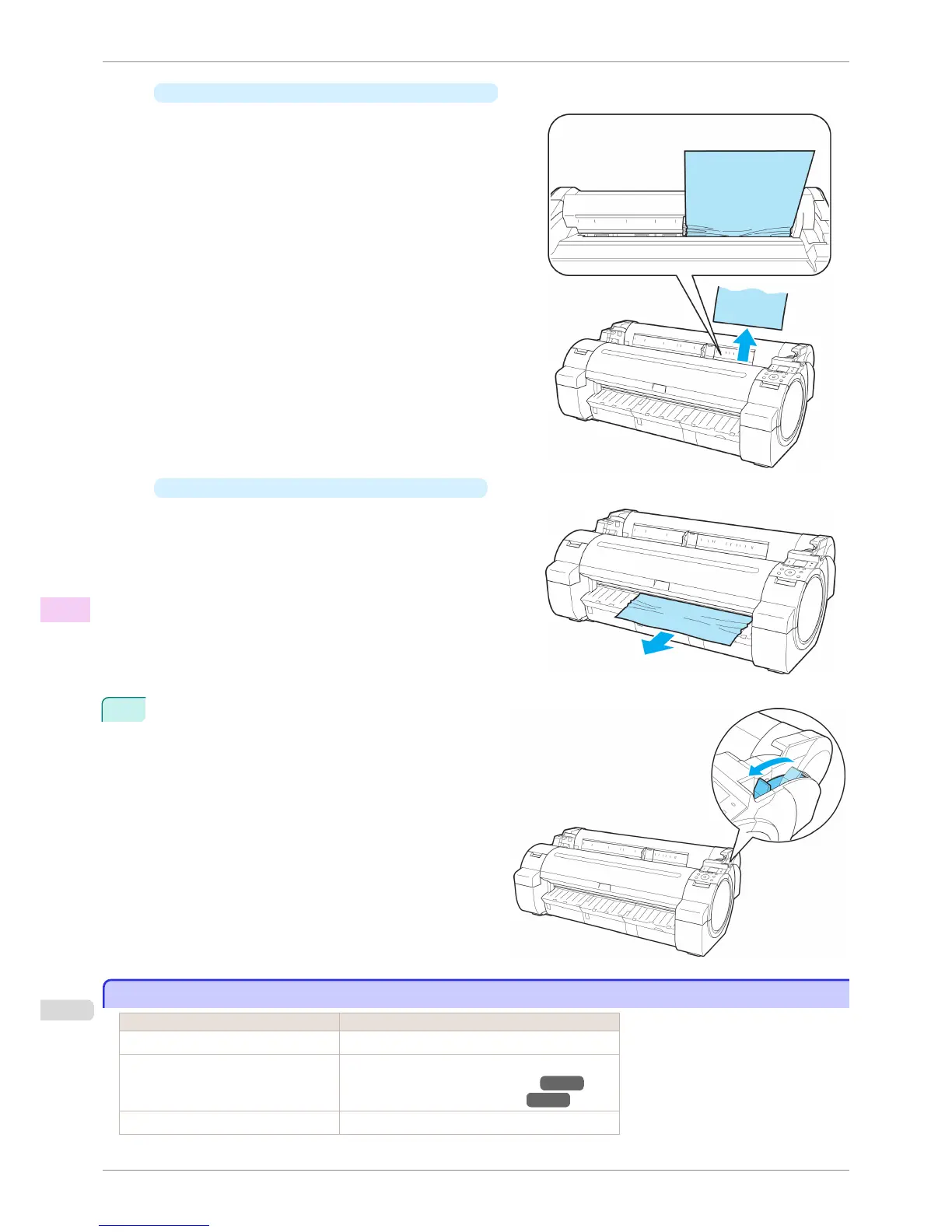
If the paper is jammed by the Paper Feed Slot
Remove the jammed paper from the Paper Feed Slot.
After removing the paper, make sure there are no oth-
er scraps of paper in the printer.
•
If the paper is jammed by the Ejection Guide
Remove the jammed paper from the Output Tray.
After removing the paper, make sure there are no oth-
er scraps of paper in the printer.
3
Pull the Release Lever forward.
Roll paper cannot be inserted into the paper feed slot
Roll paper cannot be inserted into the paper feed slot
Cause Corrective Action
The roll paper is warped. Straighten out curls and reload the roll.
Paper is jammed by the paper feed slot. Remove the jammed paper.
(See "Clearing Jammed Roll Paper.")
→P.552
(See "Clearing a Jammed Sheet.") →P.554
The paper source selection is incorrect. Press the Load button and select the paper source.
Roll paper cannot be inserted into the paper feed slot
iPF760
User's Guide
Troubleshooting Problems Regarding Paper
556















 To Next Page