2
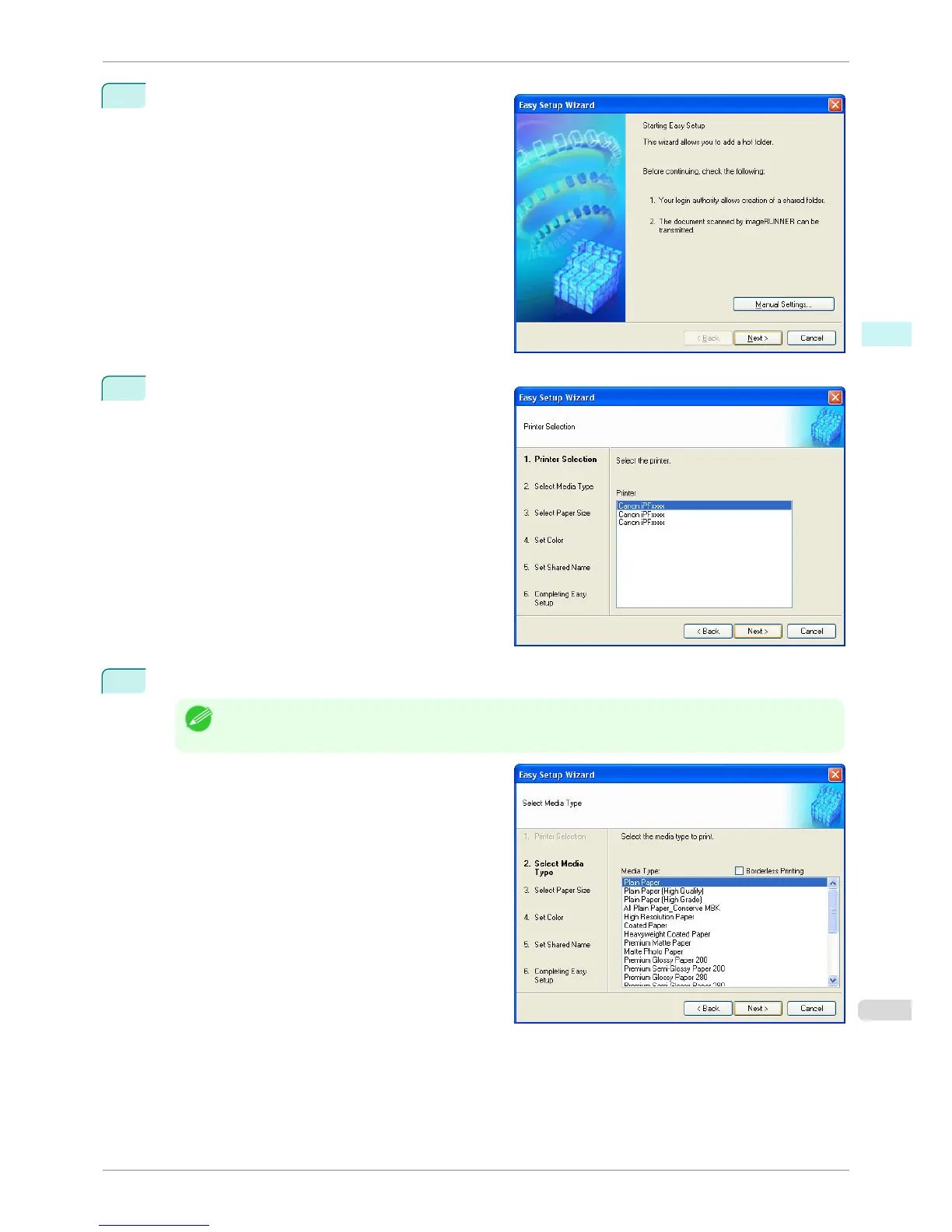
The Easy Setup Wizard dialog box displays.
Click the Next button.
3
Select the type of printer to use.
Click the Next button.
4
Select the media type to print.
Note
• If the Borderless Printing checkbox is checked, only media types that can be used for borderless printing are
displayed in the list.
Click the Next button.
iPF760
Creating a New Hot Folder
User's Guide
Windows Software Color imageRUNNER Enlargement Copy
221















 To Next Page